Releases

We're constantly improving piplanning.io. Browse the complete history of updates, enhancements, and new features across all past releases.
Filter by topic:

Kanban Mode

Kanban support has arrived in Execution Mode, making Agile collaboration more seamless than ever. This new feature allows teams to start managing their work in a fully Jira-synced Kanban board.
Mar 19th, 2025

Pan Mode & New Utilities

You’ll find the Utilities menu in the lower-right corner, making key board functions like adding sticky notes, scaling, zooming, and the new Pan Mode easier to access. With Pan Mode, effortlessly navigate your board using the hand icon or by holding the spacebar and dragging. Selecting multiple sticky notes is now smoother, too. Plus, the Plan vs. Execution switch is now right next to your profile for quicker toggling.
Feb 28th, 2025
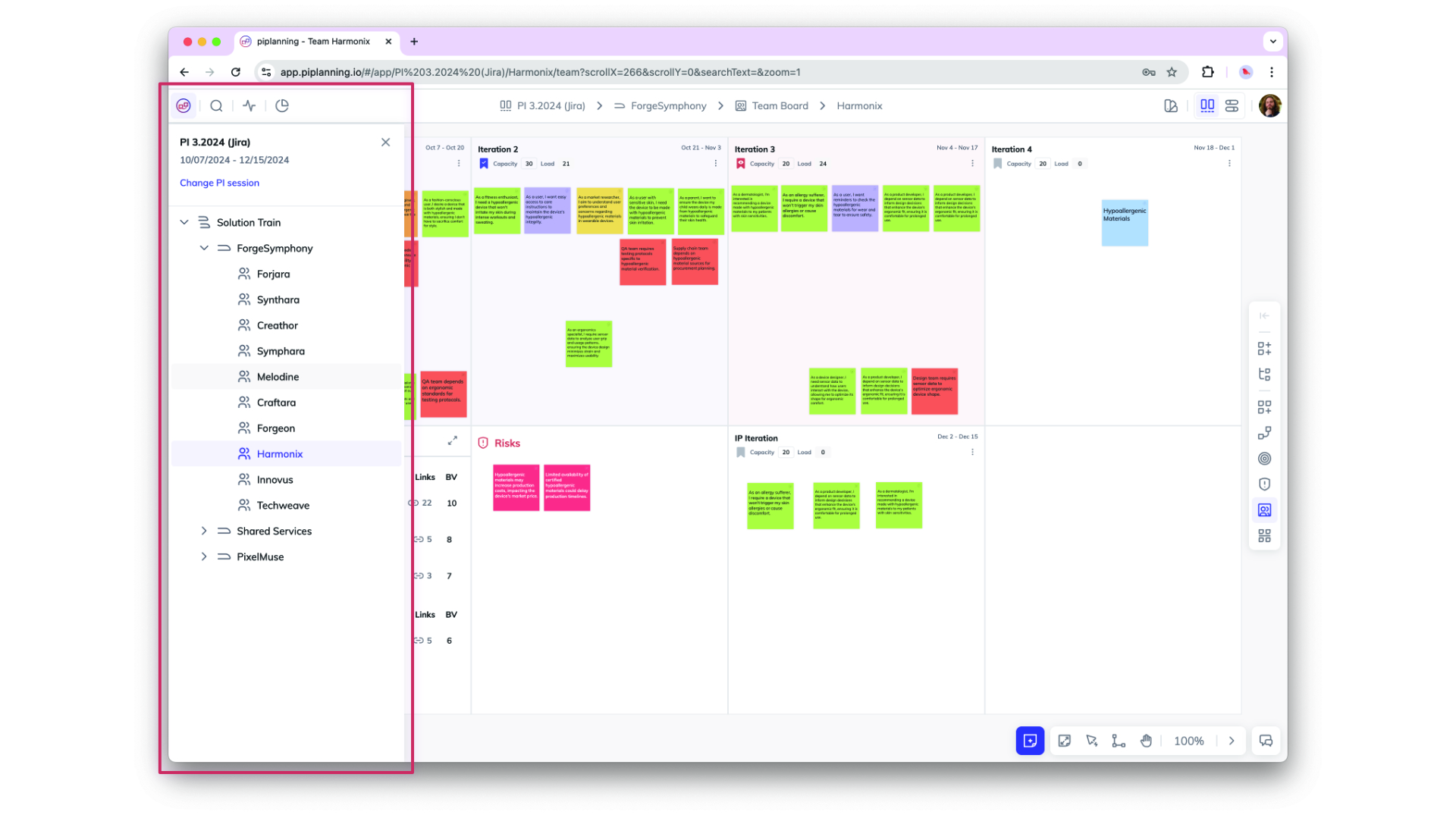
Org View and Session change

Org View and Session change

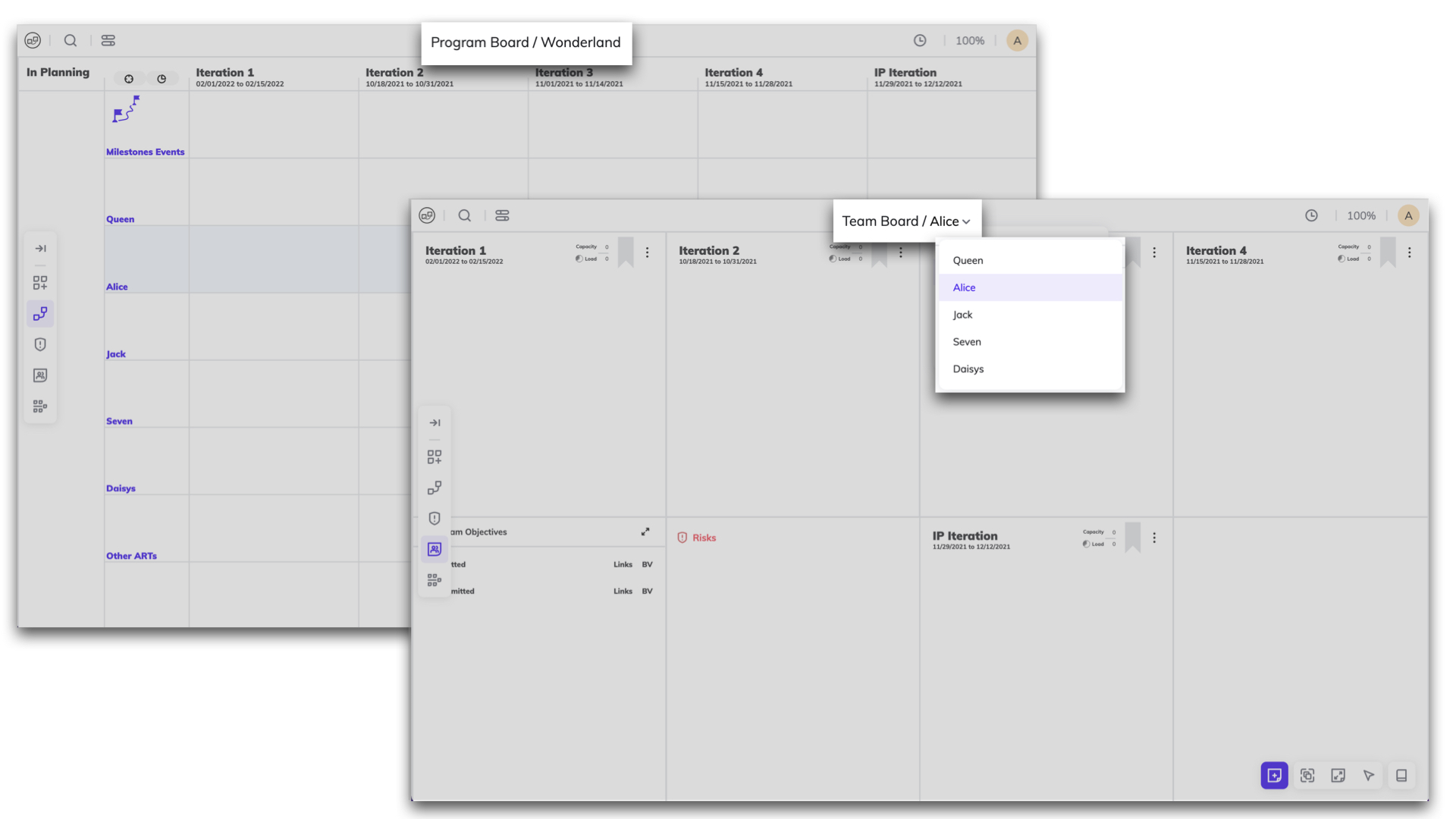
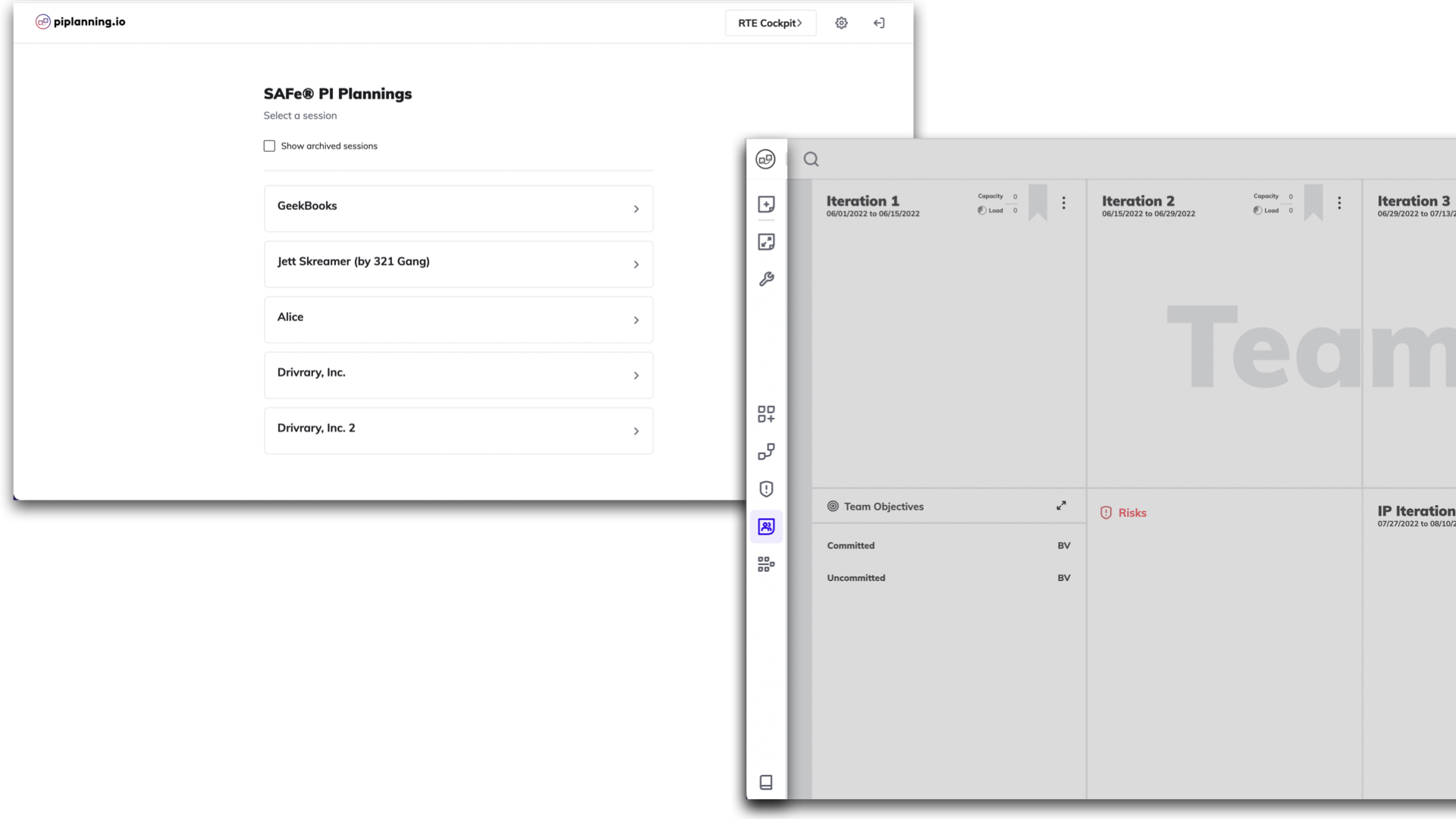
Clicking on the logo in the top navgiation opens your org structure and allows you to switch easily your PI sessions
Dec 10th, 2024
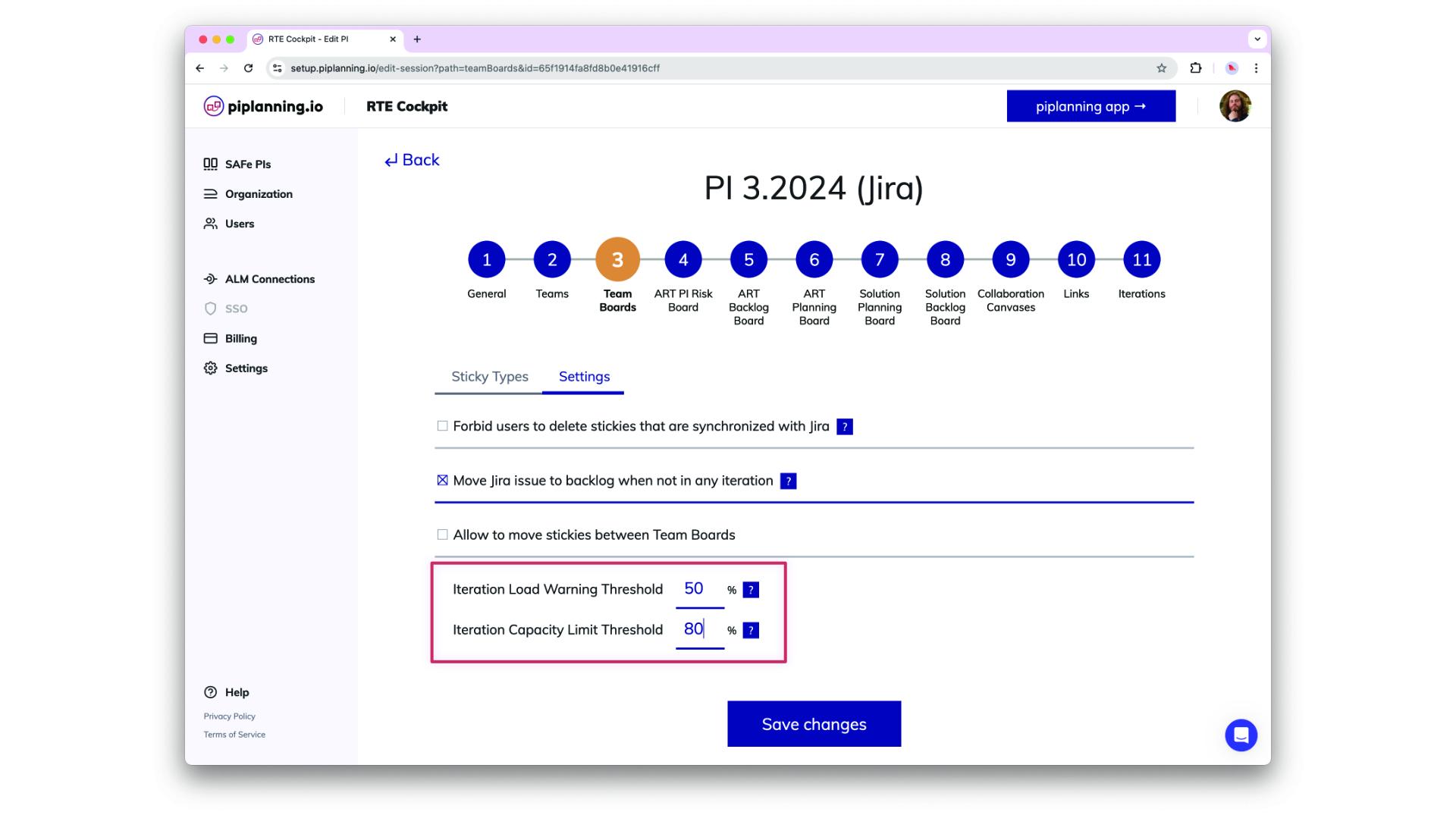
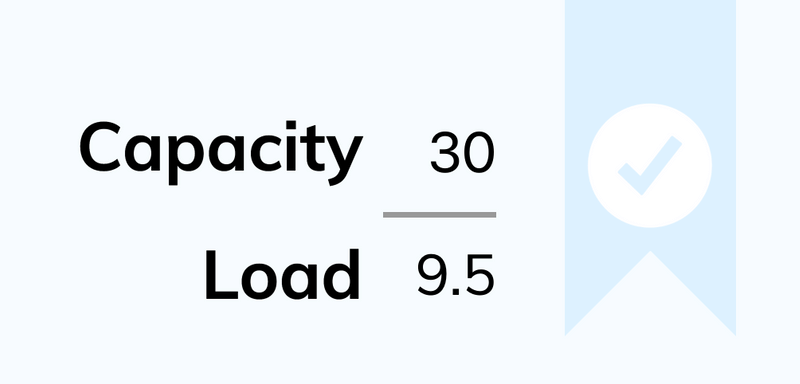
Load Warning and Capacity Limit Threshold

Load Warning and Capacity Limit Threshold

Load Warning and Capacity Limit Theshol are now configurable in the RTE Cockpit under the Team Board configuration
Dec 2nd, 2024
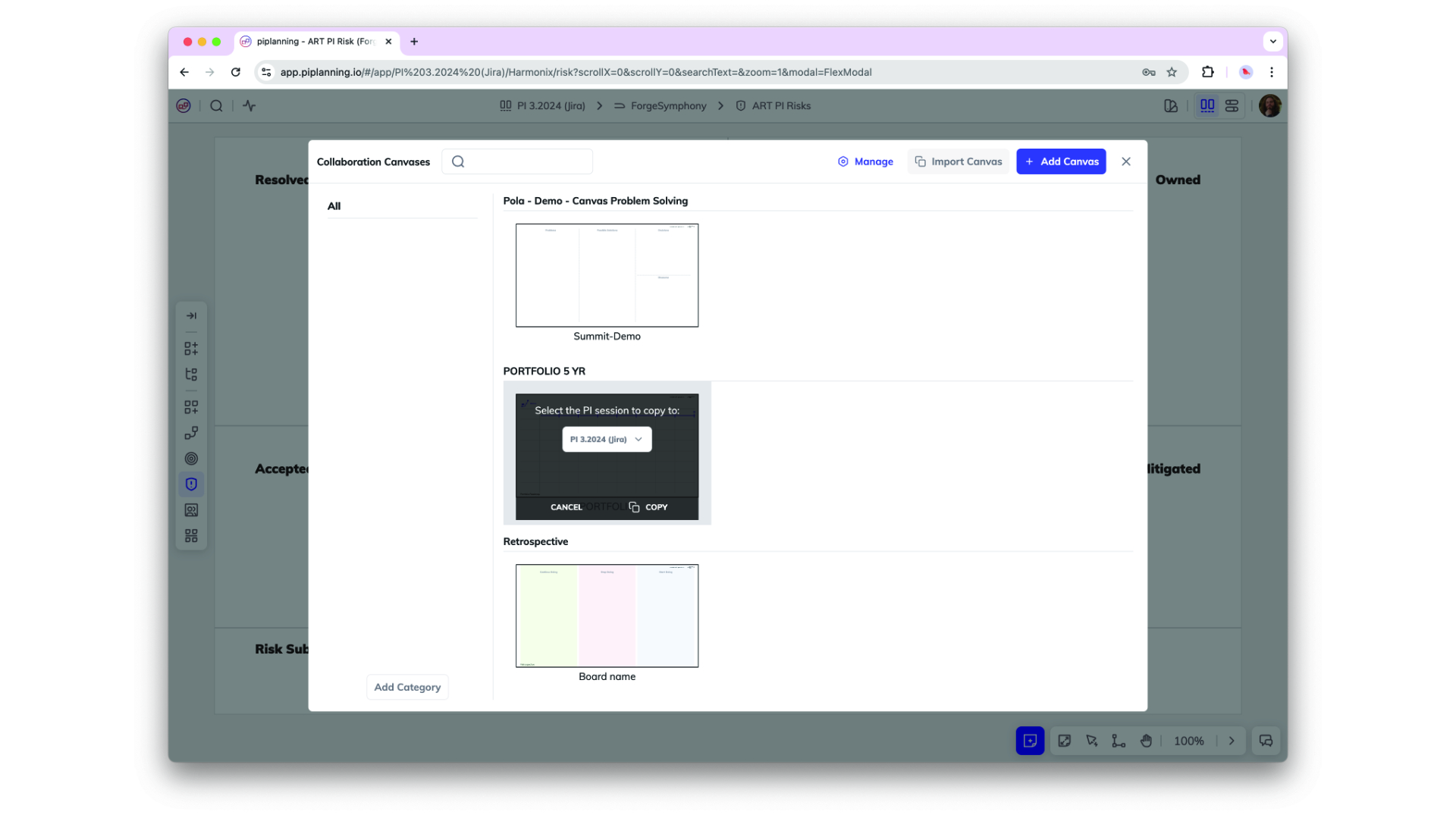
Copy Canvases

Copy Canvases

Canvases can now be copied from one session to another. That allows you to create templates and re-use them in future PI sessions.
Nov 25th, 2024
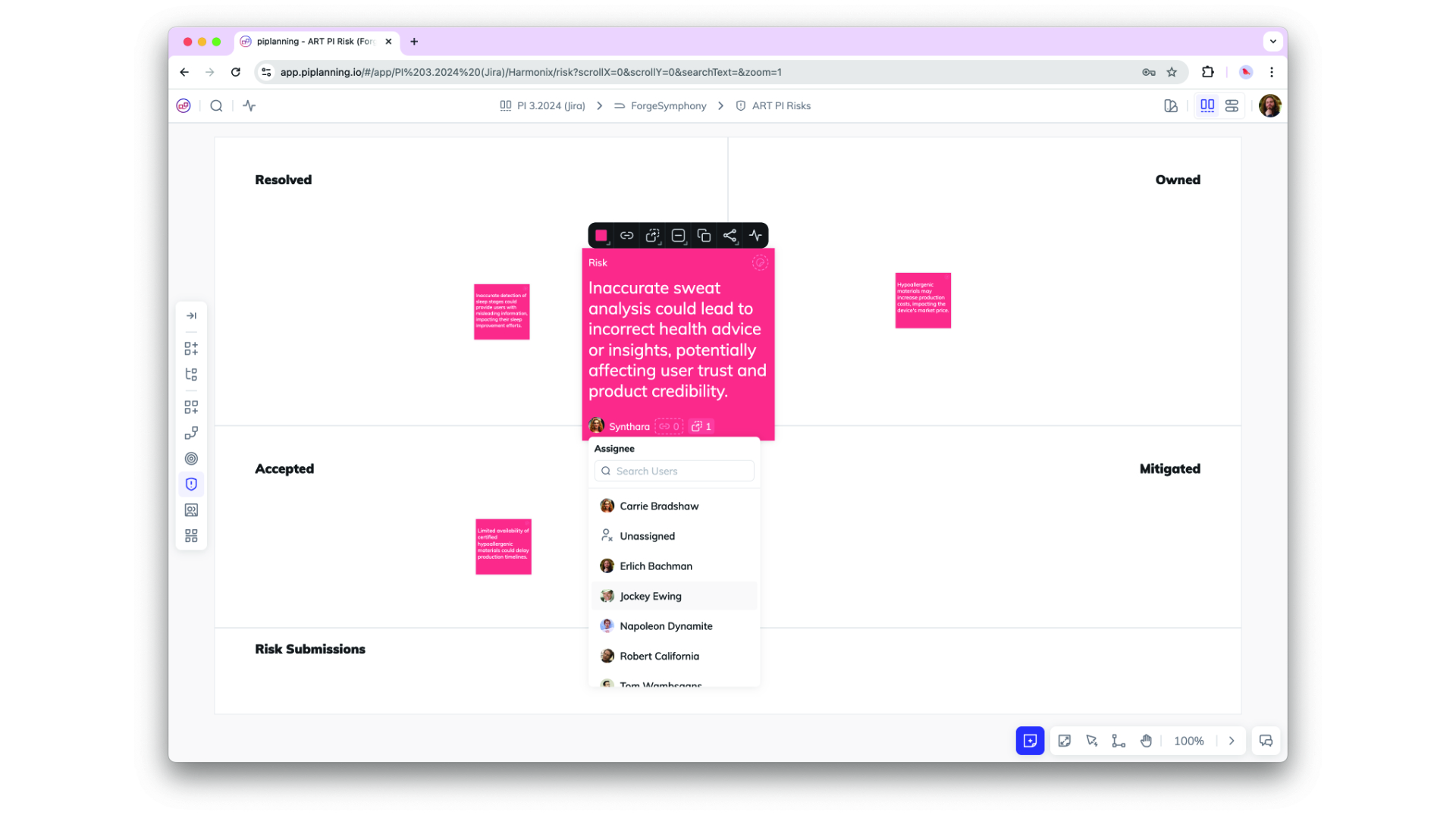
Assignee on Risk Board

Assignee on Risk Board

You can now assign work items on a risk board to a person.
Nov 21st, 2024

Release version 2.18.0

This release includes all the features from previous Cloud releases.
Nov 20th, 2024
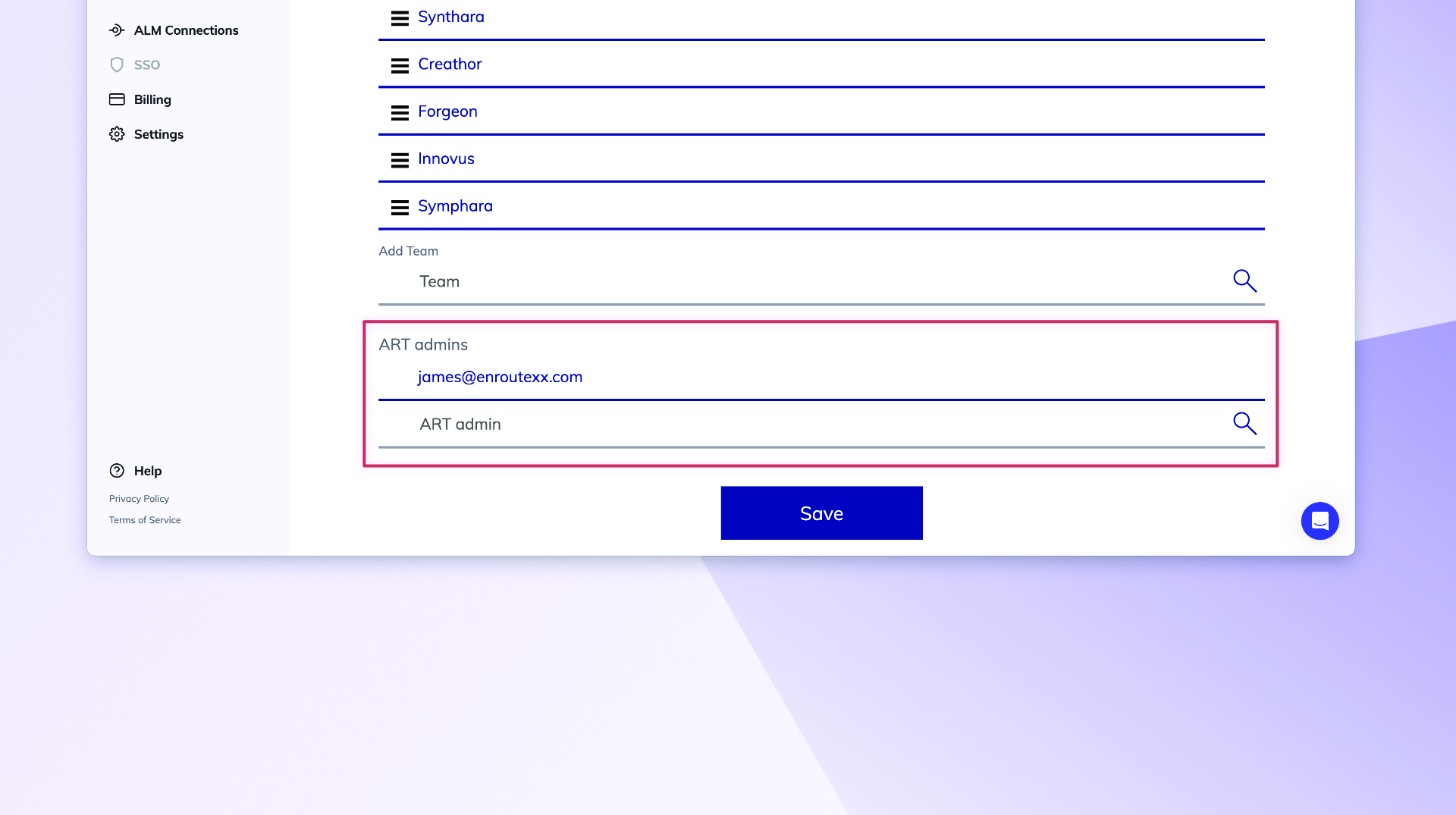
Updated Permissions for PI-Admin Role in ARTs and Solution Trains

Updated Permissions for PI-Admin Role in ARTs and Solution Trains

PI-Admins can now be assigned to specific ARTs and Solution Trains (STs), extending their permissions to manage teams, ARTs, and STs based on their assignments. This change enhances control over visibility and editing capabilities in the RTE Cockpit. Important: When a user’s role is modified, the system retains their ART/ST associations but adjusts permissions accordingly. Please be aware that this is a breaking change, and further guidance on managing these new permissions will be provided in our documentation.
Nov 6th, 2024
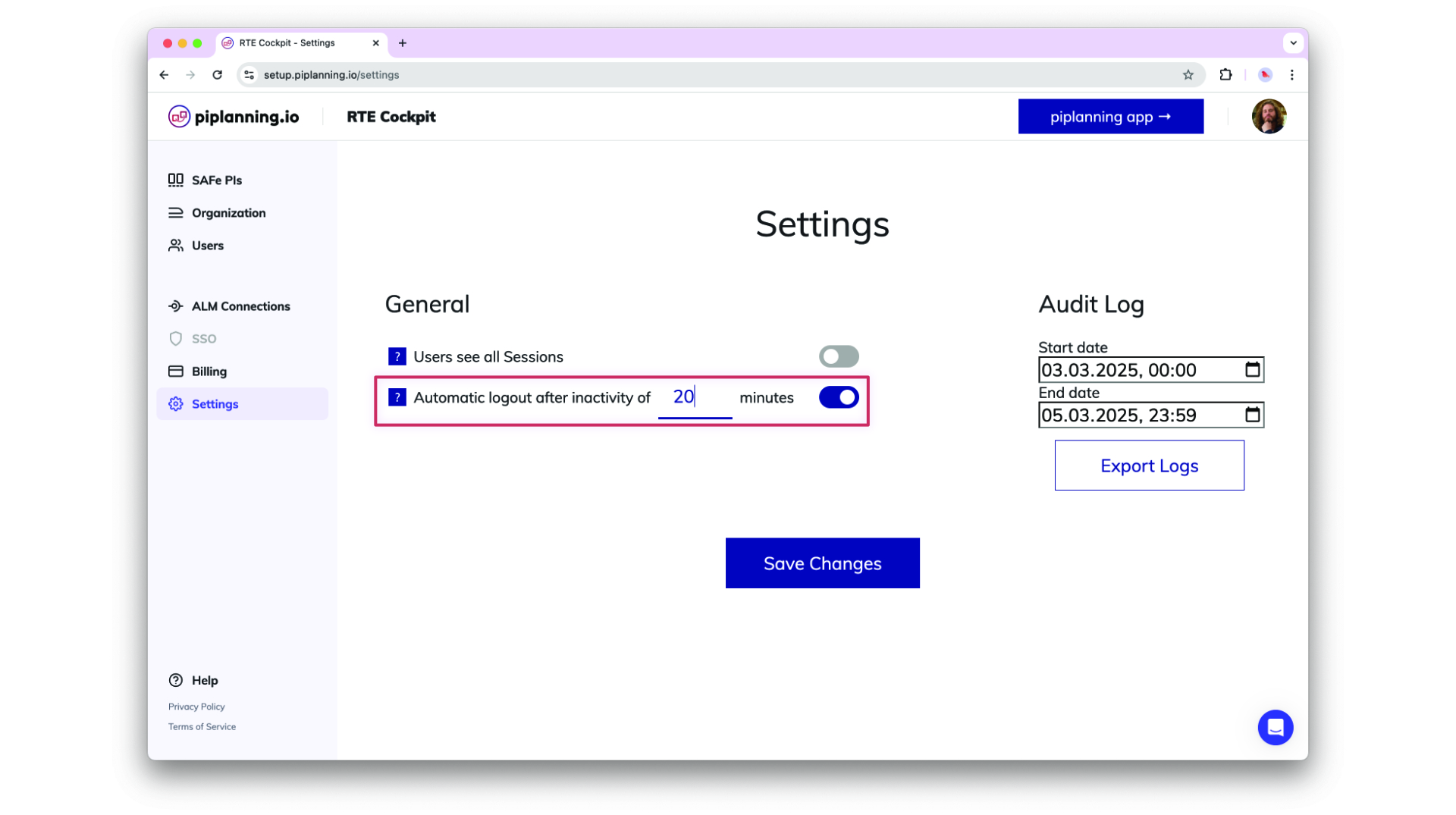
Automatic Logout After Inactivity

Automatic Logout After Inactivity

Helping organizsations meet compliance needs, admins can optionally adjust an inactivity timeout in the cockpit settings after which users get automatically logged out. This functionality detects mouse and keyboard activity, ensuring that only active sessions remain logged in.
Oct 24th, 2024
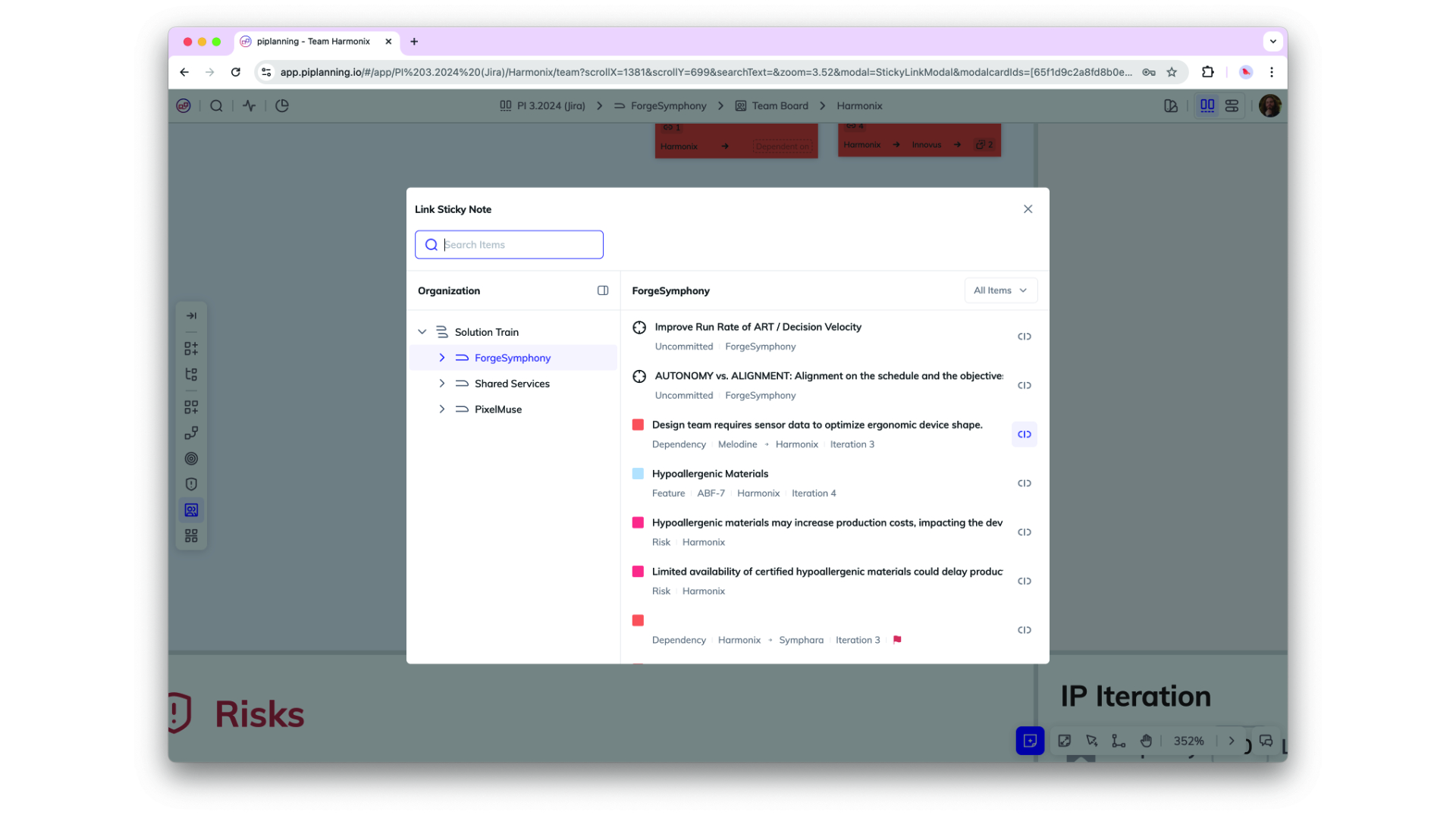
Sticky Linking and Search Capabilities

Sticky Linking and Search Capabilities

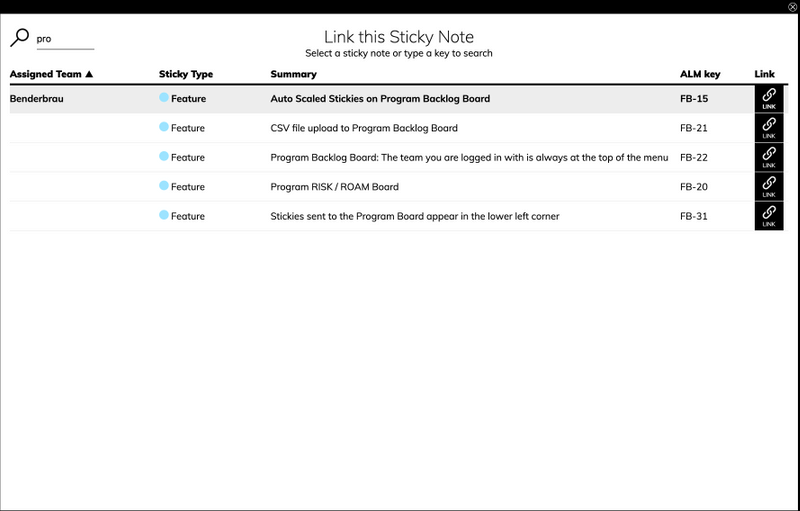
You can now link any sticky note to another within the same PI session, allowing for better cross-team and cross-ART (Agile Release Train) collaboration. Easily link stories within or across teams, as well as to features in other ARTs, with an improved UI that includes team and type filtering plus full-text search for streamlined navigation.
Oct 2nd, 2024
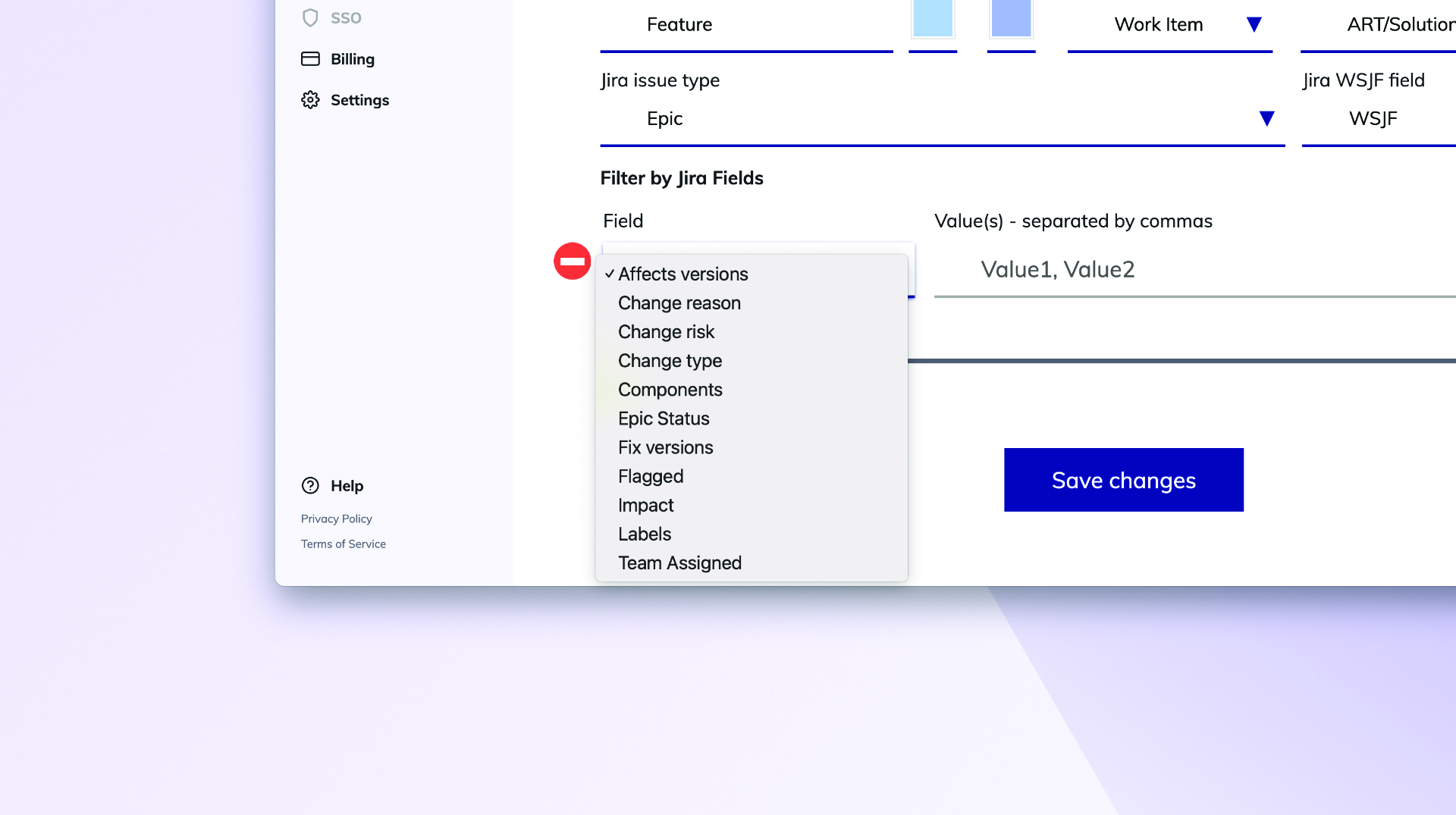
Enhance ART Backlog Board synch filtering by more fields

Enhance ART Backlog Board synch filtering by more fields

ART backlog issues in Jira can now be filtered by additional field types beyond labels, these are FixVersion, Component, Single-select (customfield), and Multi-select (customfield). This does simplify your configuration and providing greater flexibility in synchronizing your ART backlog.
Sep 18th, 2024
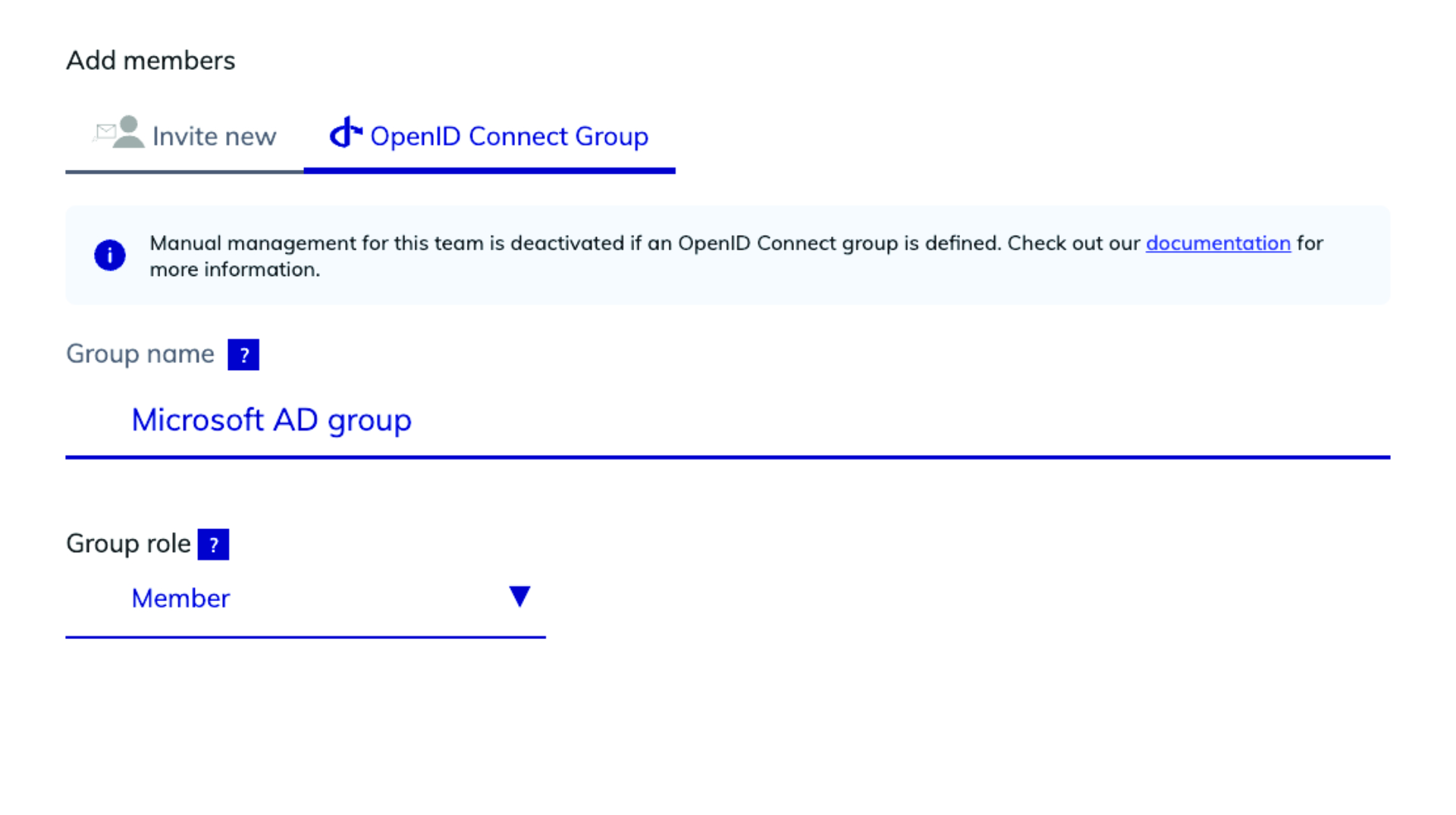
Map Microsoft Azure AD Groups to Teams with OIDC

Map Microsoft Azure AD Groups to Teams with OIDC

You can now setup your team by mapping Microsoft Azure AD groups directly to teams using OIDC. This feature allows for efficient team management and synchronization with your organization's AD structure, making user and team onboarding quicker and more consistent.
Sep 3rd, 2024
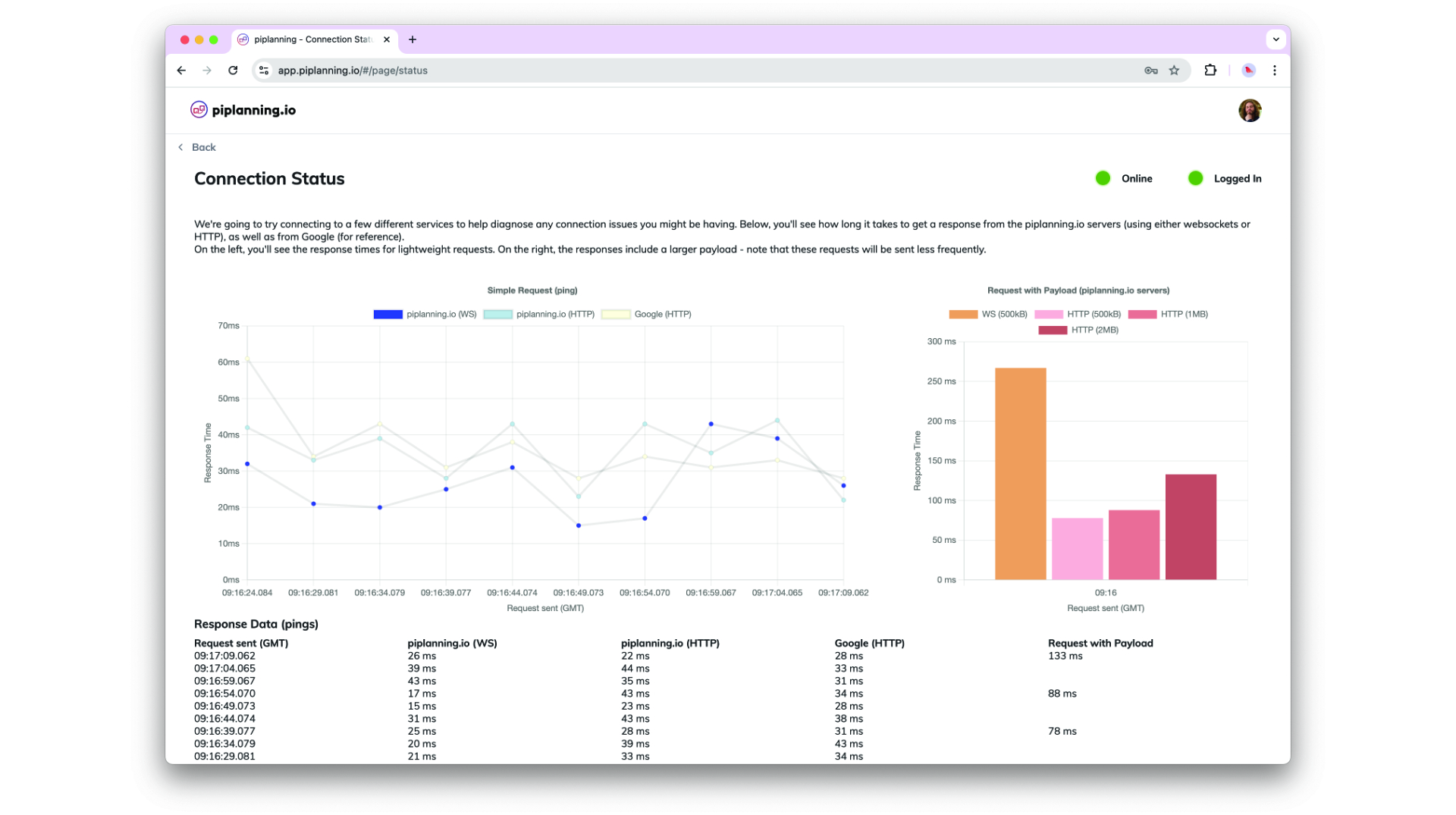
Connection Status Page

Connection Status Page

The Connection Status Page is designed to provide better insights and help diagnose connection issues more effectively.
Sep 2nd, 2024
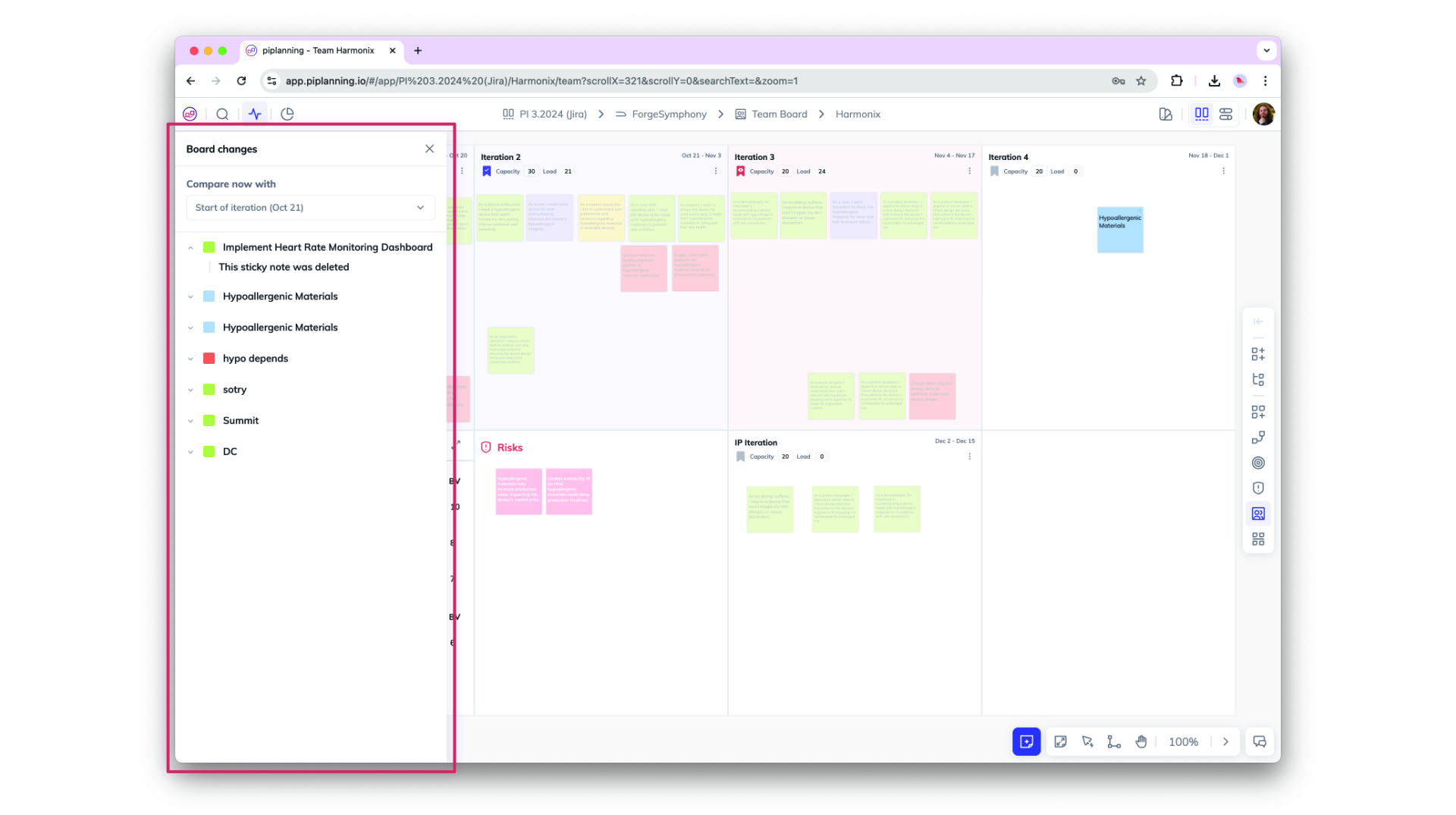
Board Activity Comparison for Sticky Notes

Board Activity Comparison for Sticky Notes

Easily track changes on sticky notes with the new Board Activity Compare feature. Compare any two points in time—such as Now vs. Last Workday, Now vs. Start of Iteration, or Now vs. Start of PI—to view updates on attributes and actions taken on each sticky note, providing clear insights into recent activity and progress.
Aug 29th, 2024
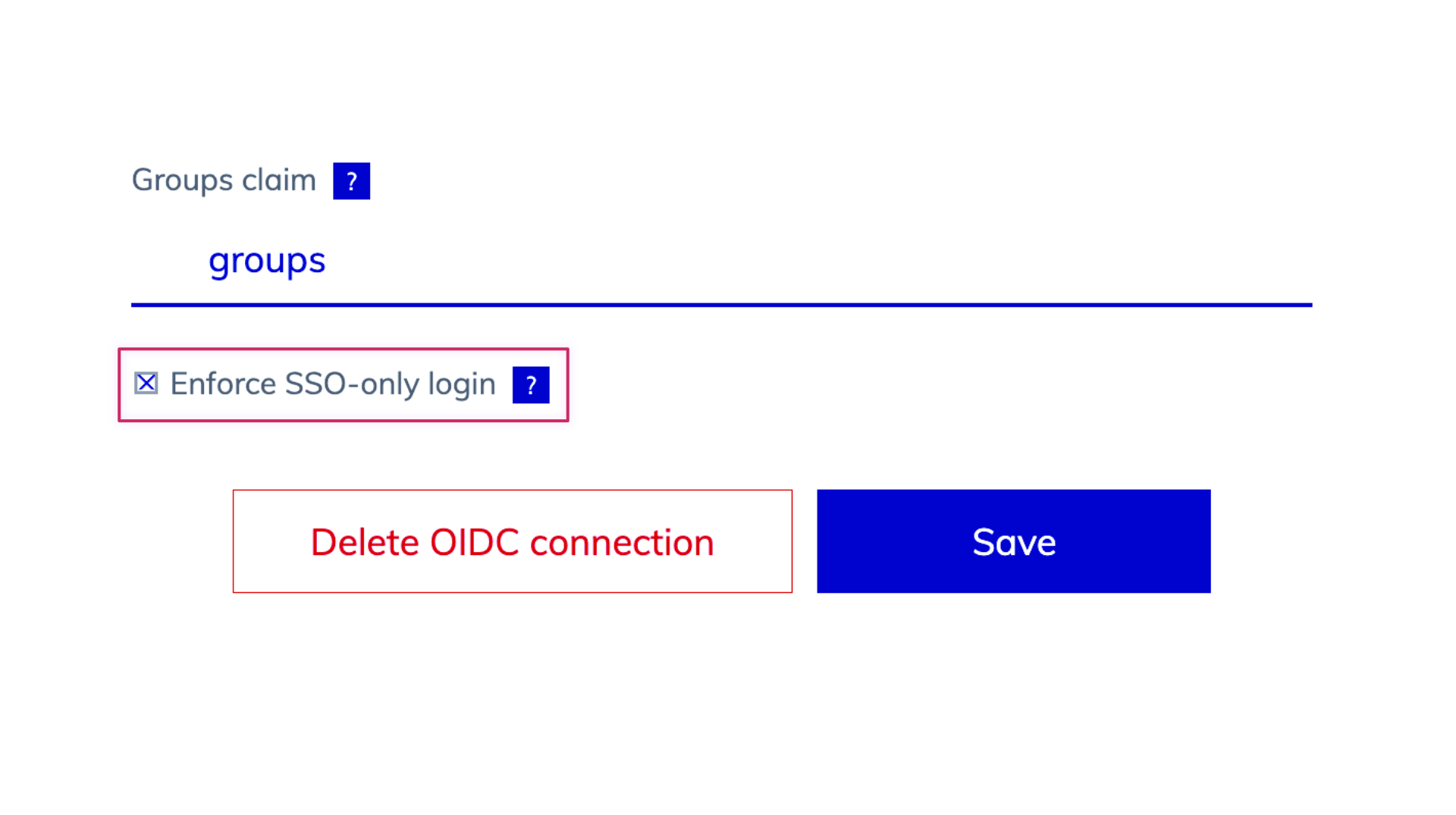
Enhanced SSO-Only Mode and Login Flexibility

Enhanced SSO-Only Mode and Login Flexibility

We’ve updated the login behavior for environments with SSO enabled. When SSO-only is active, username and password options are hidden, and user management is streamlined, allowing admins to add users via team assignments but removing password reset options. When SSO is off, login fields for username and password, password resets, and user invitations via email are available, offering greater flexibility in user management.
Aug 25th, 2024
Assignee Field on Sticky Notes with Jira & Rally Sync

Assignee Field on Sticky Notes with Jira & Rally Sync

A new "Assignee" field on sticky notes now allows you to assign users directly within the app. The assignee syncs seamlessly with Jira and Rally, displaying user IDs and enabling easy edits. This update enhances collaboration by linking ALM user assignments to piplanning.io.
Aug 23rd, 2024
Support for ADO XML Process Templates

Support for ADO XML Process Templates

piplanning.io now supports Azure DevOps (ADO) instances (on-prem) using XML process templates, enabling seamless bidirectional sync of work item statuses. By refining the integration to exclude unused properties like custom rules, this update improves compatibility with XML process templates while maintaining clear logging of any API errors due to custom rules for admin visibility in ALM Events.
Aug 14th, 2024
User Data Export for Compliance

User Data Export for Compliance

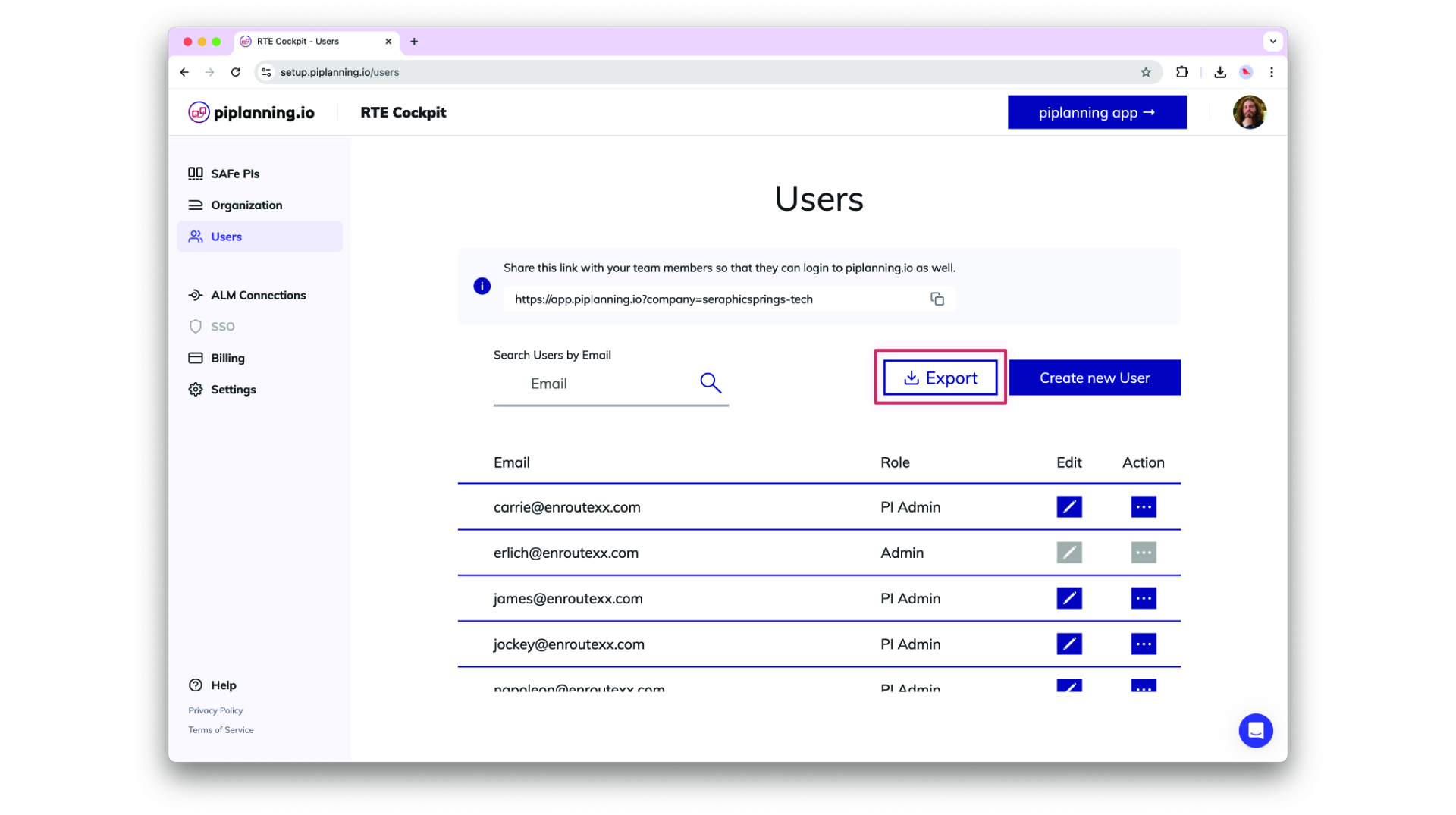
Admins can now export a comprehensive list of all users within their company as an XLSX or CSV file. The export includes user details such as ID, email, name, role, teams, last login, and SSO linkage, supporting compliance needs with easy access to user data.
Aug 12th, 2024
Involved teams on dependencies in xlsx export

Involved teams on dependencies in xlsx export

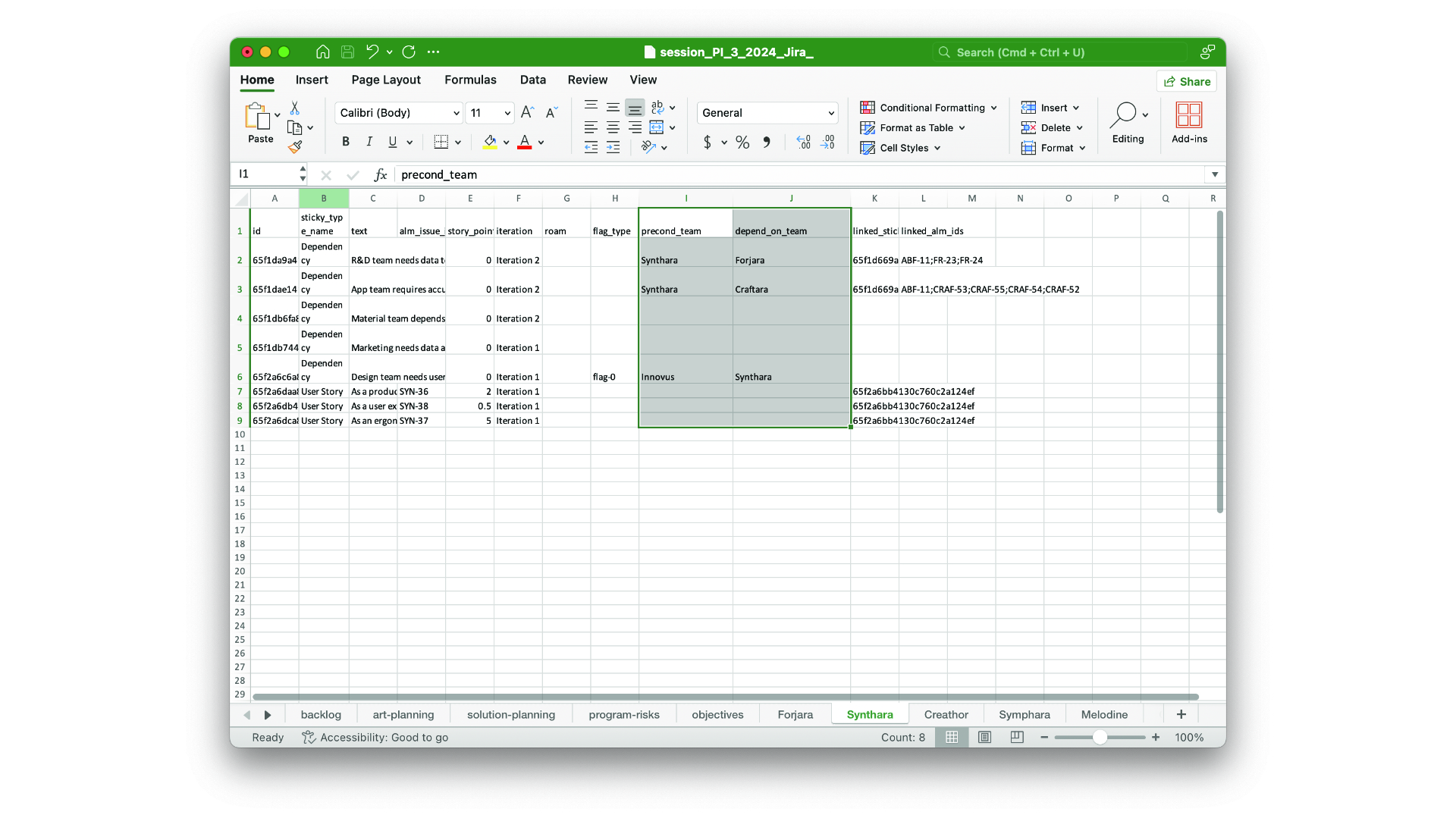
The precond-team and depend-team you add on dependencies are now part of the xlsx session export.
Aug 7th, 2024
Accessibility Compliance Update: 508 & WCAG Level AA

Accessibility Compliance Update: 508 & WCAG Level AA

piplanning.io is now fully compliant with Section 508 and WCAG 2.1 Level AA accessibility standards! This update ensures an improved experience for all users, including those with disabilities, by enhancing keyboard navigation, screen reader support, color contrast, and more.
Jul 22nd, 2024
ART-Level Team Sync with Rally

ART-Level Team Sync with Rally

You can now synchronize the team-field (project) between Rally and piplanning.io ART-level sticky notes.
Jun 26th, 2024

Release version 2.17.0

This release includes all the features from previous Cloud releases.
Jun 25th, 2024
Enhanced Team and ART Navigation

Enhanced Team and ART Navigation

Navigating between Teams and ARTs is now simpler with the new ART selector on team boards and a Team selector on ART and Solution Boards. Additionally, when you leave an ART and return, you’ll automatically rejoin as the same team you left, making it easier to pick up where you left off.
May 21st, 2024
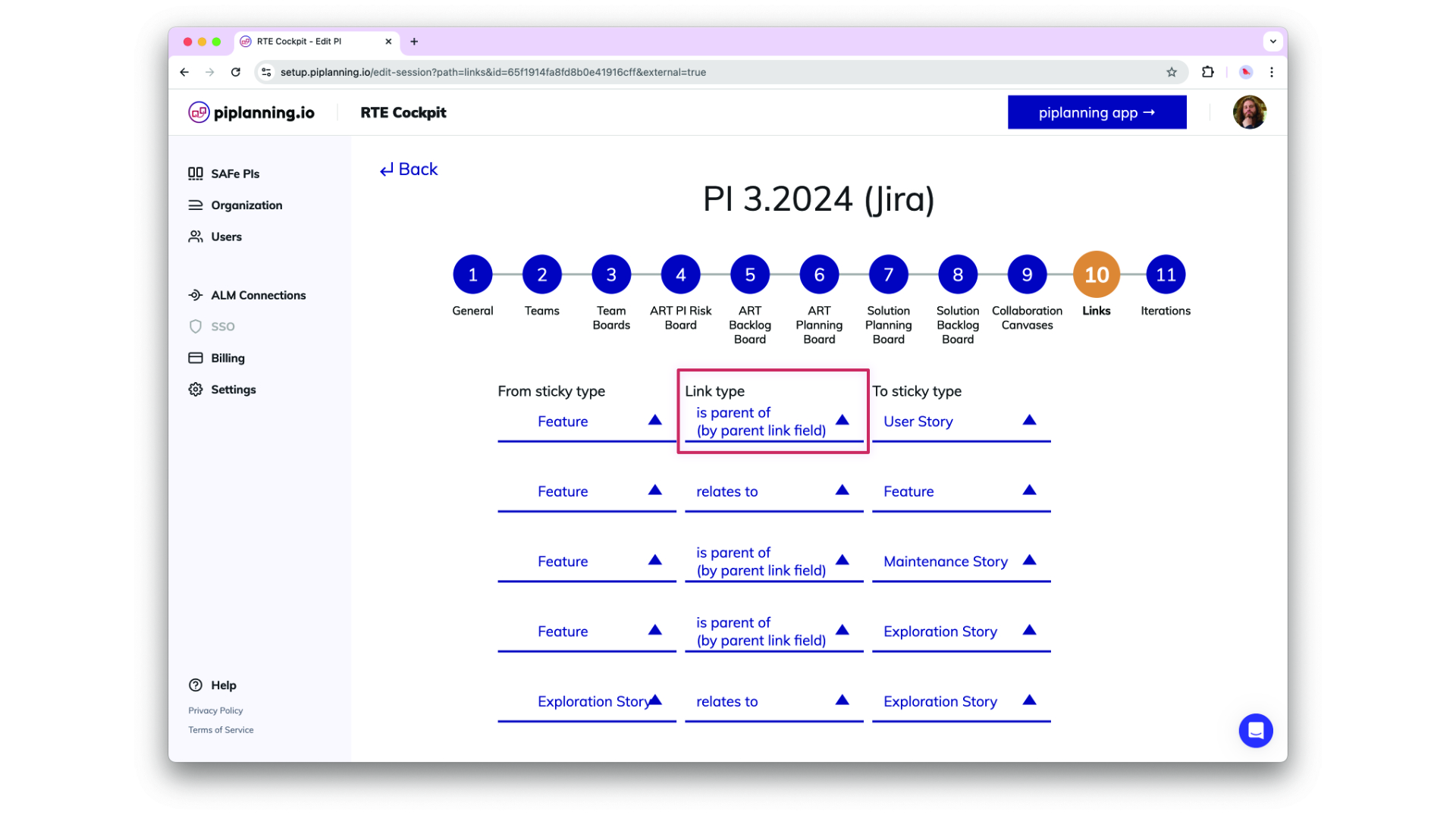
Support for New Parent-Child Link Type in Jira

Support for New Parent-Child Link Type in Jira

piplanning.io now fully supports Jira's new "parent/child" link type, allowing admins to configure this standardized way of linking Features, User Stories, and other work items. This update streamlines project setup, enhances linking in the RTE Cockpit, and ensures a smooth experience for customers using the Jira Integration.
May 17th, 2024

Release version 2.16.0

This release includes all the features from previous Cloud releases.
May 16th, 2024
Jira Assignees Synced to piplanning.io Sticky Notes

Jira Assignees Synced to piplanning.io Sticky Notes

Now, when you sync sticky notes from Jira to piplanning.io, the assignee information is automatically transferred. This ensures that every team member can see at a glance who is responsible for each task, facilitating better coordination and accountability across your Agile Release Train. Enjoy a more connected planning experience.
Apr 20th, 2024

StickyNote Pro

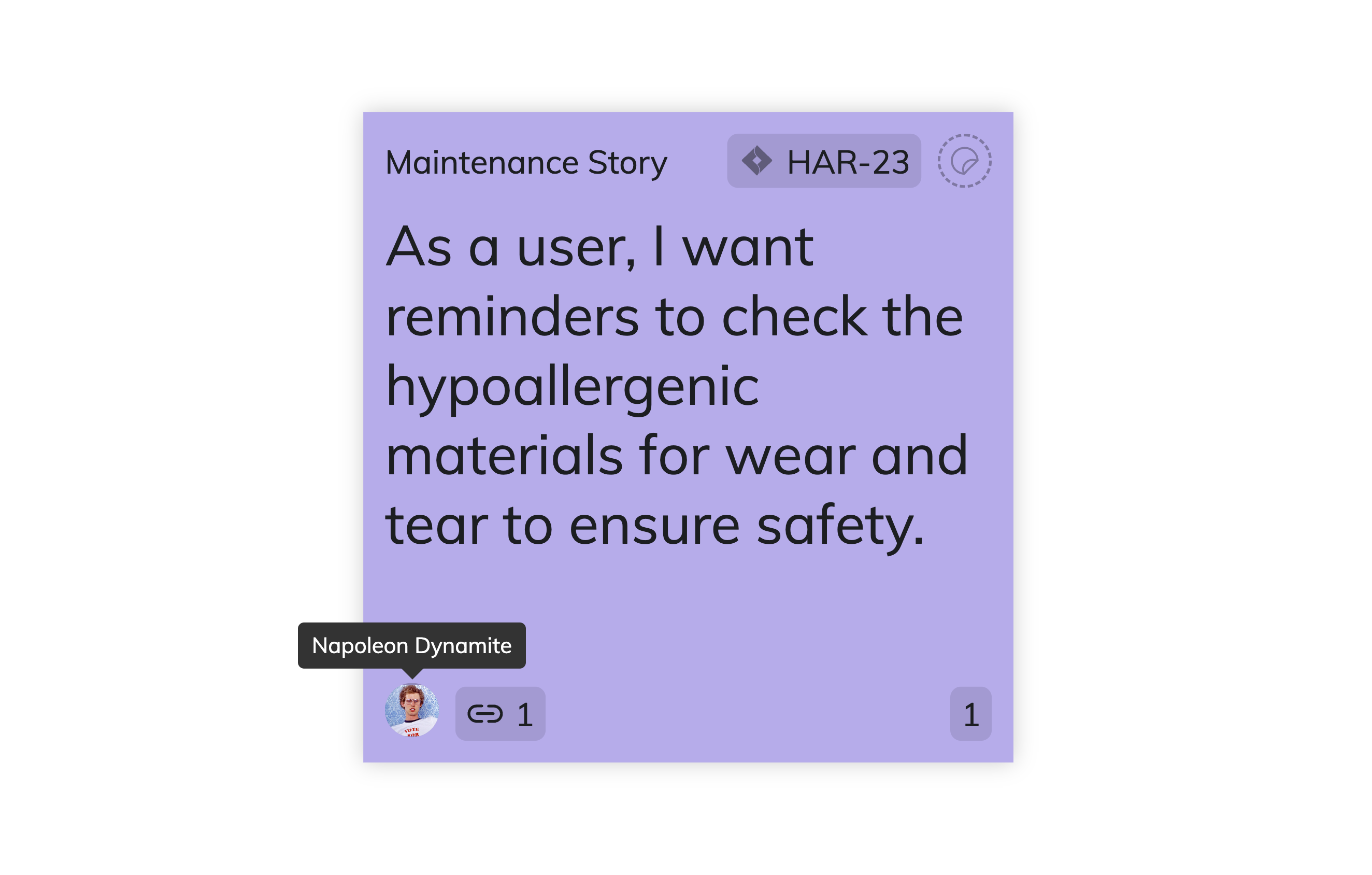
The StickyNote Pro isn't just a new tool – it changes the way we work. It comes in many types and colors, all designed to fit your unique way of working. But no matter how you use it, its simplicity remains the same. Simplicity is what we're all about.
Apr 9th, 2024
Enhanced PI Admin Capabilities

Enhanced PI Admin Capabilities

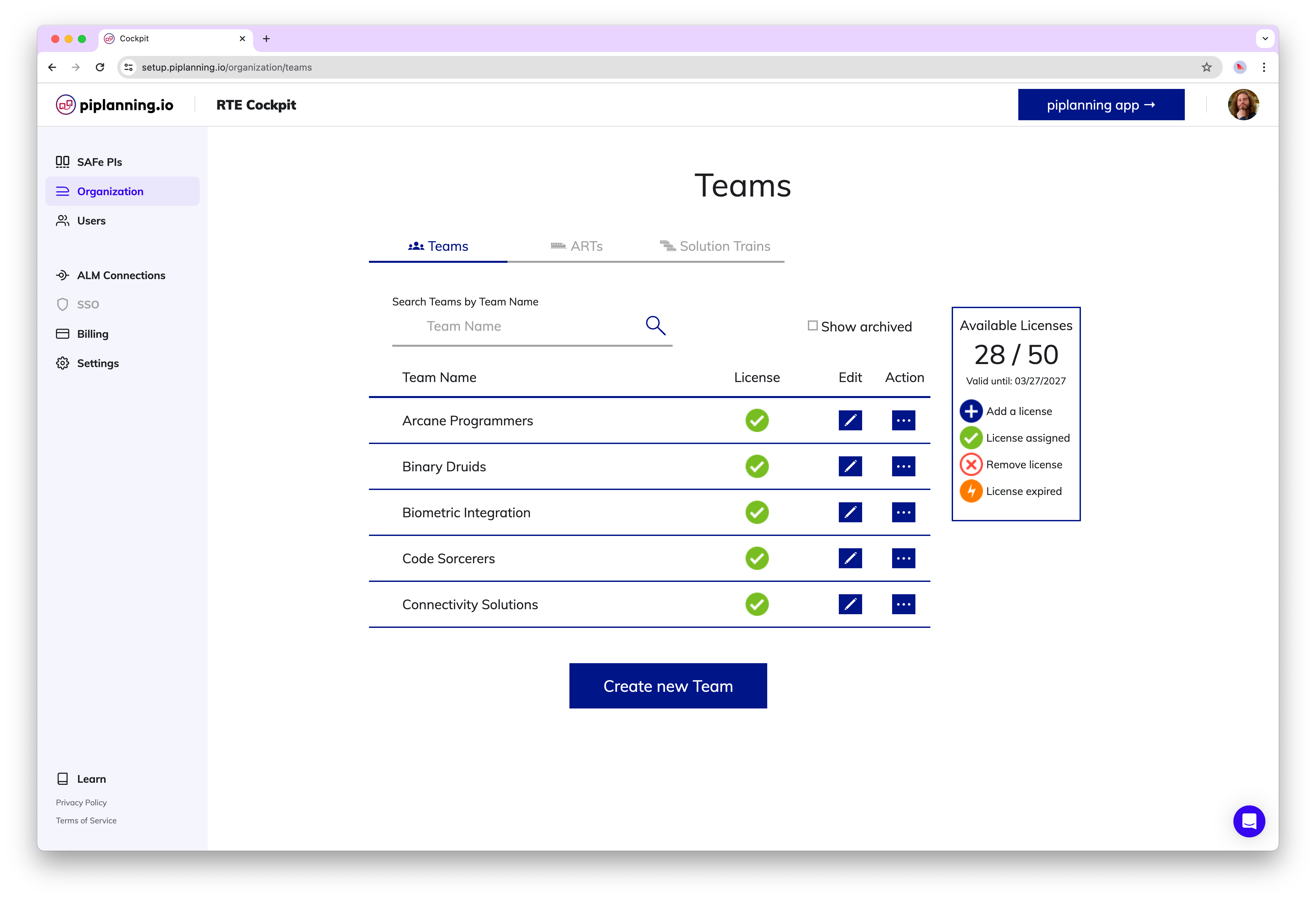
As a PI Admin, you now have the ability to add and edit team members, as well as manage teams within your Agile Release Train.
Mar 20th, 2024
Enhanced Session Duplication Options

Enhanced Session Duplication Options

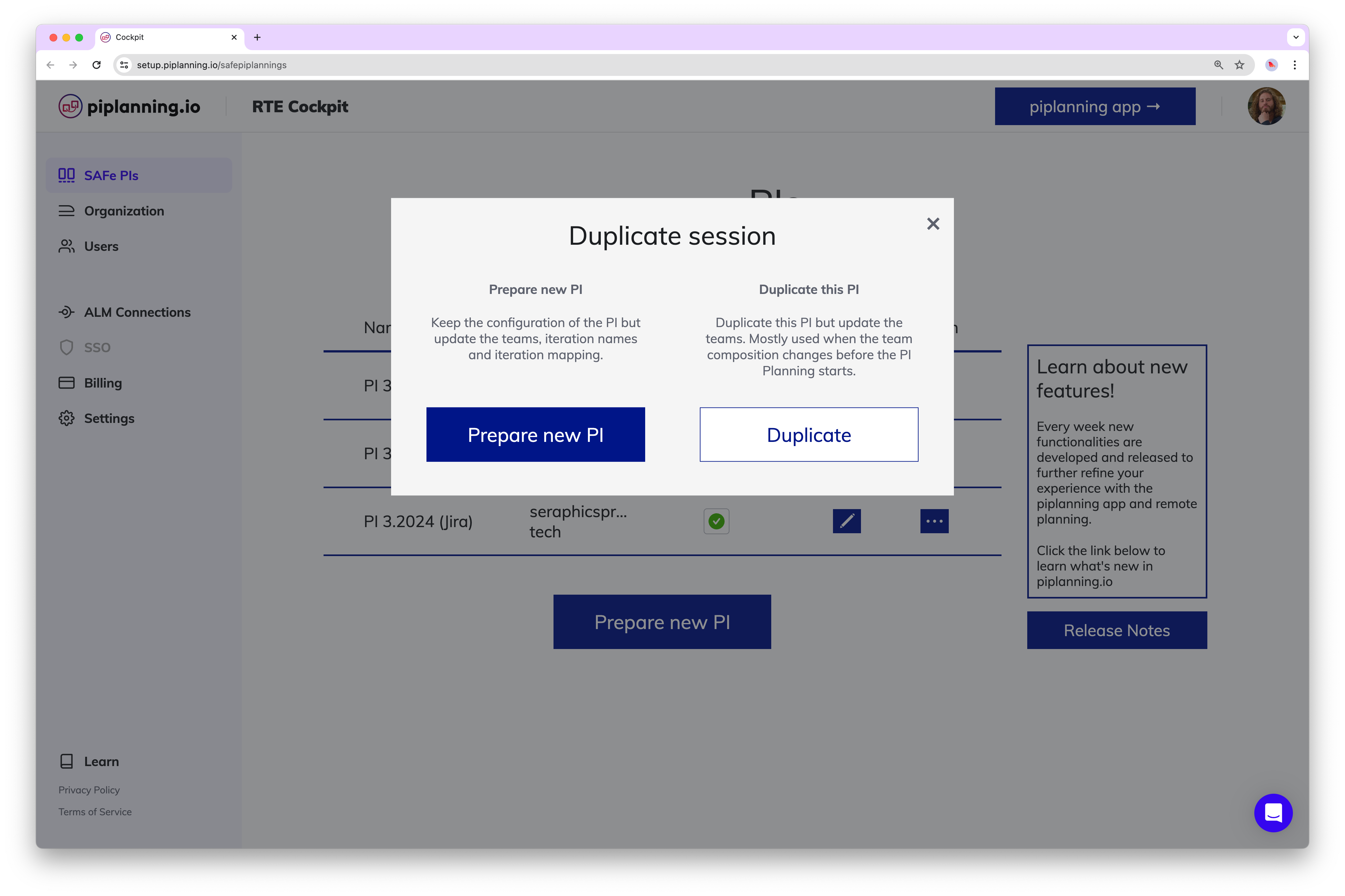
Prepare New PI: Retain the original PI configuration while updating teams, iteration names, and mappings. Duplicate This PI: Create a copy of the PI with the option to update team compositions, typically used when teams change before PI Planning begins.
Mar 18th, 2024
Keep Filters

Keep Filters

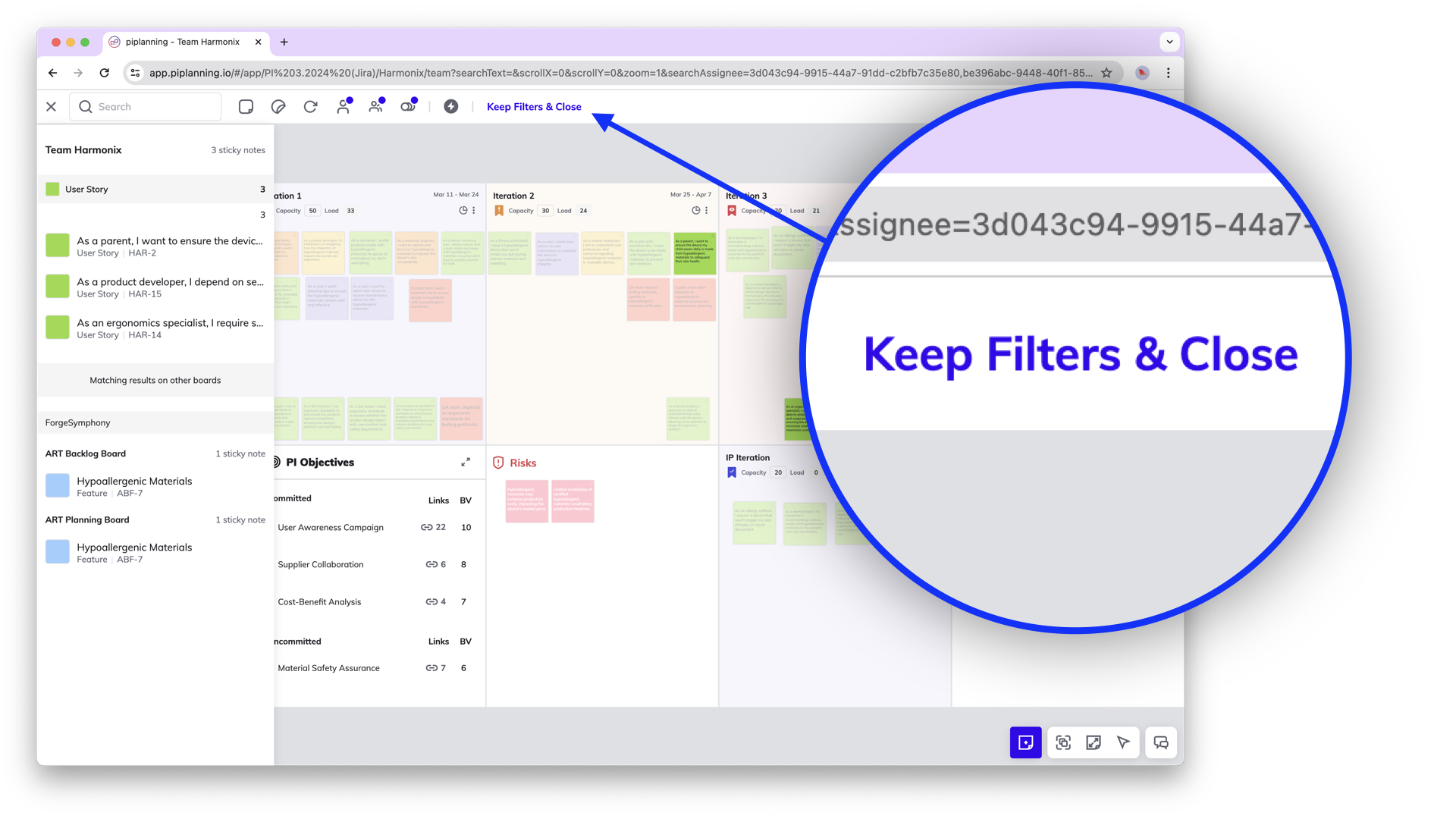
If you want to close the search but keep the filter active in order to work on the board, click on "Keep Filters & Close". To clear the filter, click on the X in the top navigation on the left.
Mar 1st, 2024
Default Jira Team Field – now supported for mapping

Default Jira Team Field – now supported for mapping

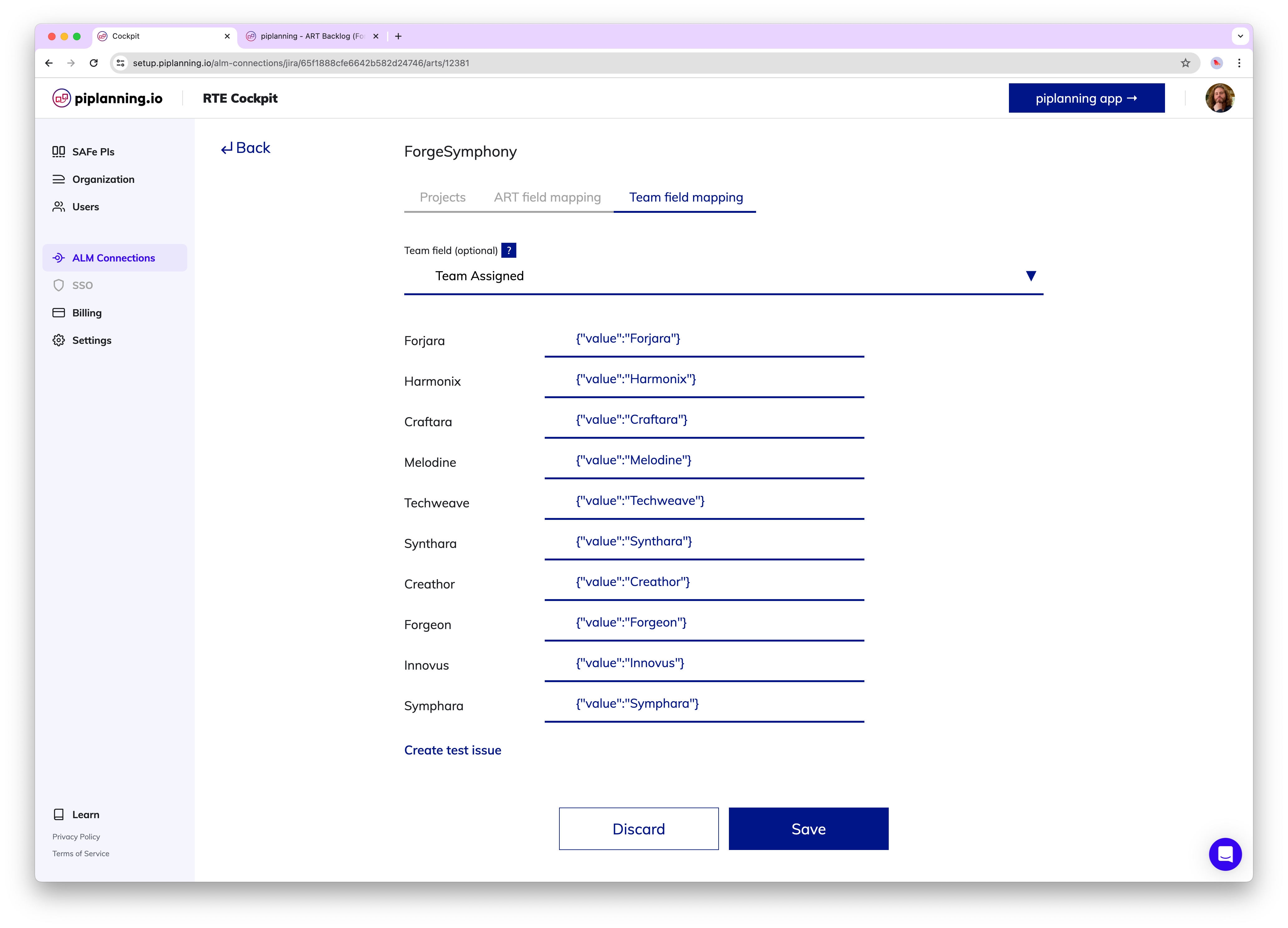
Jira users can now use the out of the box Jira team field for mapping team and ART level items.
Feb 21st, 2024
Planned Iteration Visible in Plan Readout

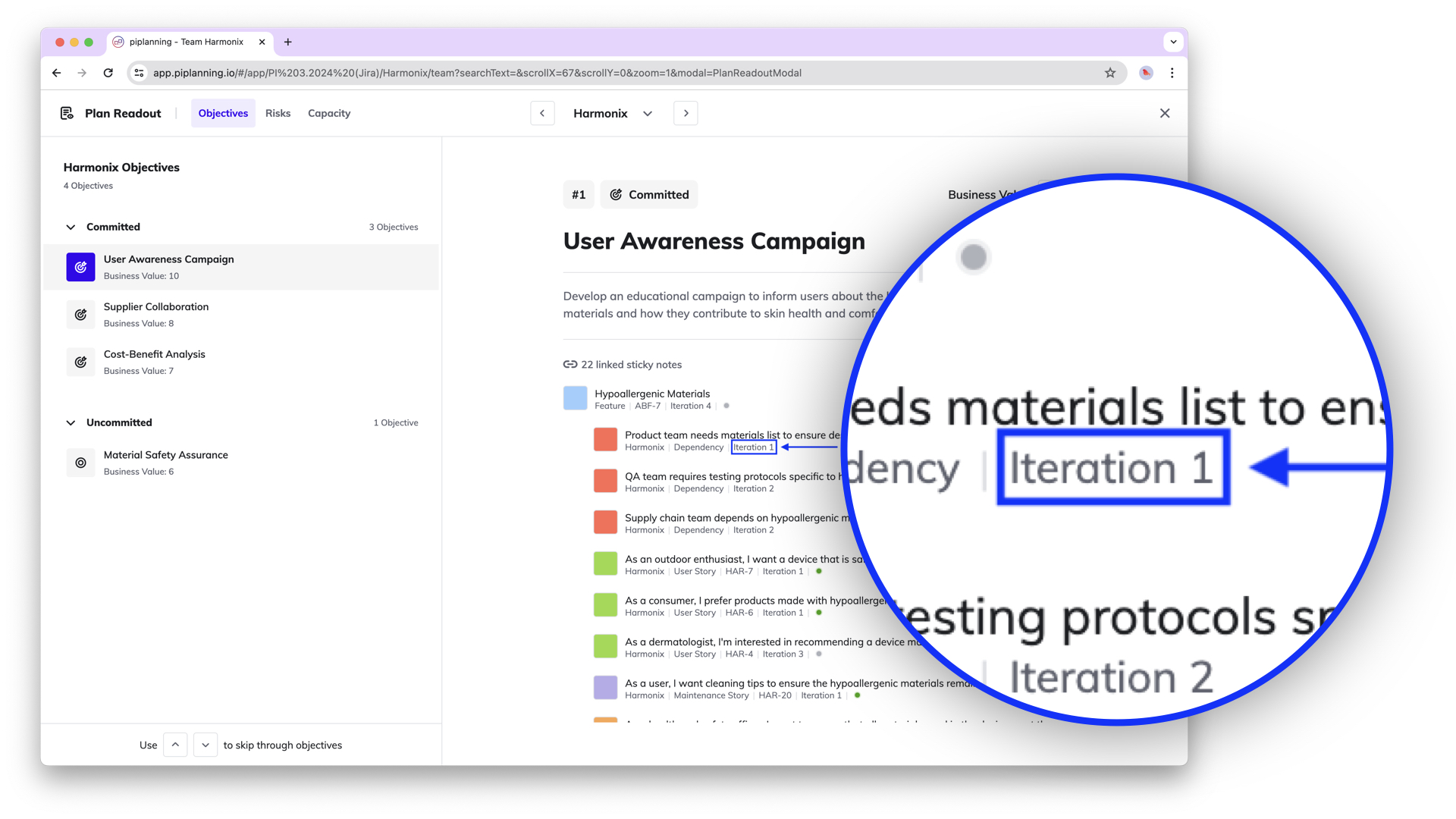
Planned Iteration Visible in Plan Readout

The Plan Readout overview now also shows the iteration in which the work items linked to the team objective were planned.
Feb 7th, 2024

Release version 2.15.0

This release includes all the features from previous Cloud releases.
Feb 6th, 2024

History of Sticky Notes - Tracking Activities

The sticky note activity overview allows you to see what has happened to a sticky note since it was created. Who changed what and when. This helps with traceability.
Dec 13th, 2023

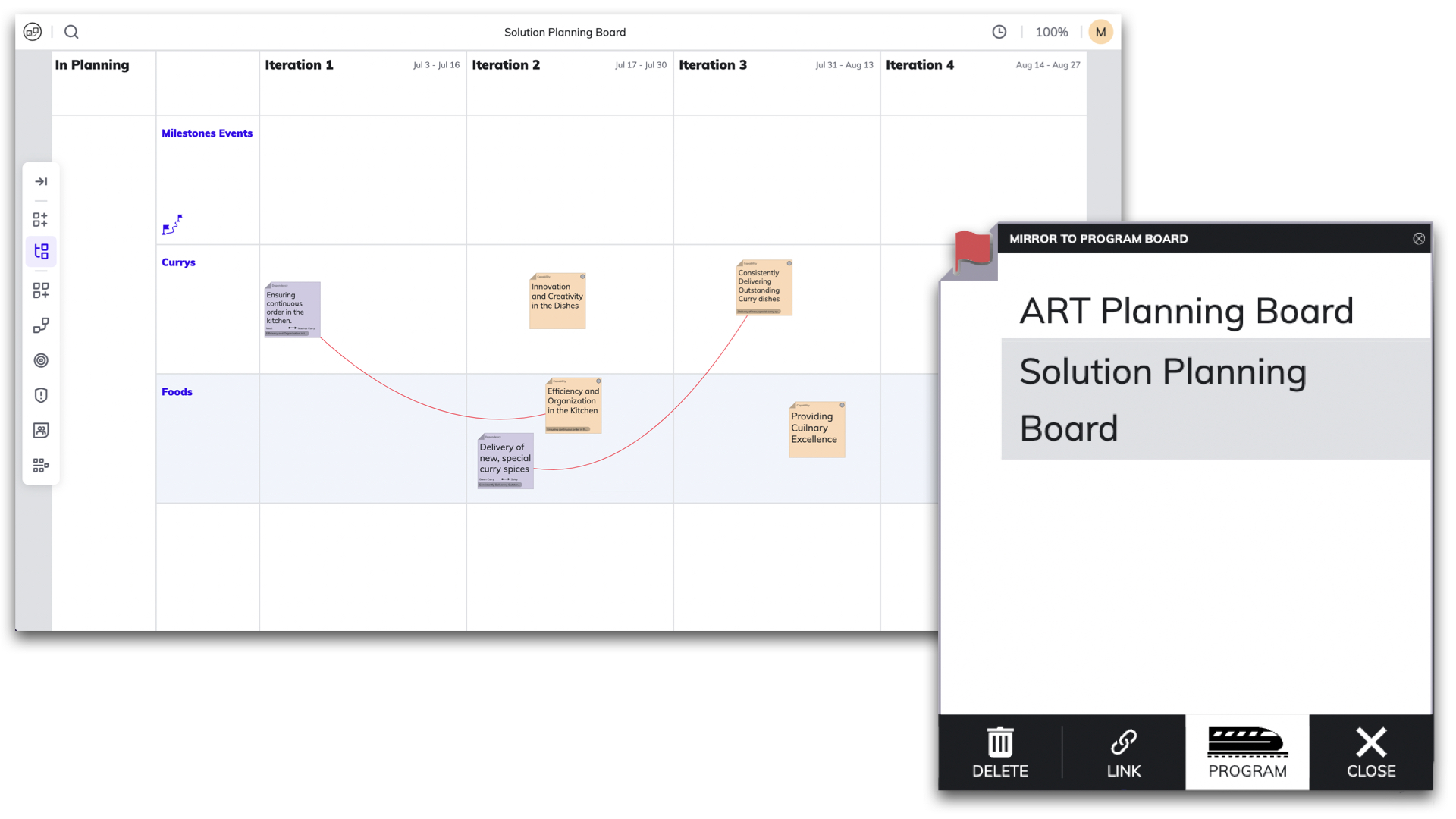
Mirror Dependency to Solution Planning Board

Efficiently manage cross-ART dependencies with the ability to mirror them onto the Solution Planning Board. When a team faces dependencies with another team in a different ART, reflecting these dependencies at the solution level ensures clear visibility and facilitates easy tracking across multiple ARTs.
Nov 8th, 2023
Redesigned Sticky Notes

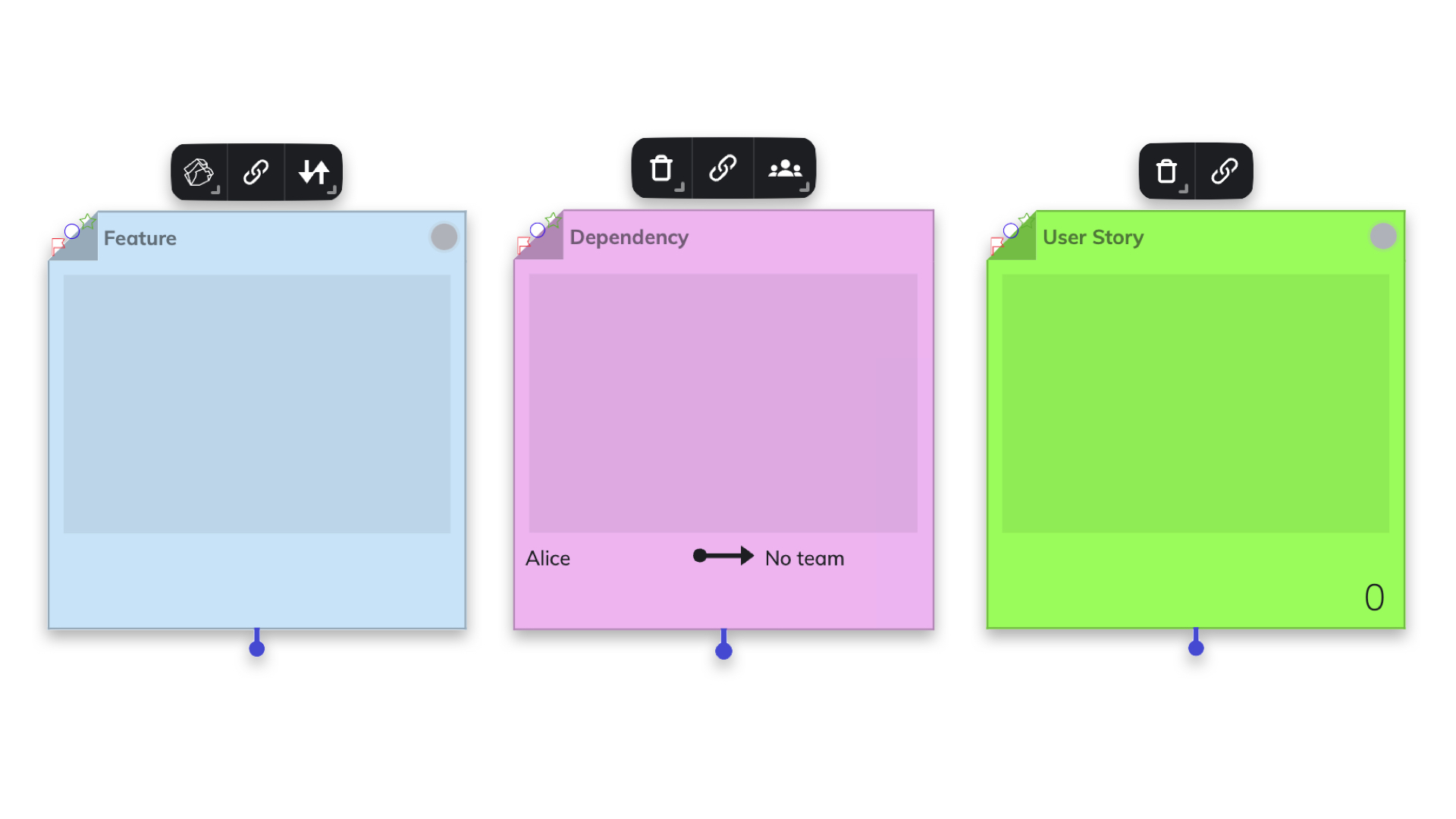
Redesigned Sticky Notes

Discover a polished new look for sticky notes! Our revamped design places the navigation menu at the top, enhancing user experience. Effortlessly access essential functions tailored to the specific type of sticky note.
Oct 25th, 2023

Efficient Multi-Sticky Note Copy-Paste

Introducing the power of swift copy-paste with multiple sticky notes at once! Enhance your workflow by seamlessly duplicating and transferring information across several sticky notes in one go.
Oct 25th, 2023

New Plan Readout Functionality

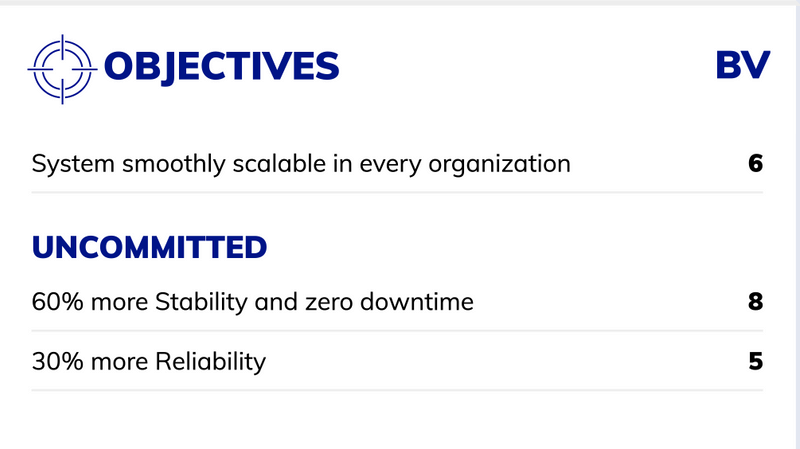
In Draft or Final Plan Readout, you can review the key planning outputs (PI Objectives, capacity and load, risks) easily in a new dedicated space. It offers quick access and aids in the tight timebox. Moreover it allows Business Owners to assign Business Value for Objectives.
Sep 19th, 2023

Enhanced Objective Management

Experience enhanced objective management with the option to toggle full descriptions on or off, providing a cleaner view. Additionally, expand associated sticky notes for a structured, organized overview. Easily monitor Objective status by referencing linked sticky note statuses.
Aug 30th, 2023

Streamlined Navigation: Dropdown Menu for Team and ART Selection

Effortlessly switch between Teams and ARTs with the new dropdown menu on the Team Board and ART Planning Board. Simplify your navigation and streamline collaboration.
Jun 21st, 2023

Release version 2.14.0

This release includes all the features from previous Cloud releases.
May 24th, 2023
Visualize Dependencies on Solution Planning Board

Visualize Dependencies on Solution Planning Board

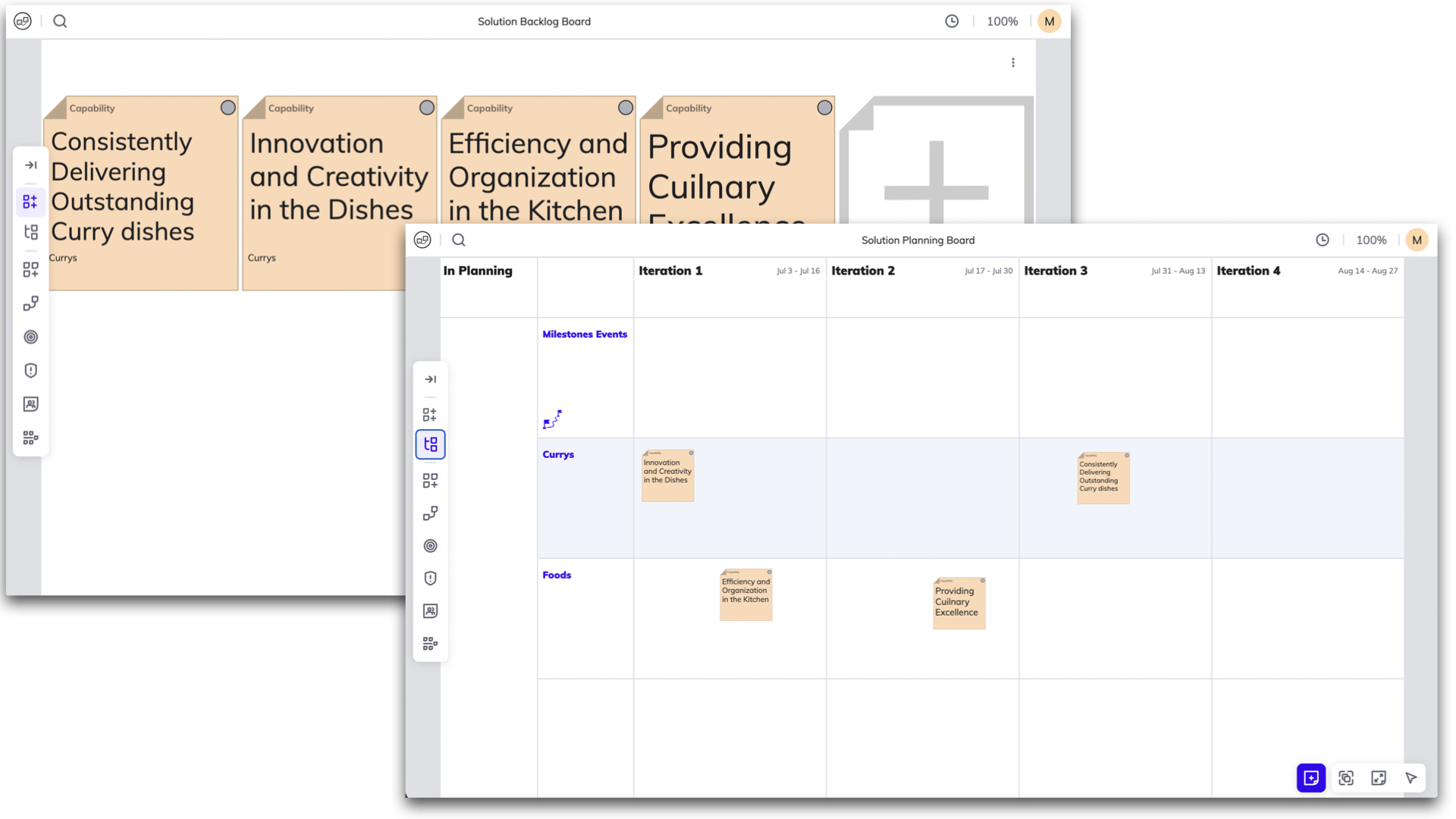
The visualization of Dependency sticky notes is now available on the Solution Planning Board. This enables seamless tracking and transparency of dependencies between Solution Trains, facilitating effortless management.
May 18th, 2023
Solution Level Boards

Solution Level Boards

Introducing the new Solution Backlog Board & Solution Planning Board, accessible from the left menu bar. The new boards empower Solution Trains to plan and execute with ease efficiently.
May 17th, 2023
Improved Multi-Selection Actions on Backlog Board

Improved Multi-Selection Actions on Backlog Board

The Backlog Board now allows for activities on multiple sticky notes. This enables seamless mirroring to another board, assigning to a team, or linking multiple sticky notes at once.
May 10th, 2023

Automate Backlog Board item mirroring to Team Board

Automatically mirror Backlog Board items onto the Team Board when the team is assigned. This can easily be done in the RTE Cockpit by ticking the relevant box located under the ART Backlog Board.
Apr 26th, 2023

Pin to Keep The Sticky Notes Highlighting

Now you can keep highlighting the sticky notes that are linked together by pinning them. This function will keep the visual representation of the strings between the sticky notes for as long as you need it. When you're done, simply click on the pin or press escape to remove it.
Apr 19th, 2023

New View Modes: Plan and Execution

With a toggle in the top bar, you can change now for two different modes: Plan and Execution. Easily switch between views to see your progress in Execution mode or stick with the default setting of Plan mode.
Apr 19th, 2023
New PI Admin Role

New PI Admin Role

Within this new role, known as the PI Admin, individuals are granted access to the RTE Cockpit. They assume the responsibility of managing teams within their ART and Solution Trains, including the ability to add new team members. Moreover, they are entrusted with overseeing PI sessions in which they are actively involved as part of their Teams.
Apr 19th, 2023

Permanent Display of Strings on ART Planning Board

Now, you have the option to display the strings permanently on the ART Planning Board. By default, they are only visible for active sticky notes. To activate this feature, navigate to Board Settings located under your Profile.
Apr 5th, 2023

Add Some Fun to PI Planning

You can now react to sticky notes with emojis! 😍🔥+1 Whether you want to show some love, express enthusiasm, or indicate agreement, you can now do it all by reacting with emojis to sticky notes! So go ahead, give it a try!
Apr 5th, 2023
Removal of "Learn" Button & New Location for Topics

Removal of "Learn" Button & New Location for Topics

We have made an update that changes the way you access our learning resources. The "Learn" button has been removed, and the included topics are now accessible from the user's profile menu.
Mar 29th, 2023

Character Limitations in Title and Unlimited Description for Objectives

We have made an update that limits the character count for objective titles to 130 characters, providing more concise and focused titles. There is no limit to the description length, allowing users to provide more detailed information about the objective.
Mar 29th, 2023
Improved ART PI Objectives

Improved ART PI Objectives

The ART PI Objectives are now separated into two sides, ART PI Objectives and Team Objectives. This provides better visibility and transparency to the Team Objectives that are aligned with achieving the ART Objectives. With both objectives displayed side by side, it is easy to track progress and see how Team Objectives contribute to the overall ART Objectives.
Mar 15th, 2023

Shortcuts Sorted into Categories Under Help Menu

Now, when you navigate to the Help menu, you will find shortcuts categorized by their function. This helps you to quickly find the fastest command for the necessary tool.
Mar 8th, 2023

Enlarging Sticky Notes from Search Results

You can easily access and scale up the important sticky notes directly from the search results. Simply click on a sticky note in the search results and the corresponding note on the board will instantly scale up, providing a clearer and more detailed view.
Mar 8th, 2023

Navigation Shortcuts for Quick Board Access

By simply hovering over the navigation menu, now you can see the shortcuts to the boards you need to access, saving them time and making the navigation process more efficient.
Mar 1st, 2023

Grid-align sticky notes with multi-select function

From now on, when selecting multiple sticky notes, you can also choose the grid alignment function. In the board settings, you can adjust the distance between sticky notes.
Mar 1st, 2023

Hierarchical Display of Sticky Notes Related to Team Objectives

At Team Objectives all associated sticky notes from the Team Board are displayed in a hierarchy with feature at the top, providing a better overview of the tasks that support the Team Objectives.
Mar 1st, 2023

Program Metrics are on top of the Program Board

You can now view Program Metrics accessing from the Program Board located on the top left menu. This feature enables you to monitor and track of your whole PI, including Capacity Allocation and Load Vs. Capacity status. This new capability offers more transparency and visibility into the whole Program's status making it easier to identify potential issues and take corrective action.
Feb 22nd, 2023

New Timeline for Where We Are in The PI

From now on, when you click on the Progress button, a timeline will appear showing where we are currently in the Program Increment.
Feb 22nd, 2023
Improved Iteration Header Design on Team Board

Improved Iteration Header Design on Team Board

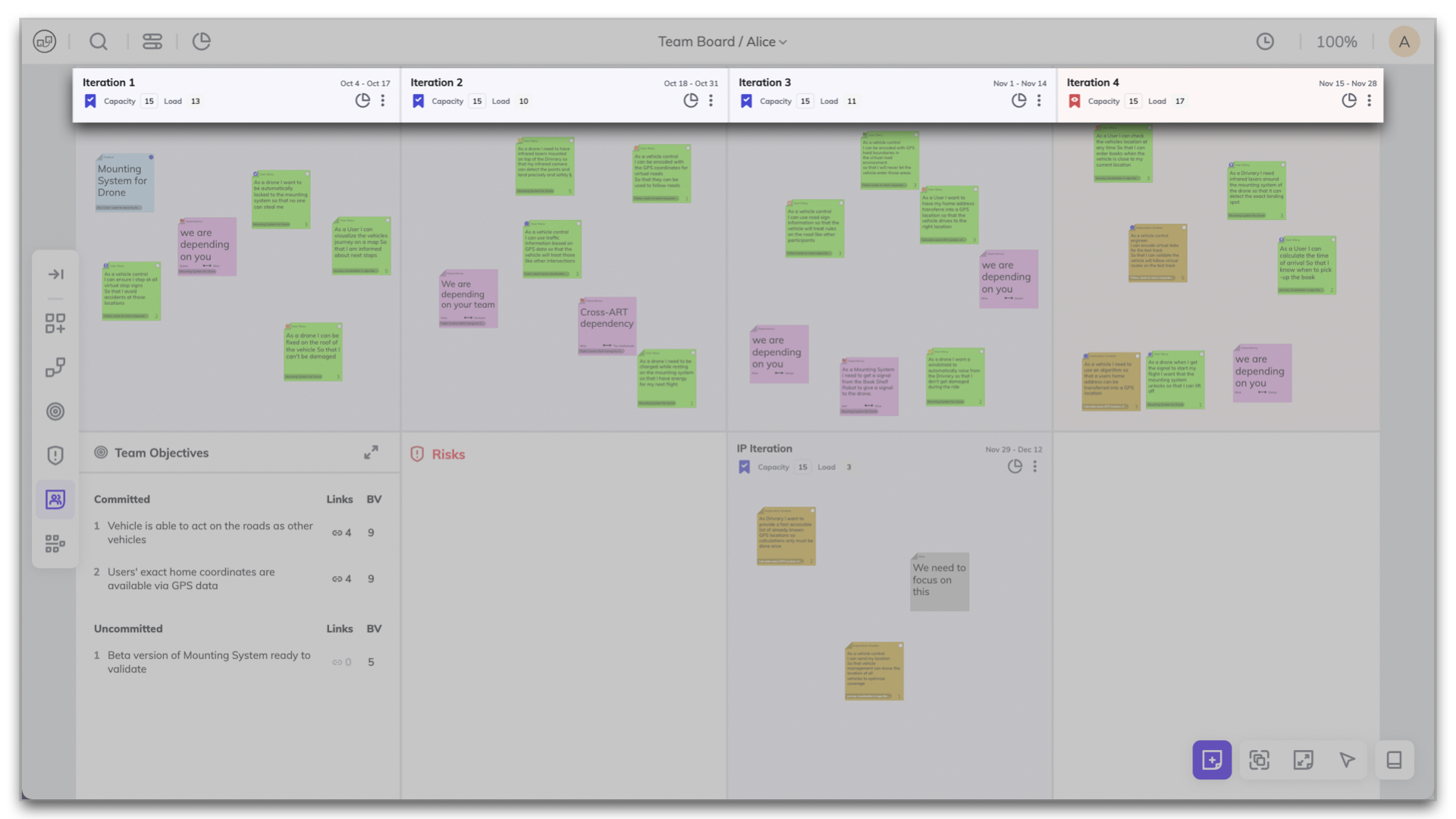
The new design is more user-friendly and visually appealing, displaying important information such as the iteration start and end dates, capacity and load, access to team metrics along with the progress status of the iteration in a clear and concise manner.
Feb 22nd, 2023

Track Program Progress by Iterations and Teams on Program Board

You can easily track the status of your program and identify any potential issues that need to be addressed. By clicking on “Progress” on the top left menu, the progress bar will appear by Iterations and Teams. By hovering over the bar you can get more detailed information on their progress and identify areas that may need additional attention.
Feb 15th, 2023

ART PI Objectives on The Menu Bar

You can access the ART PI Objectives directly from the menu bar. This saves time and makes it easier to stay up-to-date with the whole ART program's goals.
Feb 15th, 2023

Collapsible Team Objective List

This feature allows users to easily expand or collapse the list to make the most of their screen space during planning sessions. To collapse or expand an objective, simply click on the arrow icon next to it.
Feb 8th, 2023

Team Objectives Progress Tracking

This new update makes it easy to monitor the progress of your Team Objectives and identify any potential roadblocks. Simply opening the Team Objective window, the progress bar is displayed by default. By hovering over the progress bar, you can see more details.
Feb 1st, 2023
Team Member List Added to Board Avatars

Team Member List Added to Board Avatars

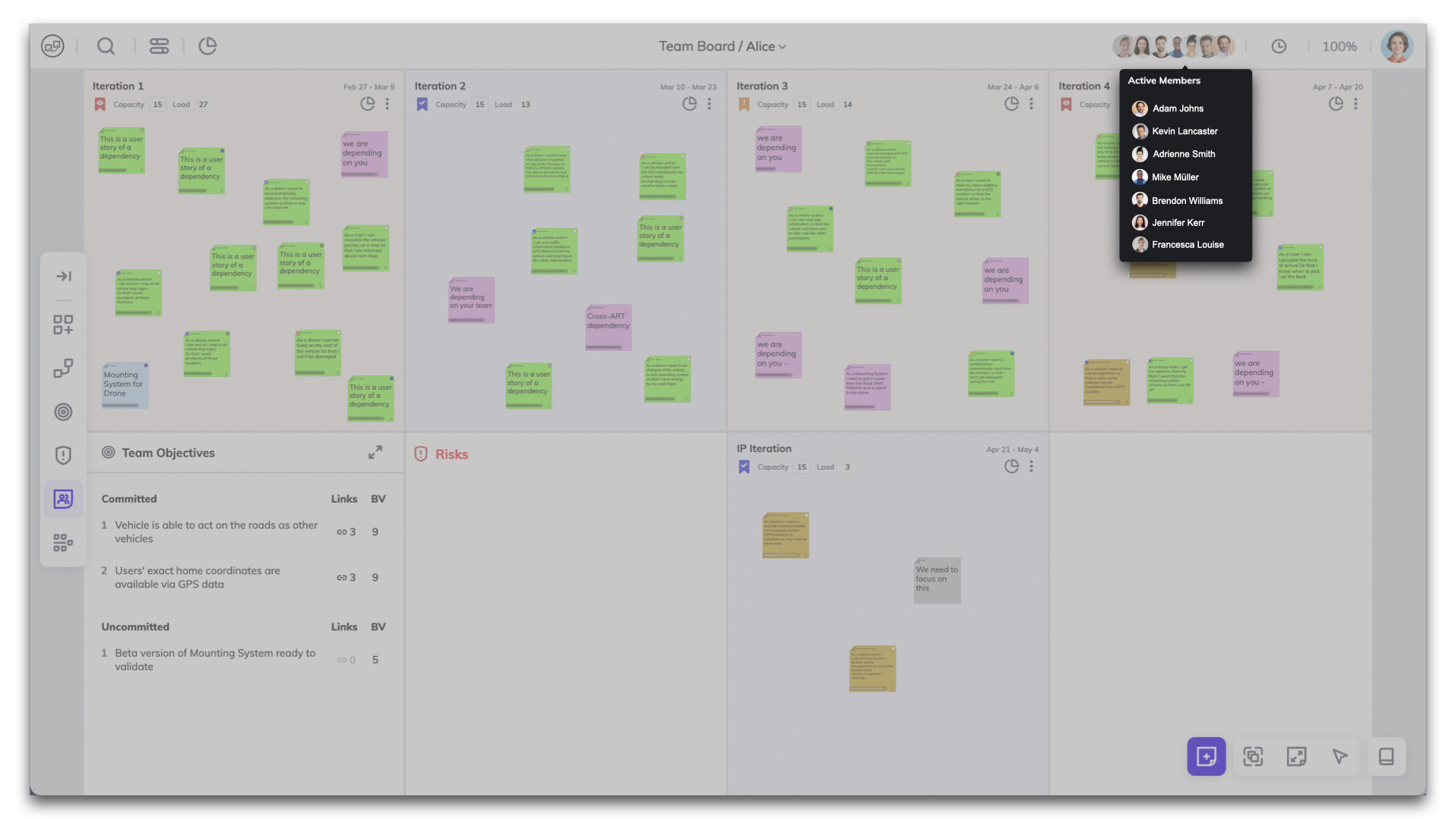
Now you can easily see who is collaborating with you on the same board. The list of names who is on the board has been added alongside avatars of other people on the board.
Feb 1st, 2023
See Incoming, Outgoing, and Mutual Dependencies with New Filter

See Incoming, Outgoing, and Mutual Dependencies with New Filter

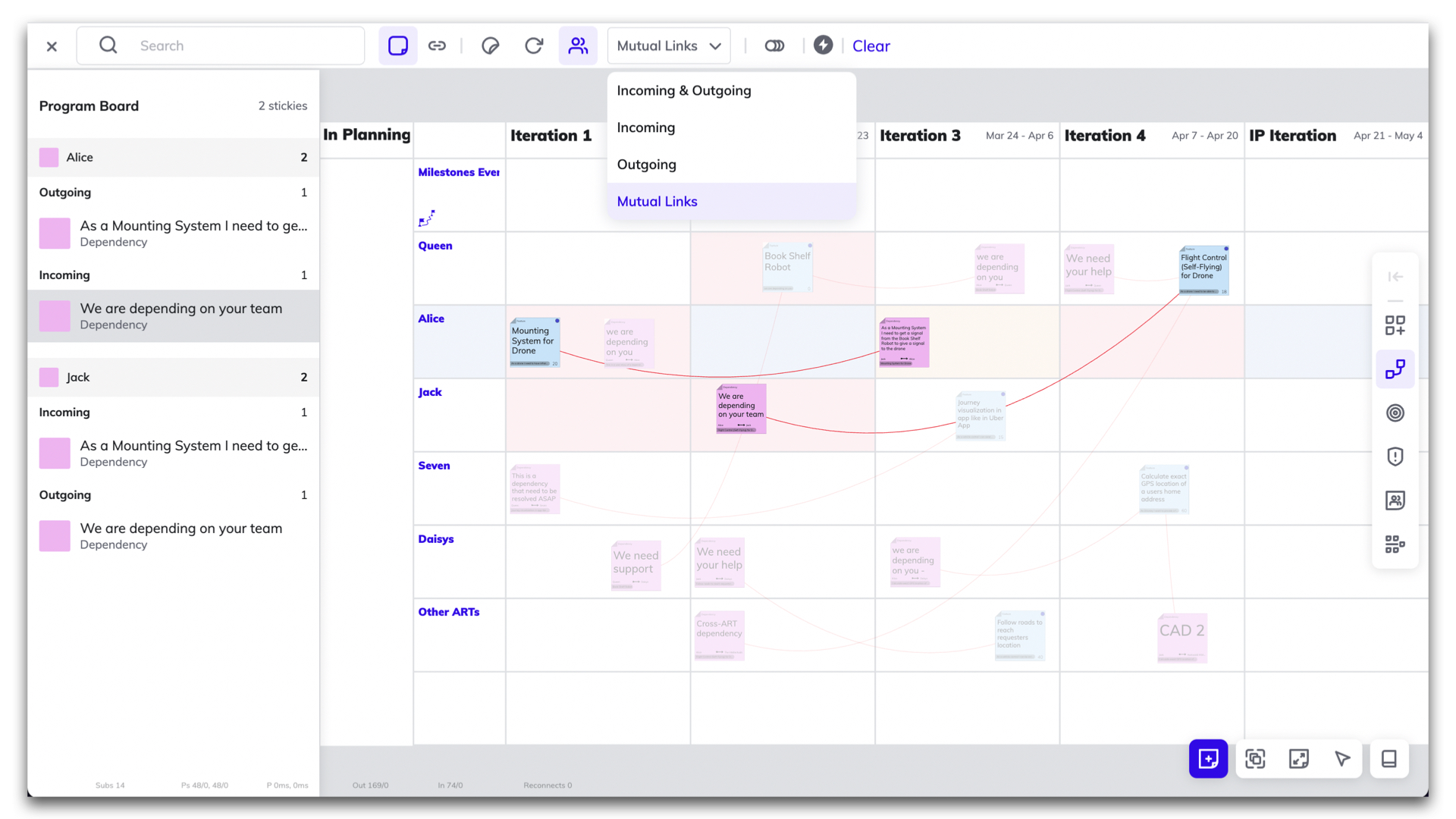
This new filter allows you to easily track the dependencies between different teams. This filter allows you to identify incoming, outgoing and mutual dependencies. The filter provides a clear and easy-to-understand visual overview of all dependencies that makes it easier for the team to plan and coordinate their work, ensuring that everyone is aware of any dependencies.
Feb 1st, 2023

Iteration Progress Tracking

This feature adds a progress bar to each iteration, allowing you and your team to track their progress. Simply opening the Team Objective window, the progress bar is displayed by default. By hovering over the progress bar, you can see more details.
Feb 1st, 2023

Dependency Progress Tracking

This feature makes it easy to stay up-to-date with the status of dependencies and ensures that everyone is aware of any potential delays or roadblocks. To access it, simply click on the "Progress" button in the top left corner of the board. A progress bar appears at the bottom of the dependency sticky note, indicating the completion status of any related tasks. By hovering over the progress bar, you can see more details.
Feb 1st, 2023

Searching for Sticky Notes by Iterations

With this feature, you can easily search for specific sticky notes associated with a particular iteration. This makes it easier to keep track of tasks and see what is in progress or has yet to start. This makes it easy to identify potential backlog areas in your team.
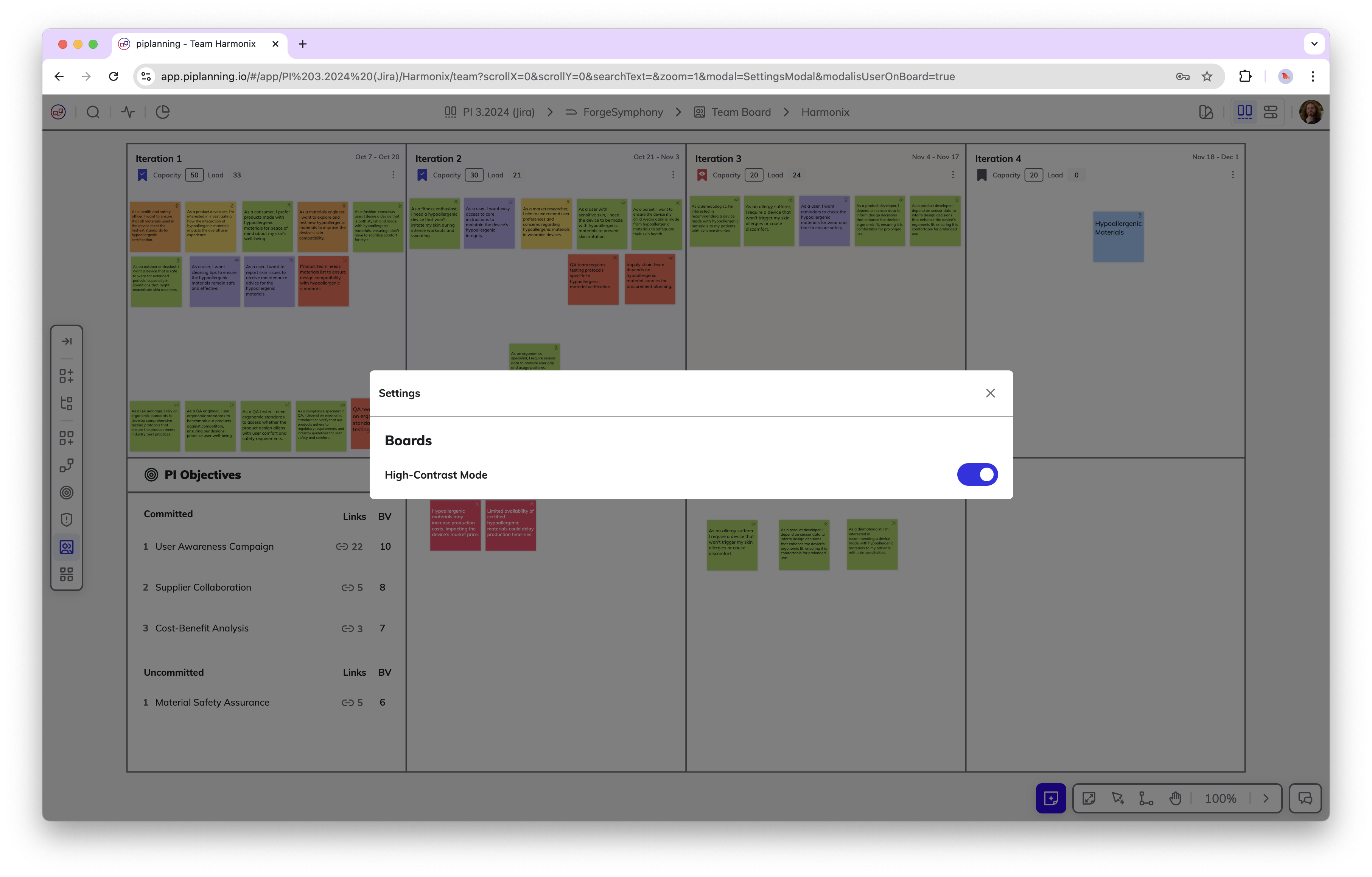
Jan 25th, 2023

Search within dependencies for linked or unlinked sticky notes

Want to check if all dependencies are also linked to either a Feature or another Dependency, filter for “Unlinked” dependencies.
Jan 11th, 2023

Synchronized team-field with Microsoft Azure DevOps

Thanks to the team-field sync with Microsoft Azure DevOps, when a team changes the text on a sticky note or moves it from one Iteration to another here will be automatically updated there and vice versa.
Jan 4th, 2023

Search between linkable items

When you want to link a sticky note to an item and you click on "Link" on the sticky notes, you can search now among the linkable items. In the search bar, start typing the word you are looking for to filter the list. To make the items appear even neater, the sticky notes and Objectives are placed on two separate tabs.
Jan 4th, 2023

Movable navigation bar

You can choose which side the navigation bar should be on. If it's in the way because it's covering something, you can move it to the other side. Always to where it's most comfortable for you.
Jan 4th, 2023

Zoom into a region

Want to take a closer look at an area on the Team Board? Right-click on the cell you want to inspect and select zoom to a region option. Now only that area is in focus on your screen.
Dec 14th, 2022
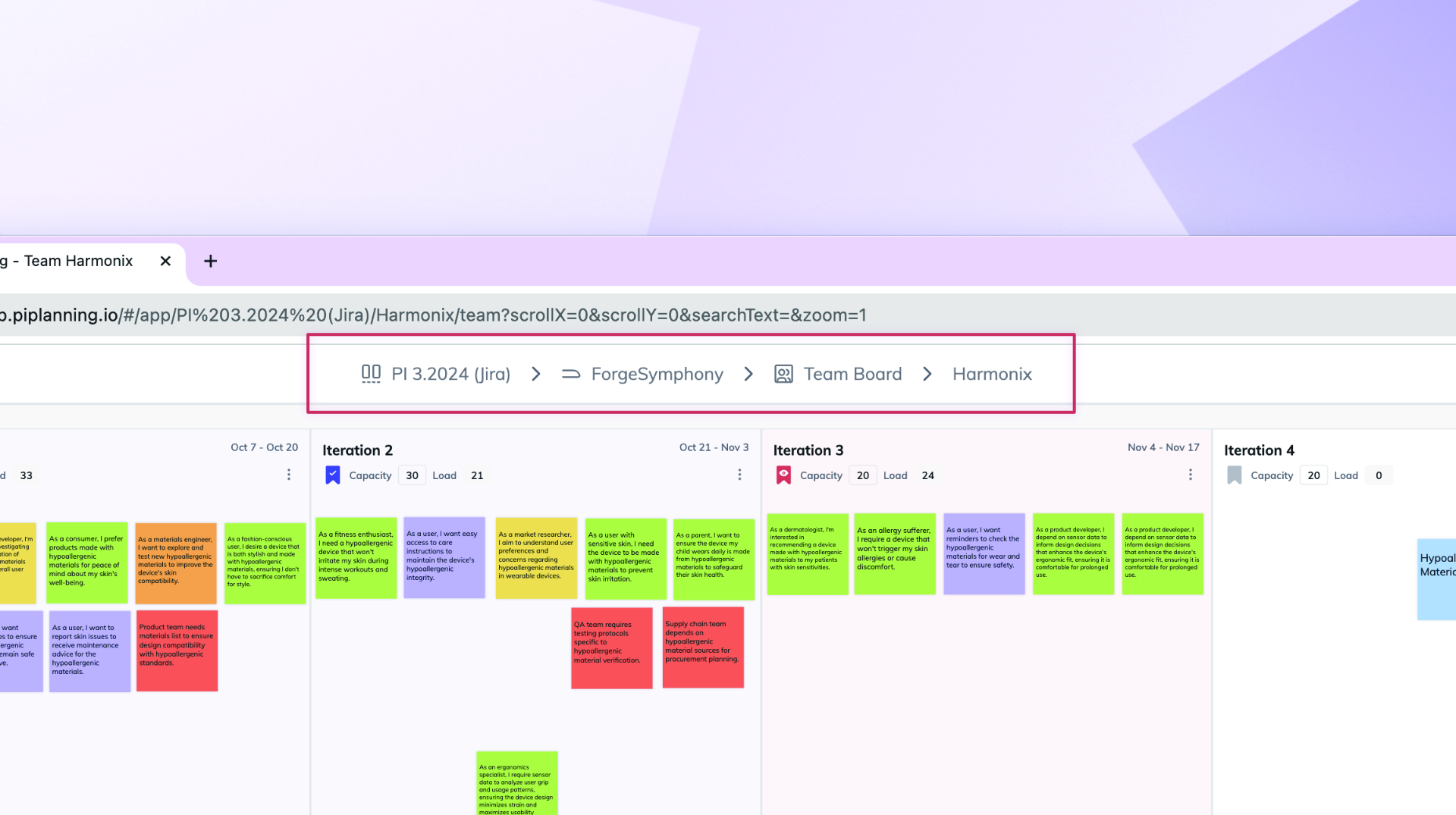
Title is at the top of the board

Title is at the top of the board

Don't know which board you're on? You can always see the title of the board you are standing on at the top in the middle. In the case of the team board, you can jump to the other team's board from here.
Dec 14th, 2022

Sychronized team-field with Jira

Thanks to the team-field synchronization with Jira, when you change the text on a sticky note or move it from one team to another within the same Iteration here will be automatically updated there and vice versa.
Dec 14th, 2022

Linking sticky note with Objectives by drag & drop

It's easier than ever to connect sticky notes with Objectives. Click on it to activate the sticky note and just drag & drop the string to the Objective you want to link.
Dec 14th, 2022

Highlight linked items

Highlight the items that are linked to each other! This works back and forth. Click on the sticky note to see the linked Objectives or click on the Objective to see the linked sticky notes.
Dec 14th, 2022

Available languages: English, Spanish, Japanese

In addition to English, you can now set Spanish or Japanese as your preferred language. Choose the language under your profile.
Dec 14th, 2022

Select multiple sticky notes

Select multiple sticky notes and take action on them at a time. It is a great help when you're working with tons of sticky notes, right? As soon as more than one sticky is selected you can move them to another position, align them vertically or horizontally, or link them to sticky notes or team objectives. Brilliant, isn’t it?
Dec 7th, 2022

Link multiple sticky notes to Objectives

A handy solution is to link sticky notes to Team Objectives that help to achieve the specific Objective. Instead of linking each sticky note to the Objectives one by one, you can do it all at once thanks to the multiple sticky note selection function. Then click on the Objective to see the associated notes highlighted.
Dec 7th, 2022

Work on the board while filtering is active

It is now possible to work freely with the results filtered in the search bar. Edit or move the sticky notes, and when you're done, delete the filter criteria so that you can work in the full workspace again.
Nov 2nd, 2022

Share filtered search results

If you want to talk through certain sticky notes, be specific by sending your team members which sticky notes you are talking about. You can do this simply. For instance filter out sticky notes with a pending status that belongs to your Scrum Master. Copy the link of the search result from the URL bar and send it to the Scrum Master. Now he/she can see the exact sticky note you want to point to.
Oct 12th, 2022
New session selector & nav bar

New session selector & nav bar

You will find a cleaner and more transparent renewed session selector after logging in. We have also revamped the navigation bar, which includes a new element called facilitation. From here you can access the timer and progress display.
Oct 5th, 2022

Filtering for status

Do you want to know which tasks still need time and which ones are not ready yet? When searching, filter by sticky notes with to-do and in-progress statuses. You will immediately see which tasks are still to be done.
Oct 3rd, 2022
Status on Features

Status on Features

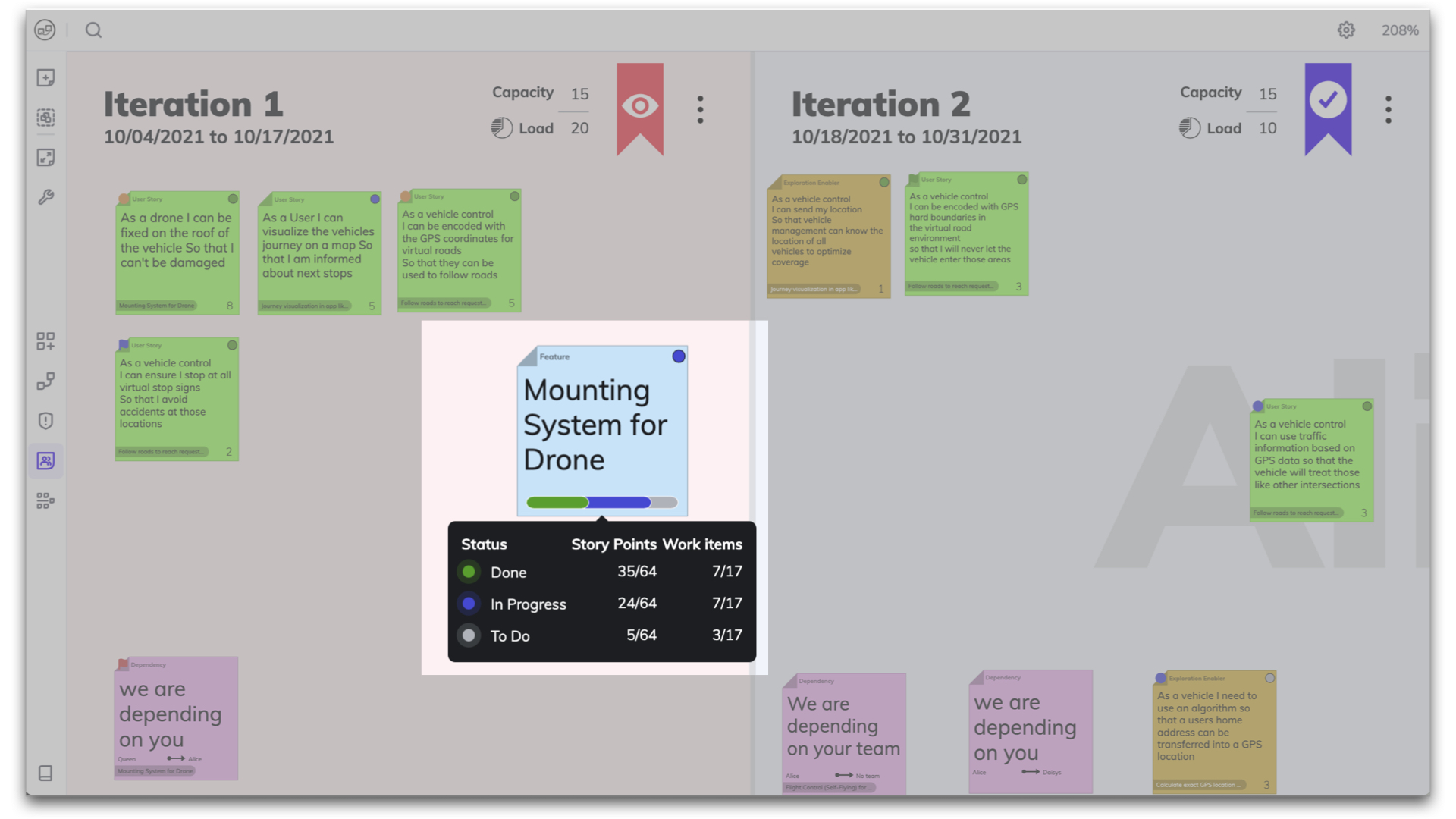
Track the progress of your feature by hovering over the progress bar to see the status of the sticky notes in a mini report. ⚪ To Do | 🔵 In Progress | 🟢 Done.
Sep 27th, 2022

Track progress on Objectives

Based on the status of your linked work items you can now easily track progress on your Objectives. You will now have an even better overview of the processes in your Program Increment.
Aug 31st, 2022

Status sync with ALM tools

To avoid unnecessary manual work, when the status of a user story changes, it is automatically updated back and forth between piplanning.io and other ALM tools like Jira, Rally or Microsoft Azure DevOps.
Aug 24th, 2022
Link User Stories to Objectives

Link User Stories to Objectives

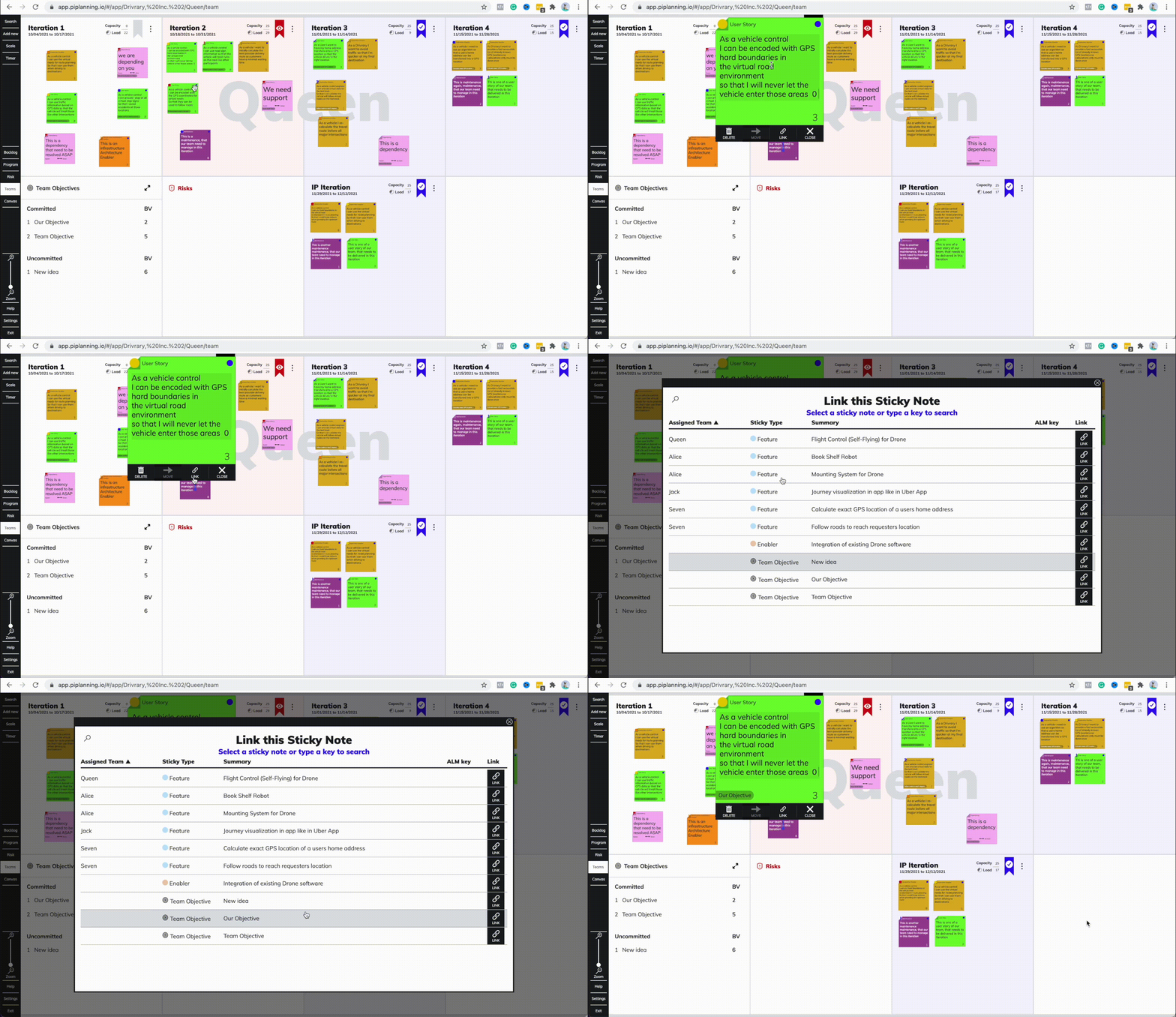
It is now possible to link User Stories to Team Objectives on the Team Board. Click on the link at the bottom of the sticky note you want to link, then select the desired Objective from the options listed.
Jul 27th, 2022

Improved ALM troubleshooting

Lately, we added additional tools to help you to troubleshoot ALM connectivity issues. This allows you to narrow down the problem with your stuck Jira or ADO sync faster than ever before. We highlight connection issues for each PI Planning session and provide a detailed log for each ALM connection.
May 25th, 2022
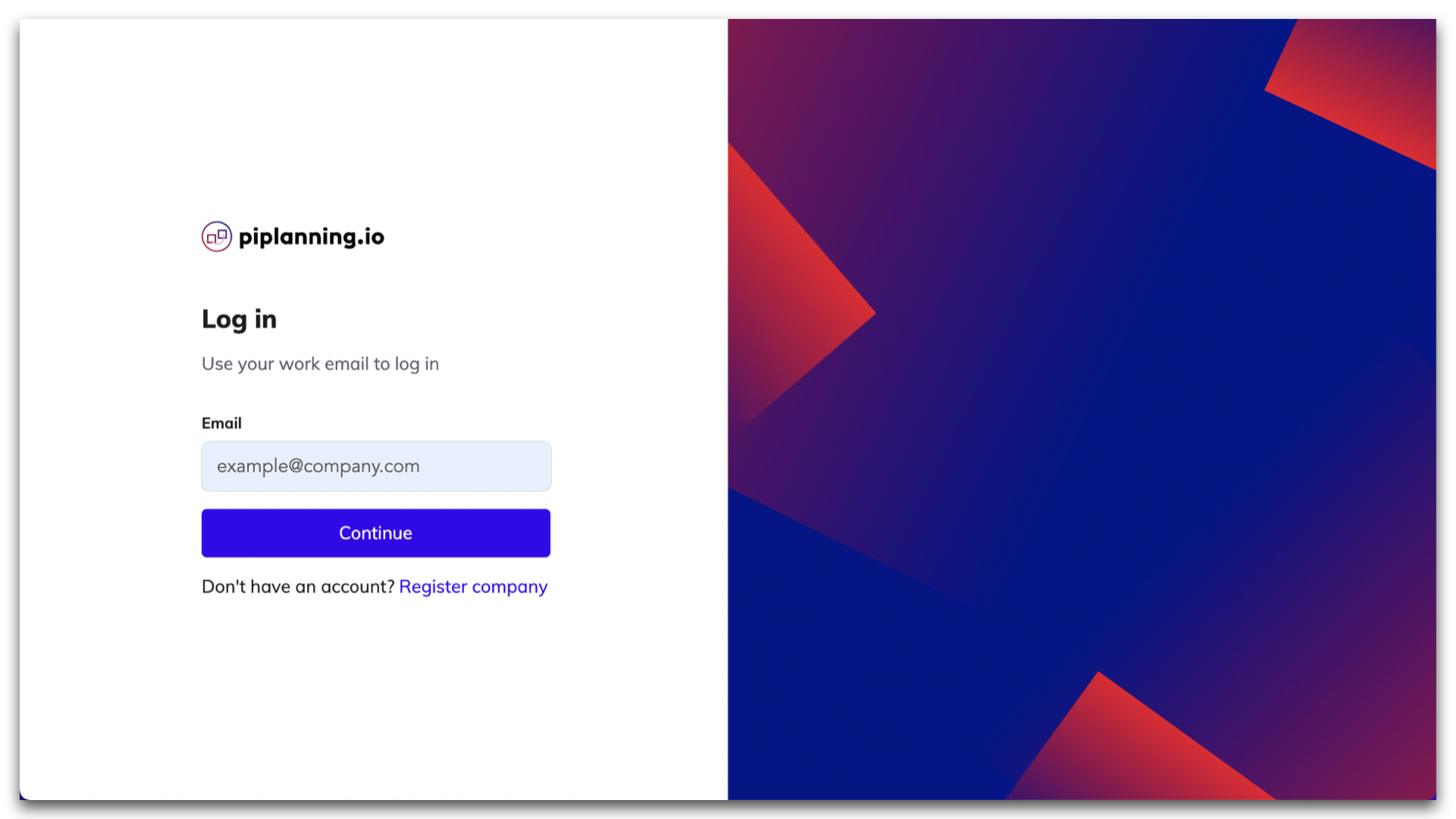
New login page

New login page

The login page in piplanning.io has been redesigned. After entering your email, select the account you want to use and you are in the familiar application.
May 18th, 2022
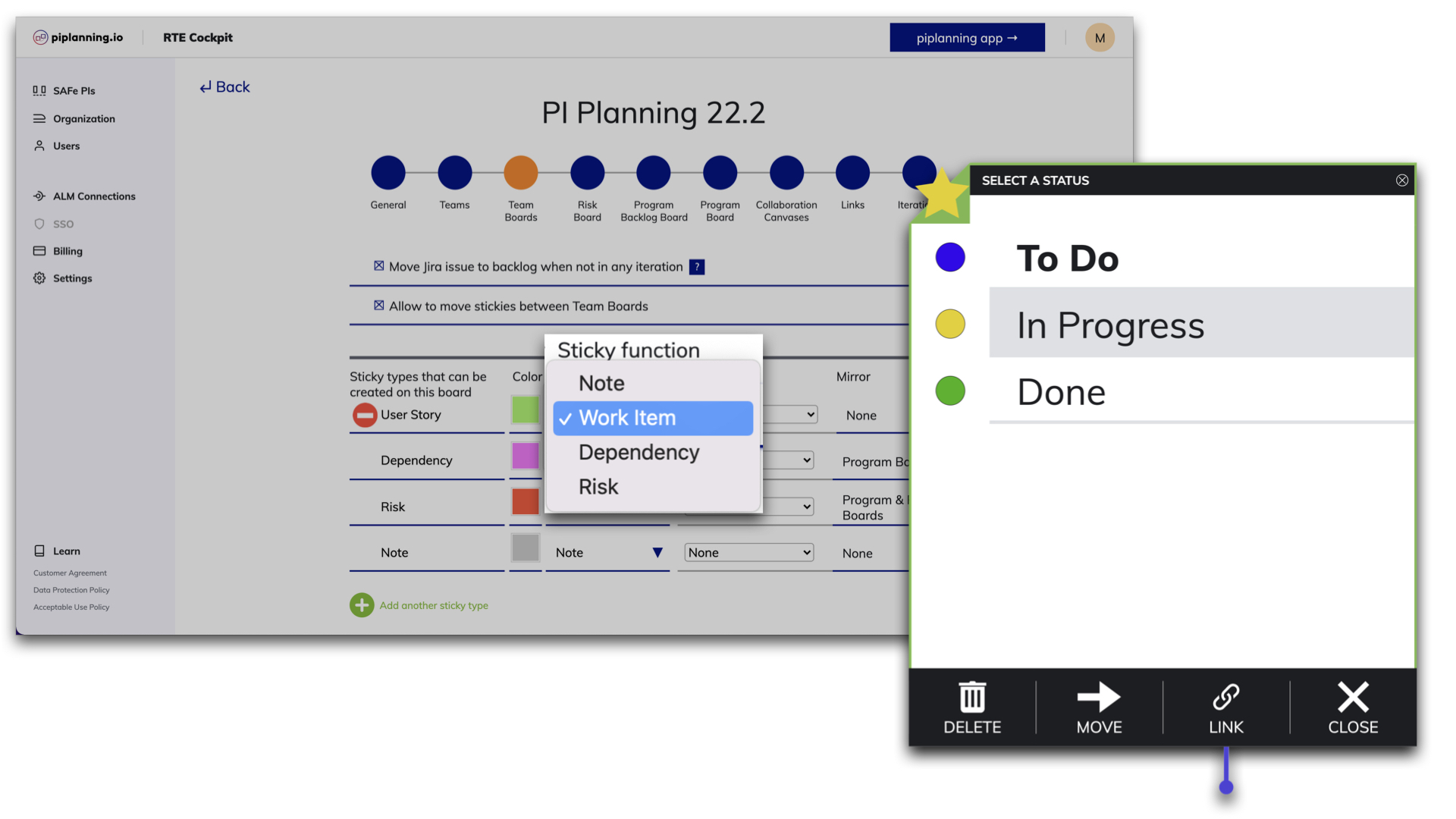
Sticky note functions

Sticky note functions

Sticky notes can have different functions in PI Planning. Therefore, in piplanning.io they have properties corresponding to the function. From now on, sticky notes with a work item function can also indicate the status of the task, which can be: to do, in progress, or done. In the case of those with note functions, we can make simple notes without unnecessary functions.
Mar 23rd, 2022

Timer on boards

The built-in timer helps you with timeboxing. You can configure it for the whole ART that will be visible on all boards. Or you can also set an individual timer for a specific Team Board. You can always see what time is still left. Pause or reset if it's needed. When the time is up, the alarm will sound for those to whom it is addressed.
Feb 16th, 2022

Release version 2.12

This release includes all the features from previous Cloud releases.
Feb 16th, 2022

ART metrics on Program Board

By clicking on the small icon in the Program Board header, you can access reports such as Capacity Allocation and Load vs. Capacity. They help you plan your resources more accurately during your PI session.
Feb 16th, 2022
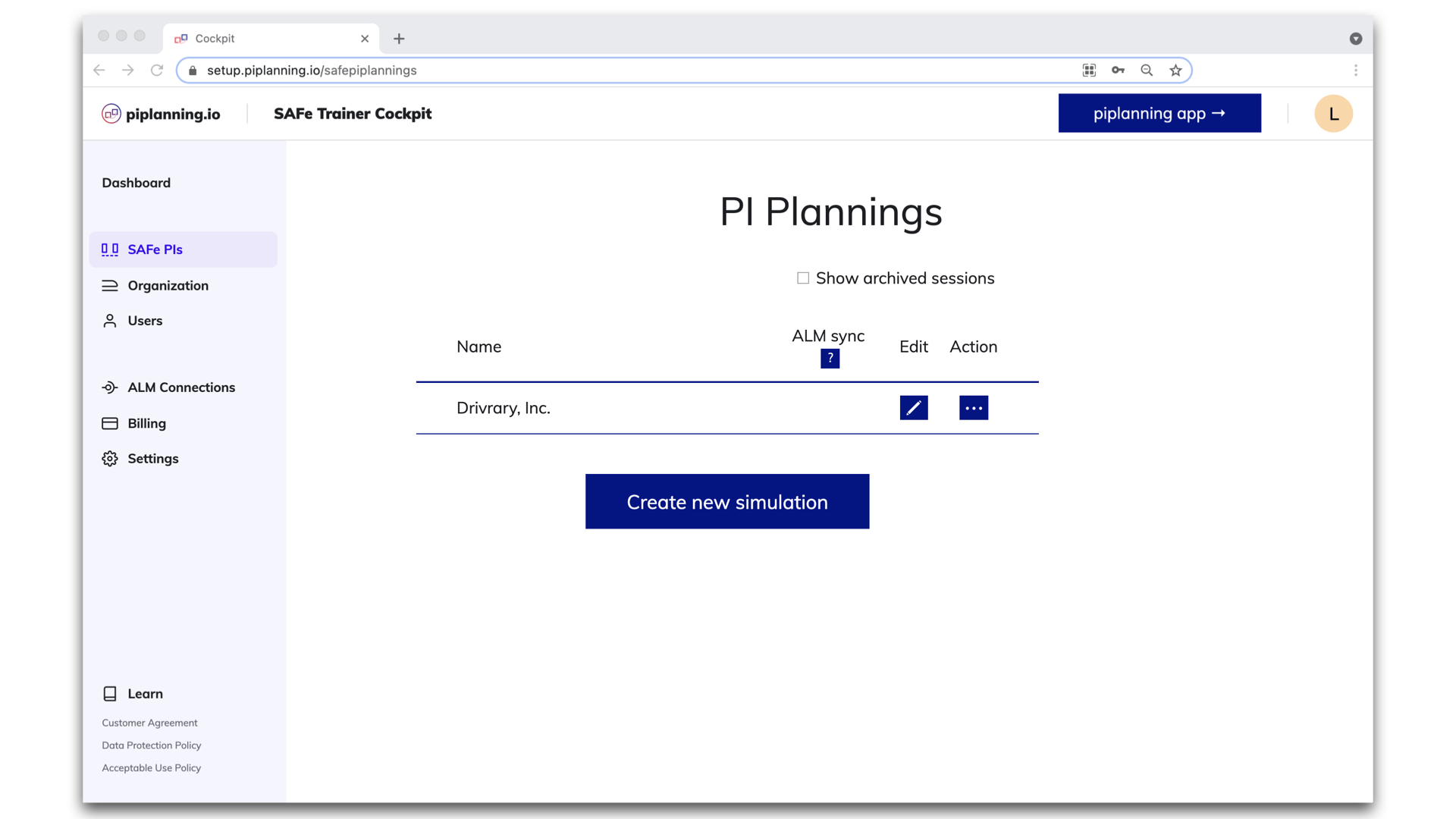
Redesigned RTE Cockpit navigation

Redesigned RTE Cockpit navigation

You can enjoy new navigation in the RTE Cockpit. The menu got a cool design and the footer has been removed. We love it!
Feb 15th, 2022

PI session name in title

When you edit a session, you know which one you're editing because the session name in the title is always visible whichever settings menu you are editing.
Feb 9th, 2022
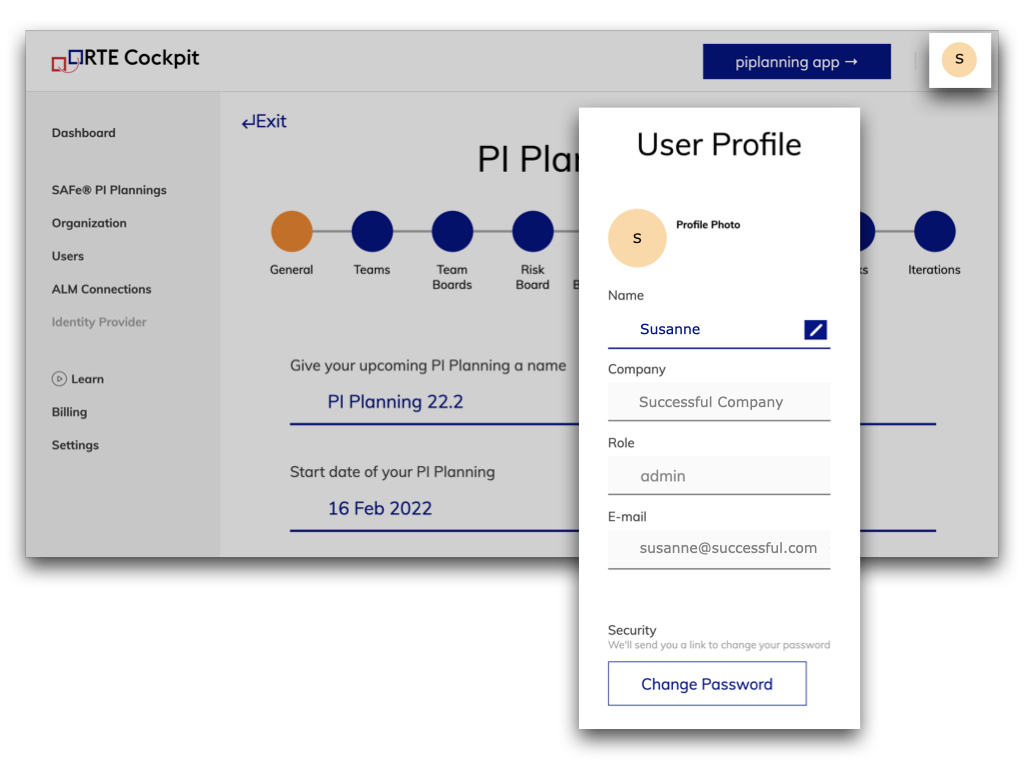
Profile menu

Profile menu

We added a Profile menu in the RTE Cockpit, where you can see some of your personal information. Here, you can change your name to the one you want your colleagues to call you. And here you can also change your password.
Feb 8th, 2022
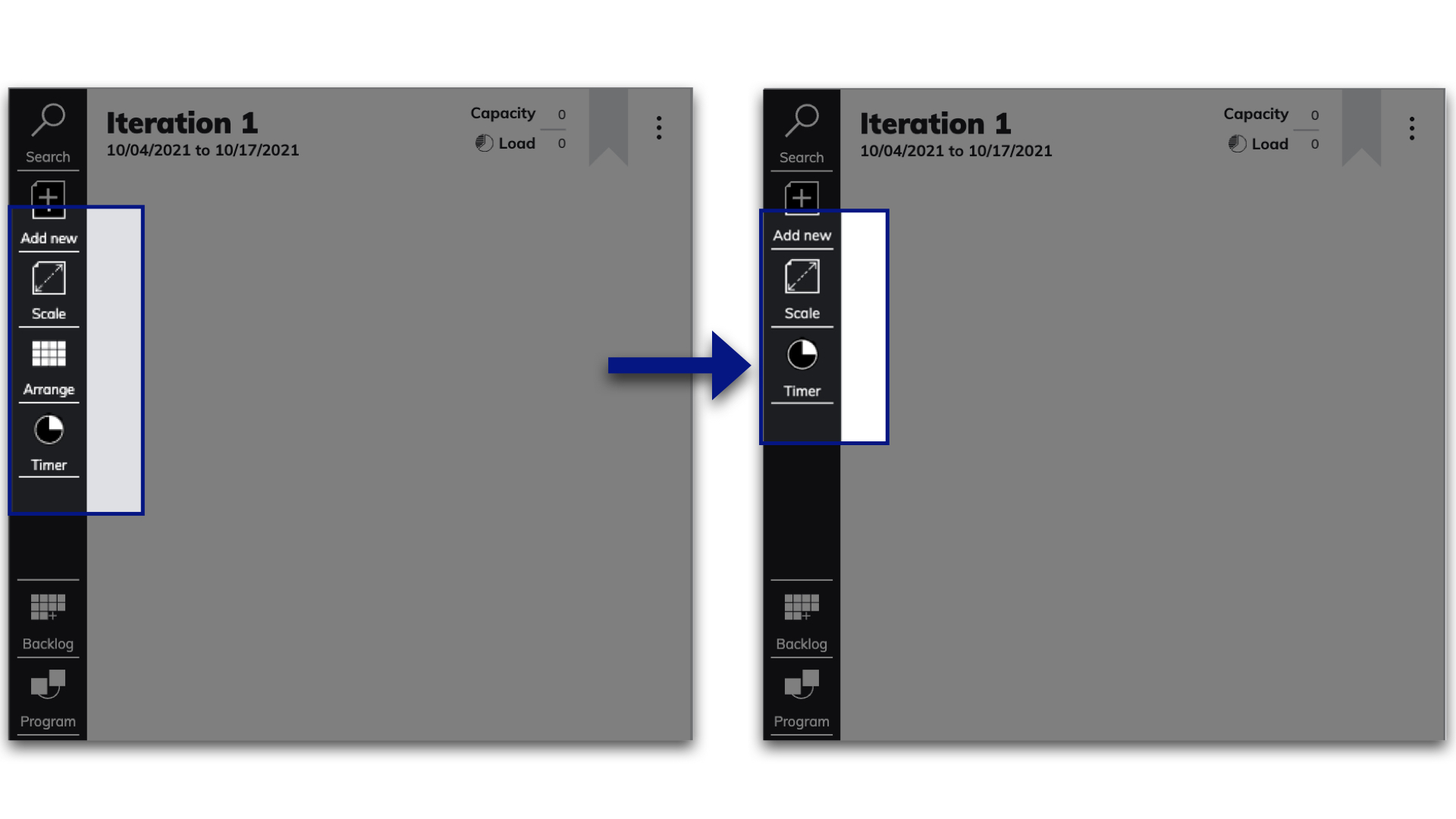
Removed arrange button

Removed arrange button

The arrange button has been removed from the navigation bar. This function can be accessed by clicking on the three dots or by right-clicking on the mouse in each iteration.
Feb 7th, 2022

Global search

From now on, when you type in the search bar, the items matching your search will be automatically listed. This is also true if you search for stickers or teams. If nothing is entered, all items will be listed.
Jan 20th, 2022
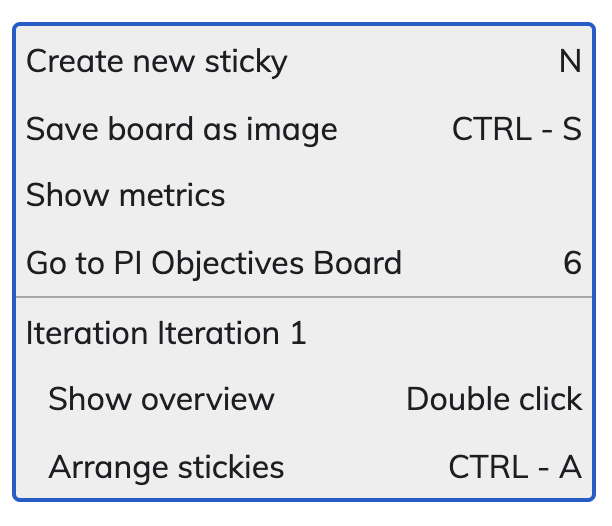
Newly optimized context menu

Newly optimized context menu

We've restructured the functions to make it easier to see which ones apply to the whole board or specifically to the part you clicked on.
Jan 19th, 2022
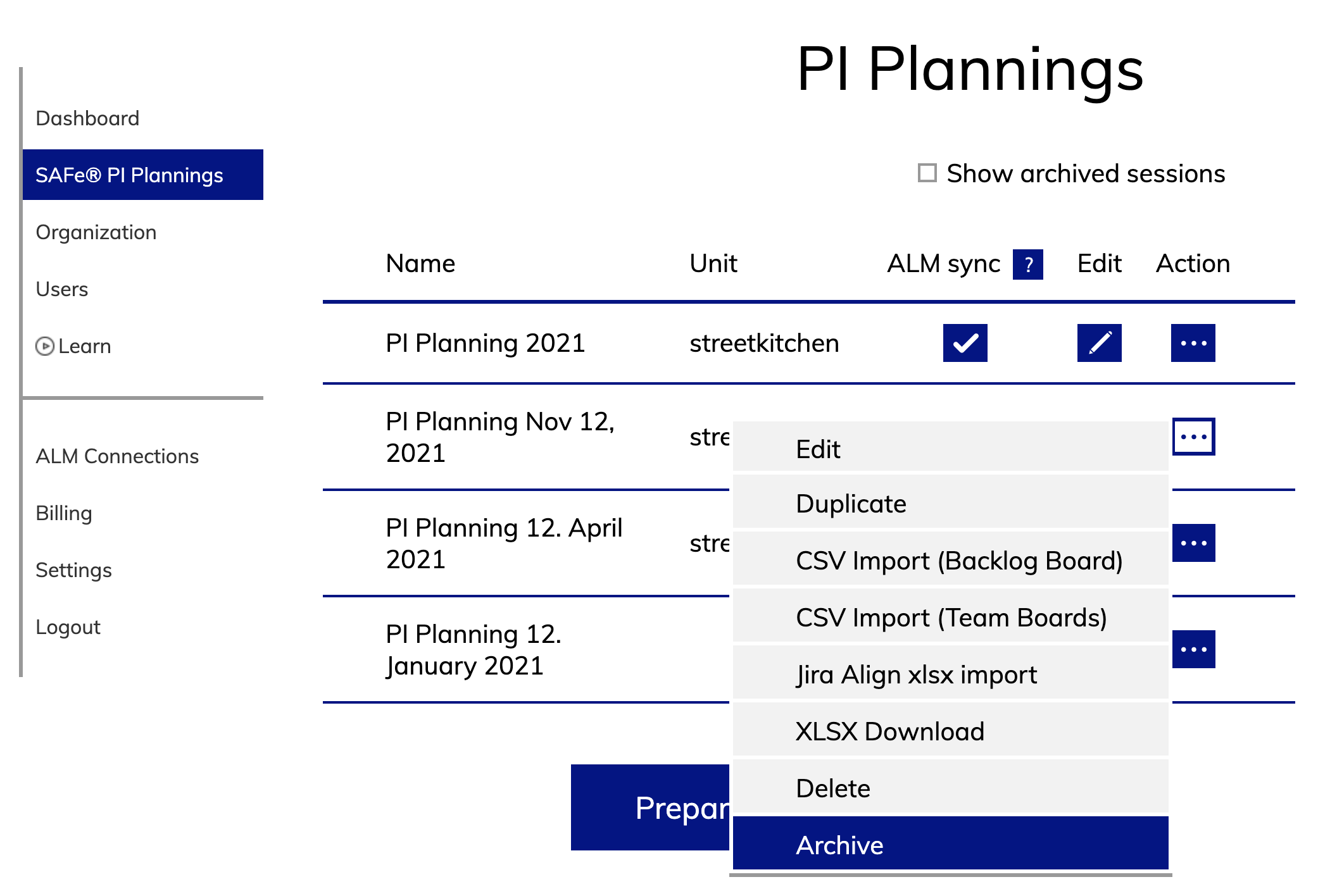
Archive session

Archive session

It is possible to archive a PI Planning session. This allows you to cleanup the list of available sessions to choose for users in the app.
Jan 12th, 2022

Release version 2.11

This release includes all the features from previous Cloud releases.
Dec 28th, 2021
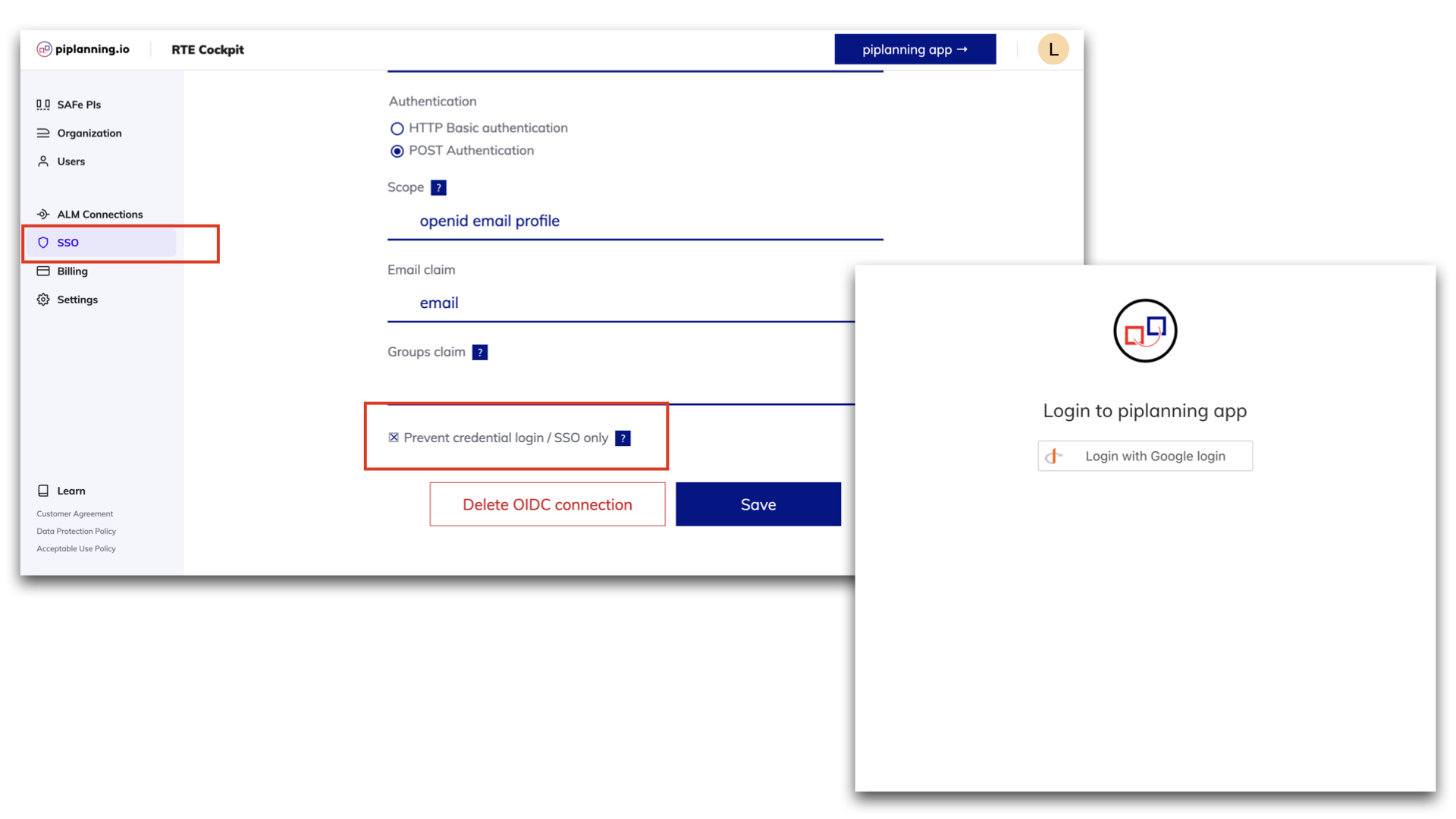
Forced login via SSO only is available

Forced login via SSO only is available

piplanning.io now allows you to force login via SSO only and prevent the usage of username and password for your users. This allows for secure, centralized and easy user access management. To do so you can check the box 'Prevent credential login / SSO only' on the IDP setup page.
Dec 16th, 2021
Load vs. capacity overview

Load vs. capacity overview

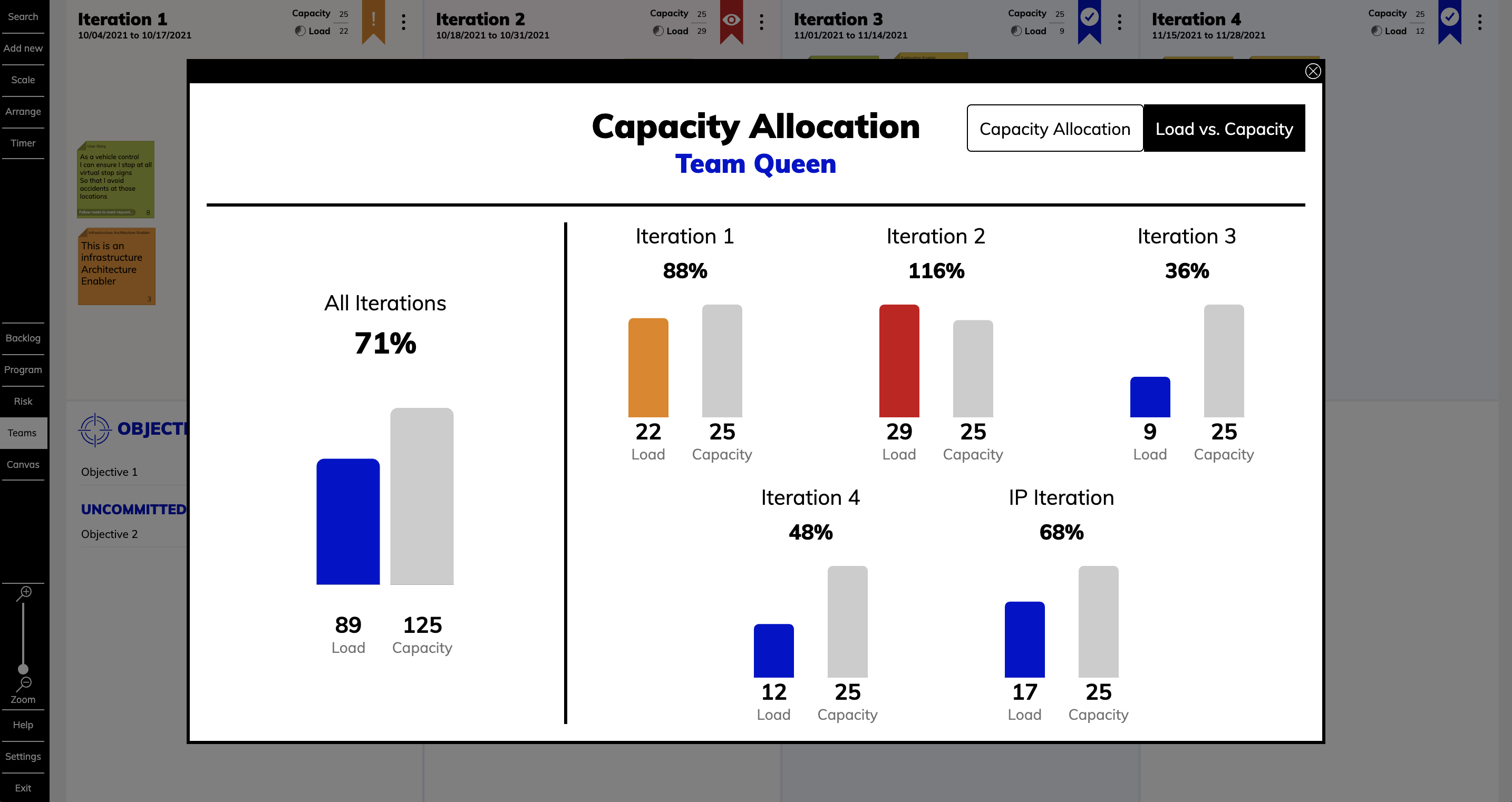
In this newly available report, you can get feedback on the load of the iterations to see the status of your planning. The color of the bar helps you get a quick overview: blue indicates that the load is fine, orange is a warning and red is an overload. To do this, click on the pie chart in the upper right corner of any iteration and select the Load vs. Capacity tab.
Nov 30th, 2021

Risky links

You can now see on the Program Board and Team Board the risky links where the dependency is planned to be delivered in the same iteration or a later one than the feature. A notification will appear in the bottom right corner and disappears as soon as the risky link is resolved.
Nov 18th, 2021

Release version 2.10

This release includes all the features from previous Cloud releases.
Nov 17th, 2021

Allow spaces in team names

You can now enter the team names separated by a space in the Cockpit.
Sep 8th, 2021
Import CSV with link

Import CSV with link

Now you can also use the CSV import to bring links between sticky notes with an ALM key to the Program Backlog Board and the Team Boards.
Aug 30th, 2021

New collaboration canvases

Two new canvases are available. The checklist for Scrum of Scrums of Day 2 for PI Planning can serve you as a crutch. And the Impact Effort Matrix assists you to manage time more efficiently.
Aug 24th, 2021

Update help button

By pressing the Help Button now provides direct access to release notes, courses, documentation and keyboard shortcuts.
Aug 16th, 2021

Assign ARTs to solution train

Under organization in the menu on the left you can now add your ARTs to a Solution under "Solution Trains".
Jul 23rd, 2021

Showing users on the same board

You can now see the avatars of the users which are also looking at the same board as you. If you click on or hover over the picture the name of the user will be displayed.
Jul 21st, 2021
List of solution trains

List of solution trains

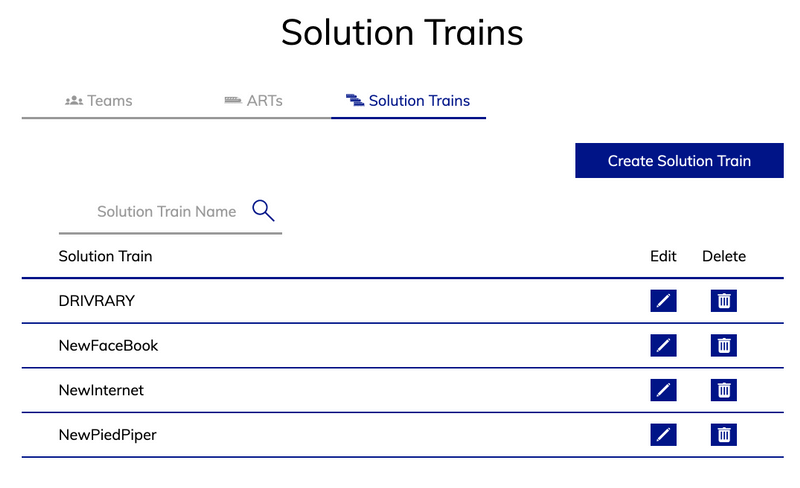
If you click on “Organization” in the menu on the left side and then navigate to the tab "Solution Train" you will find a list of all your Solutions.
Jul 15th, 2021
List of ARTs

List of ARTs

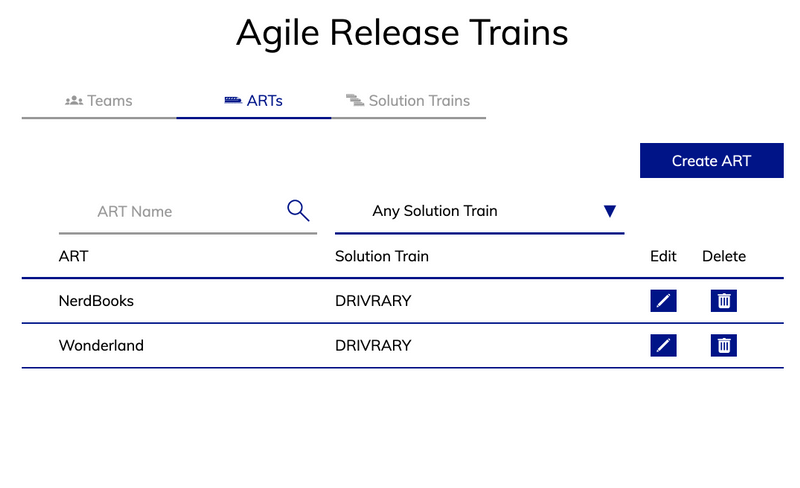
If you click on “Organization” in the menu on the left side and then navigate to the tab "ARTs" you will find a list of all your ARTs.
Jul 8th, 2021

Release version 2.9

This release includes all the features from previous Cloud releases.
Jul 7th, 2021

New color palette available

The color palette of sticky notes appears when you click the "Add new" button on the bar and hides when you click it again. Drag and drop the sticky note to the board. Pressing the color pops up the sticky note in the center of the board. The last chosen color won’t be set up as default anymore.
Jul 1st, 2021
Shared sprints in Jira

Shared sprints in Jira

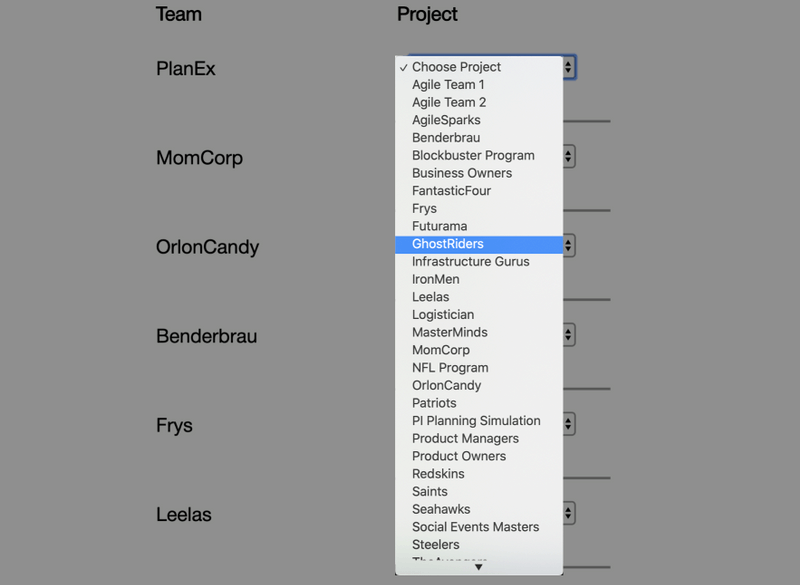
Now it’s possible that you can use shared sprints. What does that mean? If you have one sprint configured in Jira but multiple teams use this one sprint you can now configure it with the new team-mapping field.
Jun 27th, 2021

Release version 2.3

This release includes all the features from previous Cloud releases.
May 19th, 2021
Redesigned ALM team mapping page

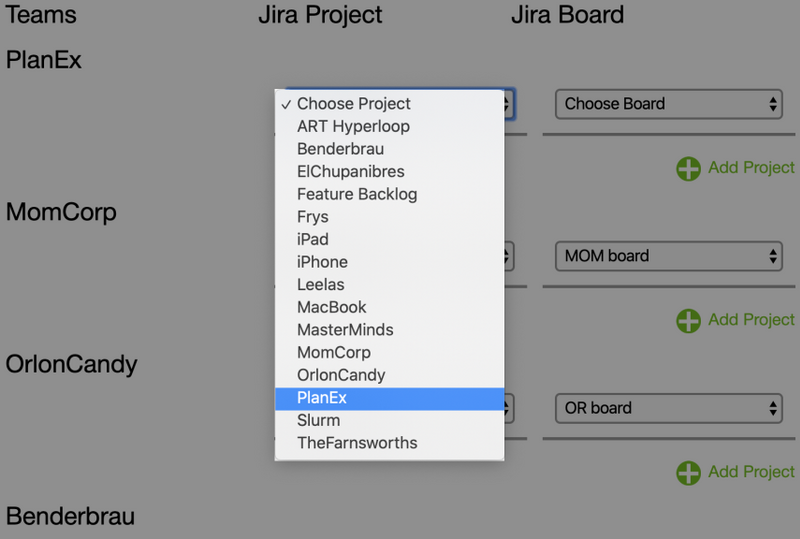
Redesigned ALM team mapping page

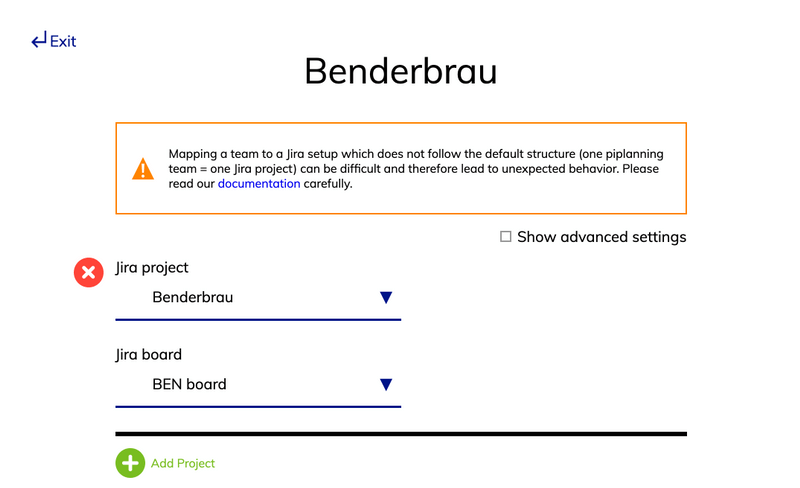
We optimized the way you can manage your teams under ALM team mapping. Now can edit team by team and this way you have a much better overview.
May 18th, 2021

Smoother board zoom

You can enjoy a smooth and snappy zoom in and out transition on the board. There is no lag when you have a lot (400+ items) of sticky notes on the board.
May 12th, 2021

Shortcuts for search on boards

To search on the board for stickers use control + F as a shortcut on your keyboard. For filtering the boards for teams use control + T. If you want to filter for a specific sticky type press control + Y. Be aware: Depending on your system instead of “control” the shortcuts might only work with “option” or “command”.
May 3rd, 2021

Infinite loading on users page

If you scroll down it will automatically load and display more users.
Apr 30th, 2021
Rally releases for Backlog Board

Rally releases for Backlog Board

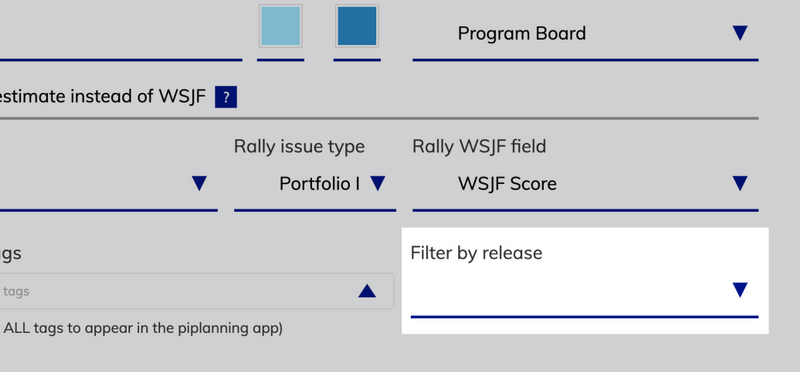
For the Program Backlog Board you can now filter your features by releases. So only the features that are in a specific release will be reflected in the piplanning app on the Program Backlog Board.
Apr 20th, 2021

Set order for team on Program Board

You can now set your own preferred order for the teams on the Program Board. Just arrange them the way you want. This can help you to optimize the dependency visualization as you can place teams that have many dependencies to other teams in the center of the board.
Mar 22nd, 2021

Search for multiple sticky types / teams / stickers

When you need to look for a particular sticky note on the board, you can set up multiple search criteria at once such as sticky type, teams or stickers.
Mar 11th, 2021

Press save for all the changes

We have made it consistent that you always have to press save when you change something in the configuration.
Mar 11th, 2021

Release version 2.8

This release includes all the features from previous Cloud releases.
Mar 5th, 2021

New canvases available

The accessible canvases have been expanded to include Customer Journey Map, ROAM Kanban, Golden Circle and User Story Map.
Feb 15th, 2021

Duplicate session

Want to be really fast when preparing your next PI Planning? Simply duplicate a previous session with all the configuration including sticky types and ALM configuration. This way you are ready for PI Planning within a few minutes.
Feb 11th, 2021

Filter for "no team" sticky notes

Now it’s possible to highlight sticky notes that are not assigned to a team.
Feb 10th, 2021

December / January Cloud feature overview

Learn in this video what we released in December 2020 and January 2021 for the RTE Cockpit in piplanning.io.
Feb 8th, 2021

December /January Cloud feature overview

Learn in this video what we released in December 2020 and January 2021 in piplanning.io.
Feb 8th, 2021

Release version 2.7

This release includes all the features from previous Cloud releases.
Jan 28th, 2021

RTE Cockpit ↔️ piplanning app

If you are logged in as an admin you can switch with two clicks to the RTE Cockpit and with one click back. In piplanning.io go to Settings and click “RTE Cockpit”. In the RTE Cockpit click in the upper left on “Switch to piplanning app”.
Jan 21st, 2021

Release version 1.9

This release includes all the features from previous Cloud releases.
Jan 8th, 2021

Configure canvases

Need another canvas or a different sticky type. Click on the small button “Manage” and get directly to the Canvases configuration page.
Dec 16th, 2020

November Cloud feature overview

Learn in this video what we released in November 2020 for the Cloud piplanning app.
Dec 10th, 2020

Skip through Team Boards

With "control" and the key "4" you can jump through the team boards. Very helpful if you want to get a quick overview of the different team boards.
Nov 28th, 2020

"CONTROL + O" for Objectives

When you are on the team board, you can simply press "Control" and "O" or "Command" and "O" on your keyboard and it will open the Objectives overview.
Nov 28th, 2020

Jump through Team Objectives with arrows

When you are on the PI Objectives Overview, you can use the arrow keys to jump through the objectives. The arrow keys on your keyboard also work for this.
Nov 18th, 2020

"6" for PI Objectives overview

To get to the PI Objectives Overview, you can simply press key "6".
Nov 14th, 2020

Line breaks in Objectives

In the Objectives you can now only make line breaks by holding down the "SHIFT" key.
Nov 11th, 2020

October Cloud feature overview

Learn in this video what we released in October 2020 for the Cloud piplanning app.
Nov 5th, 2020

Filter for "no" stickers

In the search, you can now also highlight stickies that don't have stickers.
Oct 29th, 2020

Simplified linking of stickies

Now it always remembers to which sticky you last linked another sticky. So you can quickly link to the same sticky with your "Return" button.
Oct 27th, 2020

ROAM status update

If you have mirrored a Risk between the Team Board and the Program Risk Board and you move it to another ROAM area on the Program Risk Board, it will be updated directly on the Team Board.
Oct 24th, 2020

Team name on Risk sticky notes

Now the team name is no longer included in the text of the sticky note as before, but nicely listed separately below the summary.
Oct 20th, 2020

Canvas categories

Now you can divide your canvases into categories. You can define, name and move the categories directly in the piplanning app.
Oct 13th, 2020

September Cloud feature overview

Learn in this video what we released in September 2020 for the Cloud piplanning app.
Oct 10th, 2020

Release version 2.6

This release includes all the features from previous Cloud releases.
Oct 2nd, 2020

New canvases

We have new canvases ready for you. Sailboat, Confidence Vote, Portfolio, Value Stream and Value Stream Identification.
Sep 28th, 2020

June Cloud feature overview

Learn in this video what we released in June 2020 for the Cloud piplanning app.
Sep 28th, 2020

New navigation

We have revised and optimized the navigation. It is now on the left side. You can also use the "Team" button to switch directly between the teams without using the "Exit" button.
Sep 24th, 2020

"N" key for new objective

If you want to add a new objective you can now simply press "N" on your keyboard.
Sep 19th, 2020

PI Objectives Overview

There is a new PI Objective Overview. Here you can see at a glance all the objectives written by the teams. From this view you can even edit them. You can access the PI Objective Overview by clicking on the small arrow on the Team Board or on the Program Board on "Program Objectives".
Sep 12th, 2020

August Cloud feature overview

Learn in this video what we released in August 2020 for the Cloud RTE Cockpit
Sep 6th, 2020

Release version 2.5

This release includes all the features from previous Cloud releases.
Aug 31st, 2020

New sticky notes come up big

When you create a new sticky note, it will appear in large size so you can see what you can edit. As soon as you click "Close" or hit "Return" on your keyboard it will be placed in the same size as all other stickies on the board.
Aug 25th, 2020

More canvases available now

There is a new Parking Lot canvas as well as the Lean Canvas and the Business Model Canvas available now. We have also made available a reduced Scrum of Scrums Sync Questions canvas for SAFe trainings.
Aug 18th, 2020
Teams with no Objectives still appear in XLSX extract

Teams with no Objectives still appear in XLSX extract

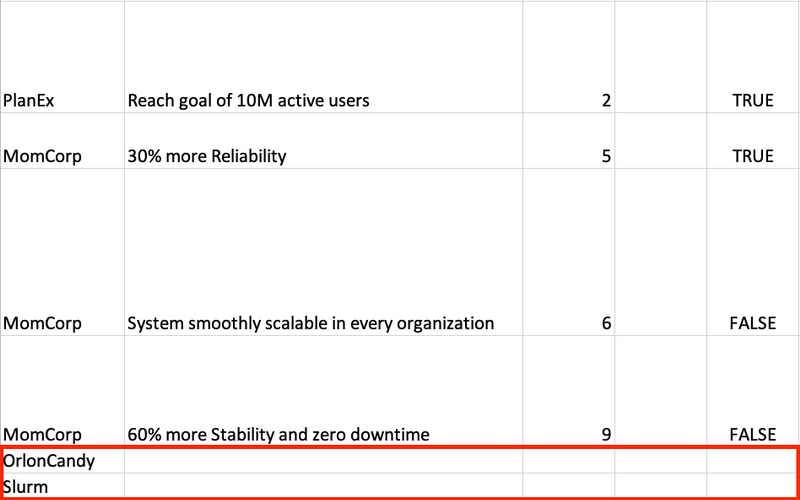
Previously, the XLSX excerpt only listed teams that had defined objectives. This meant that there was no overview of which teams had not defined any objectives during PI Planning. This is different now. Now you also see the teams without defined objectives.
Aug 16th, 2020
Clearer distinction of mirrored and default sticky types

Clearer distinction of mirrored and default sticky types

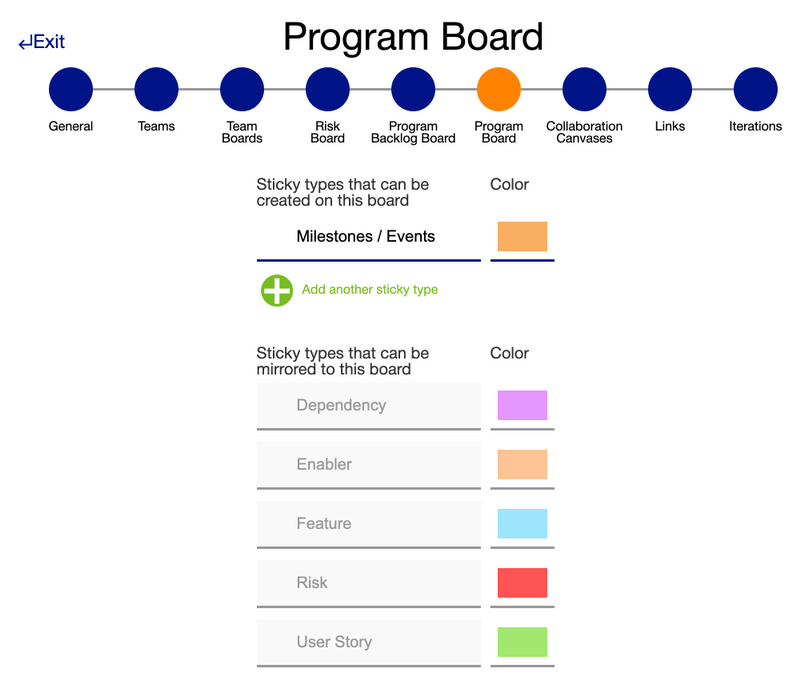
We have clearly separated the sticky types that can be created on a board and those that can be mirrored to this board. This also makes it easier to understand how the board is set up.
Aug 12th, 2020

Microsoft Azure Devops

We have now officially released the synchronization between Microsoft Azure DevOps. It is a real-time synchronization with your piplanning app boards. What does this mean? For example, if you create a user story with a summary on the Team Board and enter a Story Point value, this is also reflected in Azure DevOps. Conversely, if you change the iteration in Azure DevOps, for example, it will also be updated in the piplanning app. Find out more and click on "Lean more".
Aug 8th, 2020

July Cloud feature overview

Learn in this video what we released in July 2020 for the Cloud piplanning app.
Aug 4th, 2020

Collaboration canvases

Before someone can use the Collaboration Canvases, you must first configure them for the PI Planning Session. This way you can still avoid chaos and it is really simple to do.
Jul 31st, 2020
Webhook performance improvement

Webhook performance improvement

We have improved the Webhook performance of the piplanning app by factor five.
Jul 22nd, 2020

Adjustable sticky size in iteration overview

In the sticky overview on the Team Board you can now adjust the size of the sticky just like the Objectives.
Jul 20th, 2020
Create test work items in Rally

Create test work items in Rally

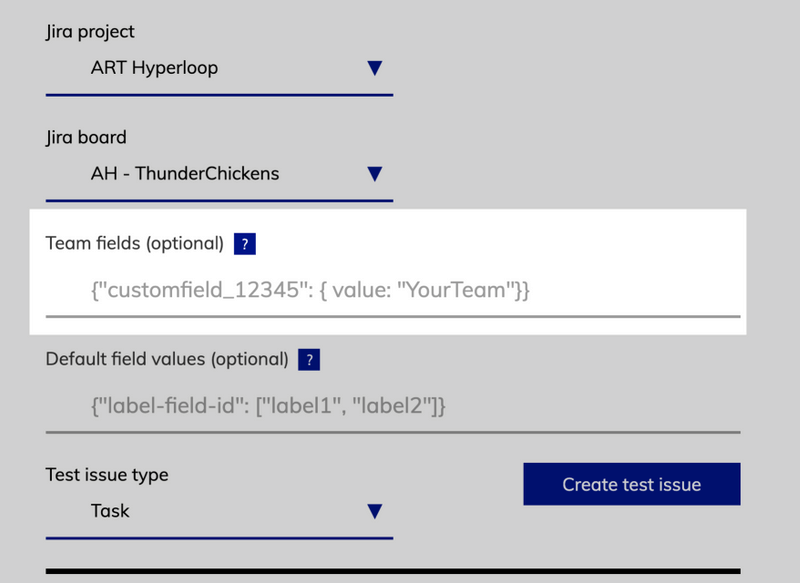
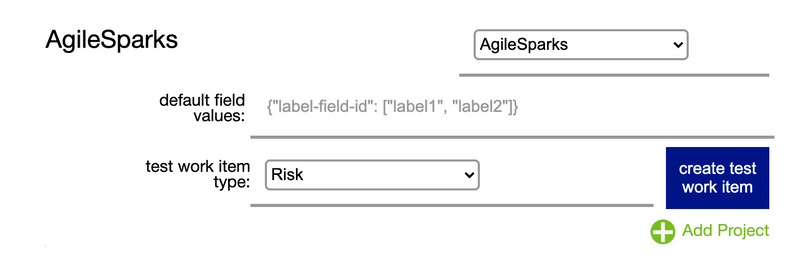
With one button press you can now create a test work item in Rally to test if your configured required fields work fine.
Jul 13th, 2020

Release version 2.4

This release includes all the features from previous Cloud releases.
Jul 12th, 2020

June Clooud feature overview

Learn in this video what we released in June 2020 for the Cloud RTE Cockpit
Jul 8th, 2020
Local date format

Local date format

The date format now adapts to the format based on the country setting you have in Chrome.
Jun 28th, 2020
Special settings available during session creation

Special settings available during session creation

Until now, certain settings when creating the session were only available when editing the session. We have now changed this. Everything can be set the first time you create a session.
Jun 24th, 2020

Adjustable yellow load highlighting

Between blue, all is well and red, you have an overload you can now also set if it should highlight with a yellow background that you soon reach the capacity limit. In the settings you can put in at what percentage the highlighting should trigger.
Jun 22nd, 2020
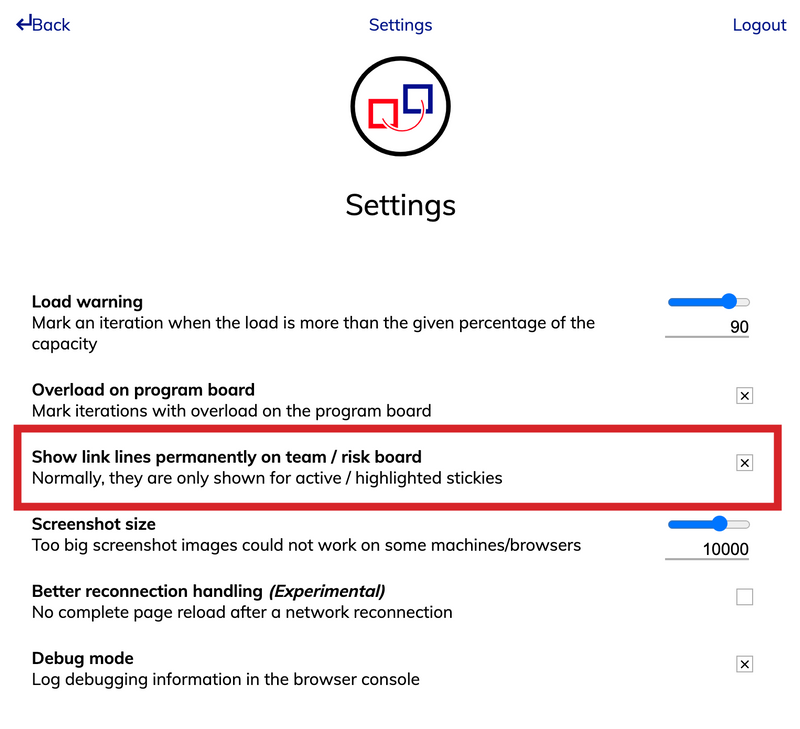
Always show the links on Team Boards and Risk Board

Always show the links on Team Boards and Risk Board

In the settings you can now set that the invisible links are always displayed on the Team Board and Program Risk Board.
Jun 18th, 2020
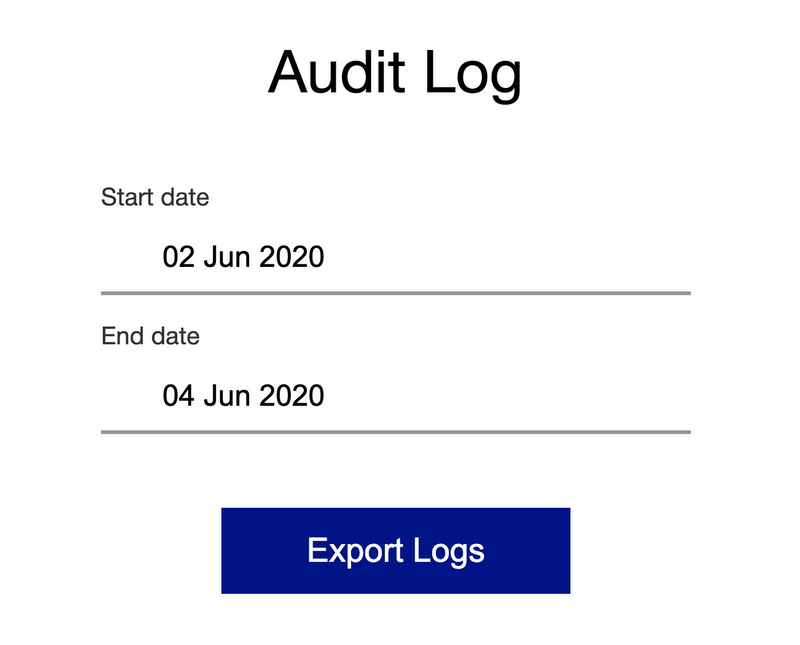
Download audit logs

Download audit logs

From the settings you can now download the audit logs. All you have to do is enter the time period and click on the "Export Logs" button.
Jun 15th, 2020

Display highlighted links over stickies

If you long-press on a sticky note it will show you the link above the grayed out sticky notes.
Jun 12th, 2020

May Cloud feature overview

Learn in this video what we released in May 2020 for the Cloud RTE Cockpit
Jun 4th, 2020

Capacity allocation

Our first step into the reporting field. Now you can find out on team level how much is planned for which area based on iterations or the whole team.
Jun 1st, 2020
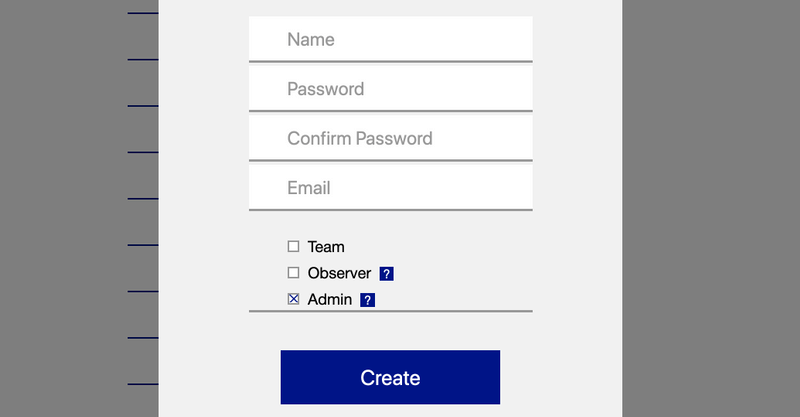
Admin email required

Admin email required

When you create an admin user, you must now also specify an email address so that if he forgets his password, he can reset it himself.
May 23rd, 2020

Search for sticky types and teams on boards

We did it again! We have again optimized the search a bit more. Now you can also search for assigned teams and sticky types.
May 20th, 2020
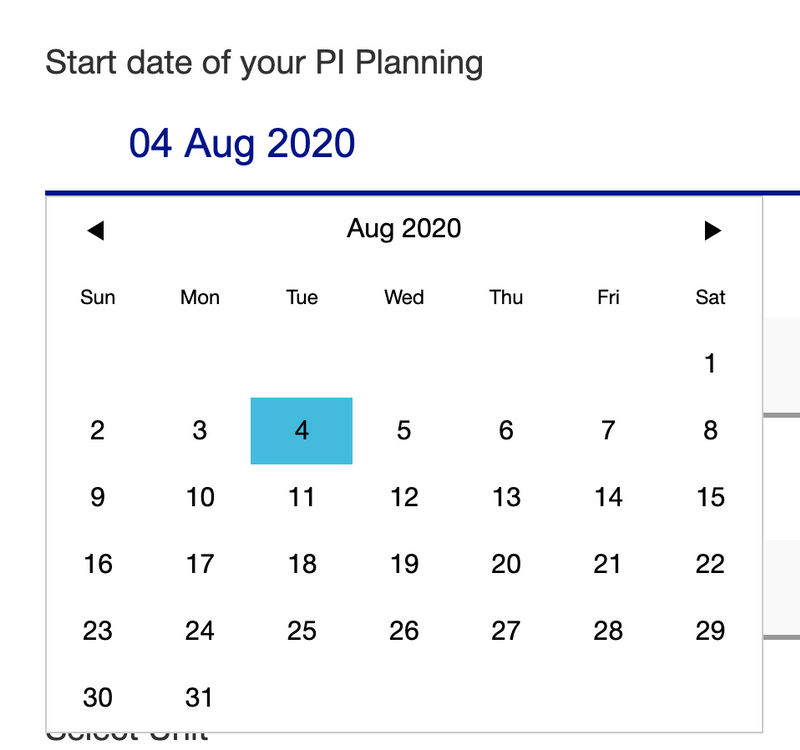
Highlight of active PI Planning session

Highlight of active PI Planning session

As an RTE at the first step of the session creation "General" you can set a date for your PI Planning. As soon as the day is approaching, in the piplanning app the PI Planning session will be highlighted in grey.
May 14th, 2020

April Cloud feature overview

Learn in this video what we released in April 2020 for the Cloud RTE Cockpit
May 5th, 2020

Search for stickers on boards

Finally it's here! Search for specific stickers like question marks, exclamation marks, dots, stars, check marks, etc. on the boards.
Apr 28th, 2020

Sync Rally iteration by iteration

With Rally sync you can now manually synchronize single iterations. So you don't have to stop and restart the whole sync from the RTE Cockpit. The teams can manage this themselves on team level.
Apr 24th, 2020
Rename velocity to capacity

Rename velocity to capacity

New is the Velocity on the boards Capacity.
Apr 18th, 2020
Allow teams to access session they are not part of

Allow teams to access session they are not part of

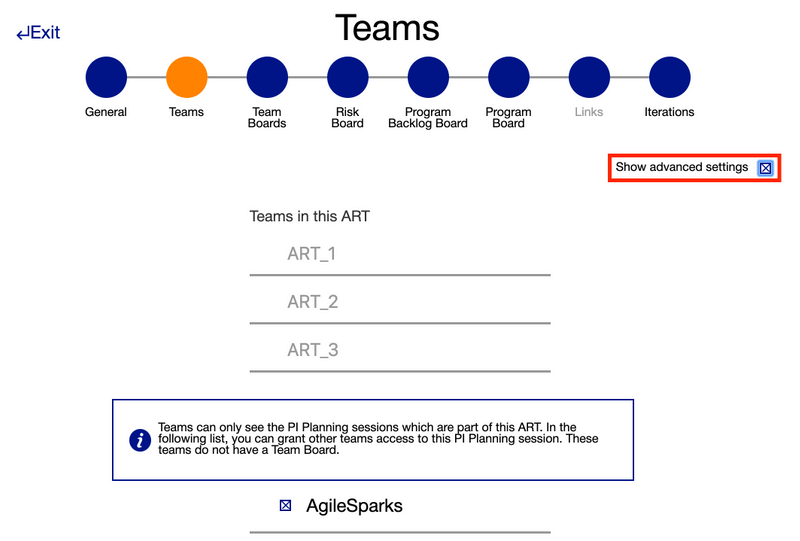
Under Teams you can now assign teams to a session without giving them a Team Board. This way you can also create e.g. a Solution session that allows you to visualize dependencies between ARTs.
Apr 18th, 2020

Hide search and arrange button

Via the help window you can hide the buttons for board search and to sort the stickies on the board. With the shortcuts [control + A] you can turn "Arrange" on and off and when you press [/] on the keyboard the search will open.
Apr 15th, 2020
Search in link window

Search in link window

In the link window to link a sticky to a Program Backlog Board sticky, just start typing and find the desired entry within seconds. Because now you have a Search available!
Apr 10th, 2020

Release version 2.2

This release includes all the features from previous Cloud releases.
Apr 5th, 2020
Right click menu

Right click menu

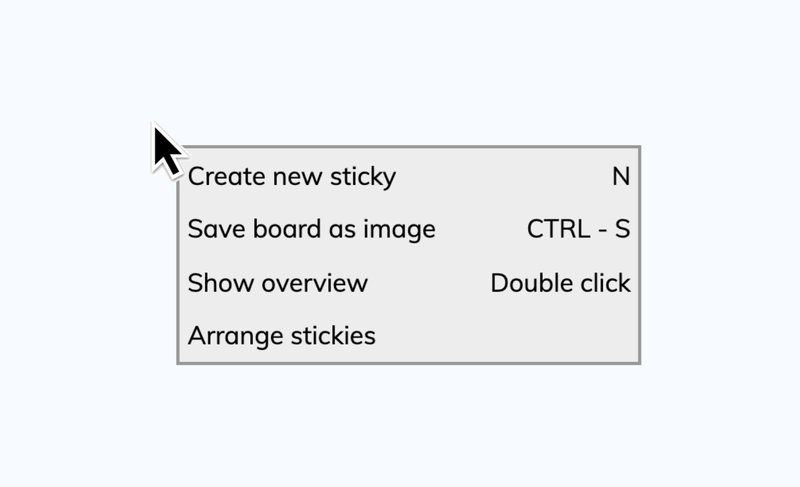
From the new right click menu you can directly create new sticky notes, save a high resolution image of the board to your computer, depending on where you clicked you can also get an overview and last but not least you can sort the stickies in the current area.
Mar 30th, 2020
Actual business value

Actual business value

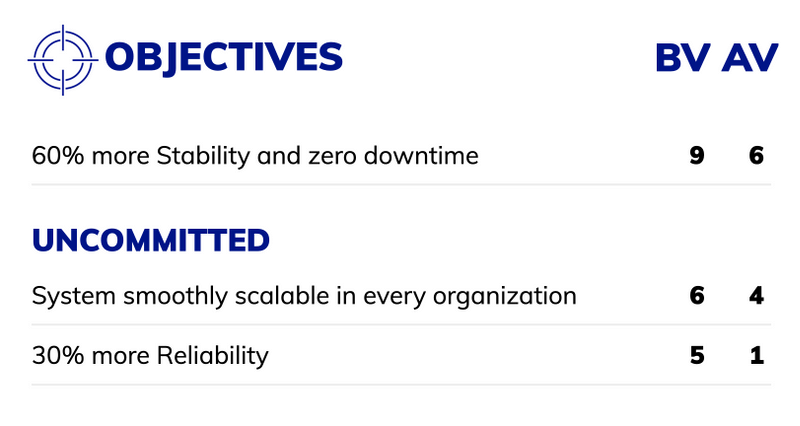
Among the Team Objectives there is now the possibility to add the actual business (AV) value.
Mar 25th, 2020
Iteration dates on Team Boards

Iteration dates on Team Boards

Now you can also see directly on the Team Board in the iterations from when to when an iteration lasts. Directly under the iteration title you can find the from to date.
Mar 17th, 2020
XLSX extract including dependencies

XLSX extract including dependencies

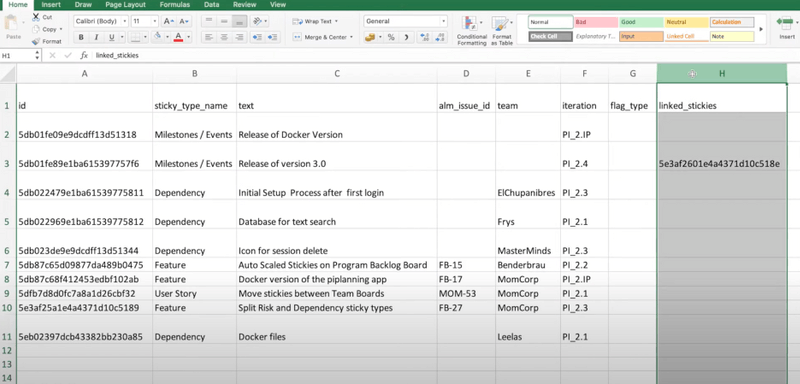
The XLSX export now also contains the dependencies. This way, you can also feed it back into an ALM tool that has no direct sync.
Mar 15th, 2020
Font scale activated by default

Font scale activated by default

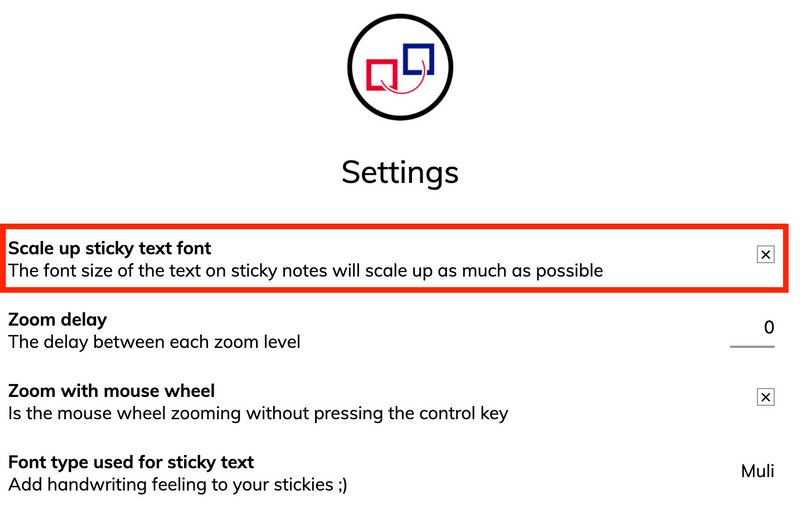
The setting "Scale up sticky text font" is now always automatically activated. That means you can always read the boards comfortably.
Mar 11th, 2020

Release version 2.1

This release includes all the features from previous Cloud releases.
Mar 2nd, 2020

Sticky note magnifier

Hold down the space bar and hover over sticky notes to magnify them. This gives you more options to be able to read what's on your boards.
Feb 28th, 2020
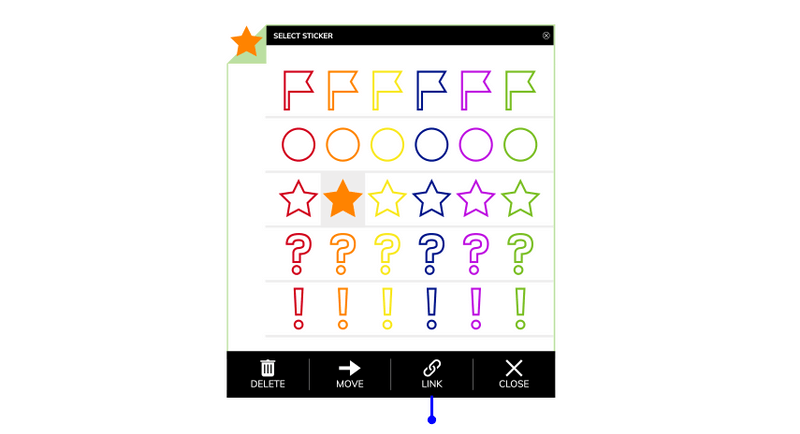
Stickers on sticky notes

Stickers on sticky notes

Click in the upper left corner of the sticky note to add a sticker and give your sticky note more attention.
Feb 28th, 2020
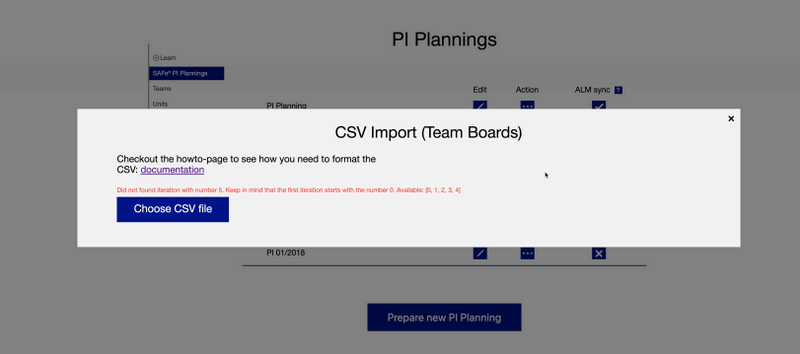
Helpful error messages with CSV import

Helpful error messages with CSV import

When uploading a CSV file and something with the iteration numbering is not correct, we let you know with an error message you can understand.
Feb 28th, 2020
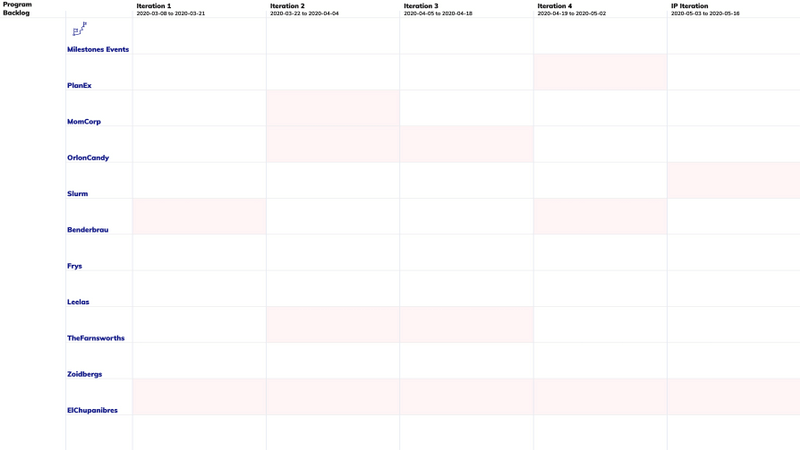
Overload highlighting on Program Board

Overload highlighting on Program Board

By default it's now active that you can see on the Program Board which team has an overload in a certain iteration.
Feb 18th, 2020
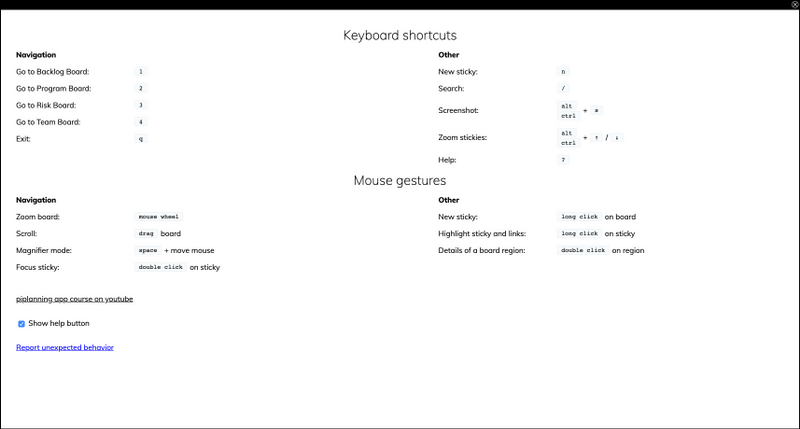
Help button

Help button

Help button in the upper right corner of your screen shows you all the available short cuts and also a direct link to our video course.
Feb 13th, 2020
SAFe 5.0 – Uncommitted

SAFe 5.0 – Uncommitted

The piplanning app is now officially SAFe 5.0 compliant. The Stretch Objectives on the Team Boards are now changed to "Uncommitted".
Feb 6th, 2020

Release version 2.1

This release includes all the features from previous Cloud releases.
Feb 5th, 2020

Release version 2.0

This release includes all the features from previous Cloud releases.
Feb 5th, 2020
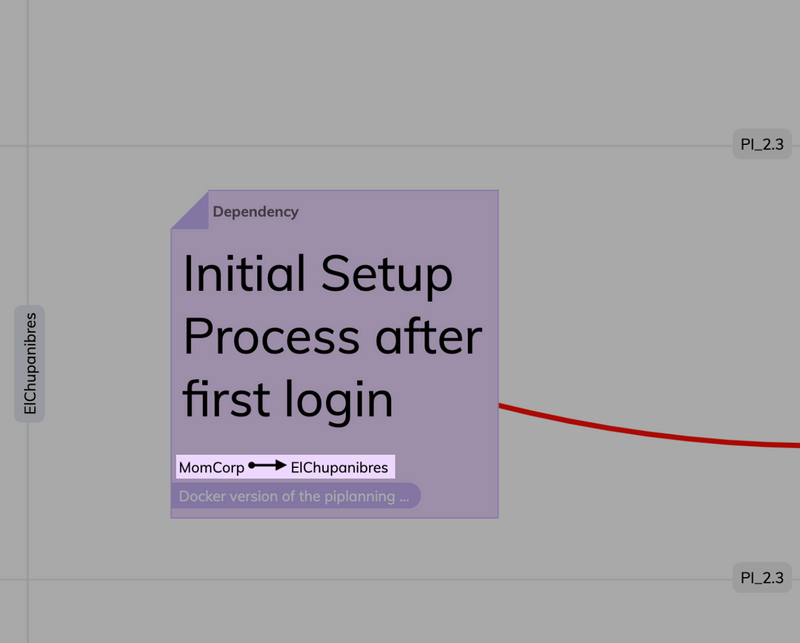
Dependency path on Program Board

Dependency path on Program Board

We added the information of the path a dependency took also to the sticky that is on the Program Board. No need to switch boards anymore to understand which teams initially talked to each other.
Jan 23rd, 2020
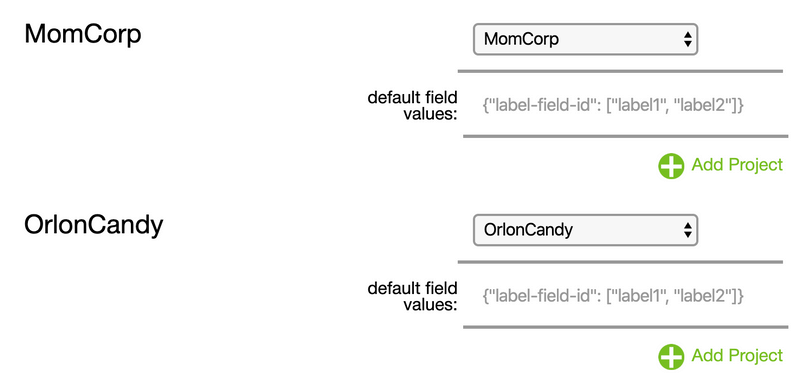
Rally default field values

Rally default field values

Use default field values if you want that a specific filed in Rally gets filled out automatically when a sticky note is created in the piplanning app. That's also helpful if you have some required fields.
Jan 20th, 2020

Full touchscreen support

The new web-based piplanning app supports large touchscreens. Plan with your fingers!
Jan 16th, 2020

Release version 1.9

This release includes all the features from previous Cloud releases.
Jan 8th, 2020

New animations

We implemented animations for create, delete or remove sticky notes as well as mirror and moving them to other boards.
Dec 22nd, 2019
Exclude Rally "accepted" iterations

Exclude Rally "accepted" iterations

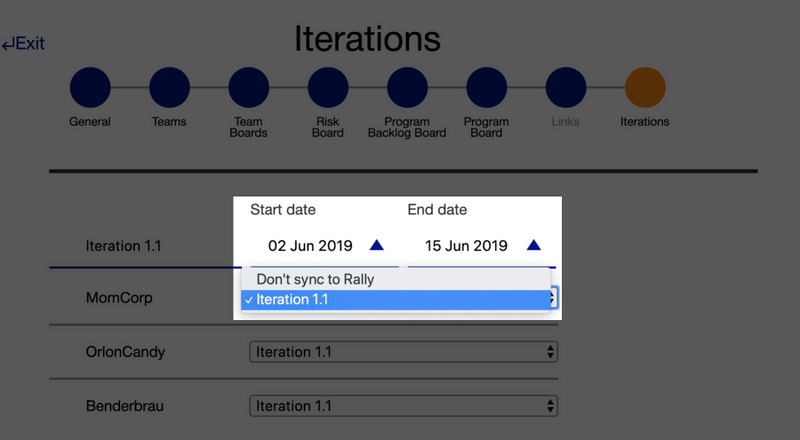
In the Iteration mapping dropdown we only show Rally iterations that don't have the status "Accepted" in Rally. This way you don't have to scroll through hundreds of iterations which aren't relevant for you.
Dec 16th, 2019

Release version 1.8

This release includes all the features from previous Cloud releases.
Nov 29th, 2019

Select sticky type first

Now when you create a new sticky note the first thing you have to do is select what sticky type you want it to be. After that you can instantly start typing the summary.
Nov 22nd, 2019
List all Rally projects

List all Rally projects

We extended the limit of 200 to list all Rally Projects of a Rally Workspace.
Nov 22nd, 2019
Sort Jira projects, boards, and issue types in alphabetical order

Sort Jira projects, boards, and issue types in alphabetical order

When ever you map something from the piplanning app to Jira the entries are now sorted in alphabetical order which makes it (for obvious reasons) way easier to find the right one.
Nov 18th, 2019
Overview where linked stickies are

Overview where linked stickies are

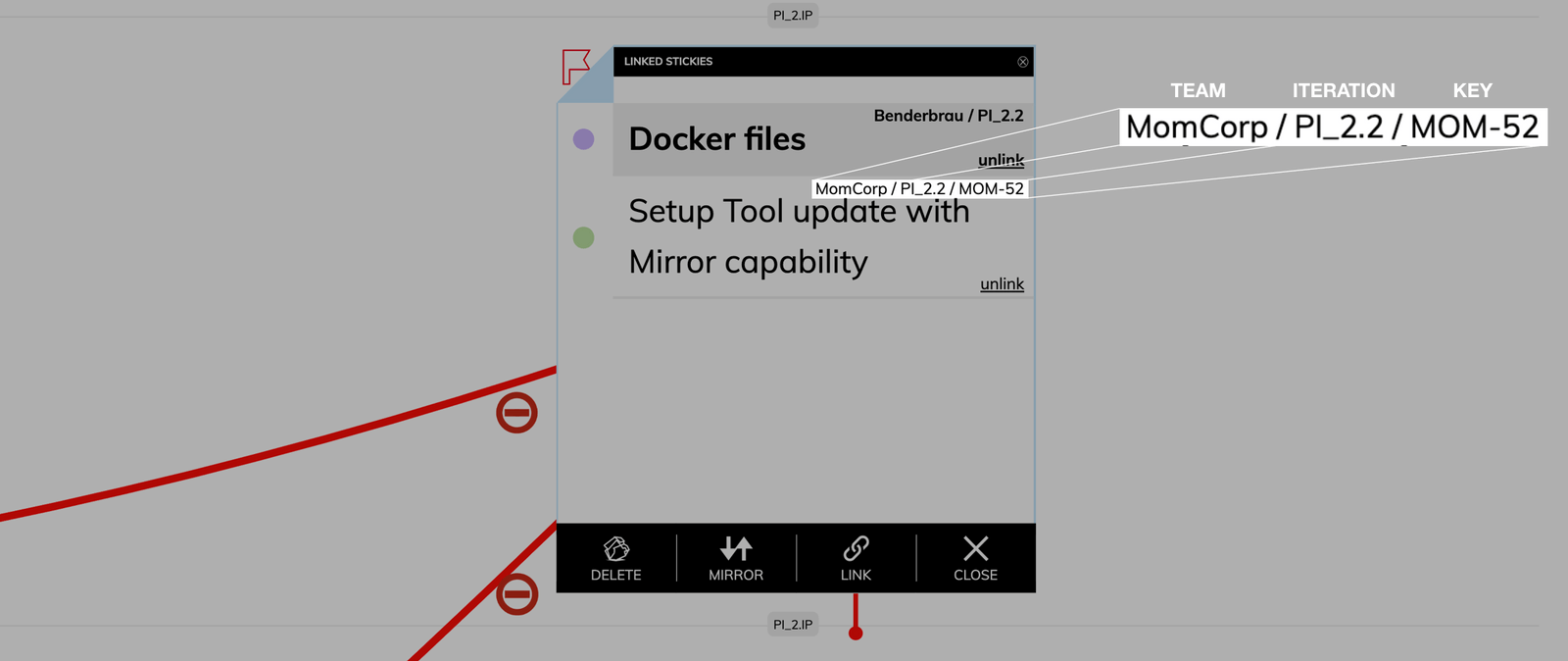
We just released a new feature that gives you a better overview. When clicking on the link icon where you find all the stickies that are linked to this particular sticky note you now also have the information which teams the stickies are assigned, in which iteration they sit and (if they are synced with an ALM tool) what ALM key they have.
Nov 16th, 2019

Direct link to Jira or Rally

Click on the Jira issue key or Rally work item key in the upper right corner of the sticky note and you will be immediately redirected to the Jira issue or Rally work item.
Nov 10th, 2019

Release version 1.7

This release includes all the features from previous Cloud releases.
Oct 31st, 2019
Detailed information on iteration overview

Detailed information on iteration overview

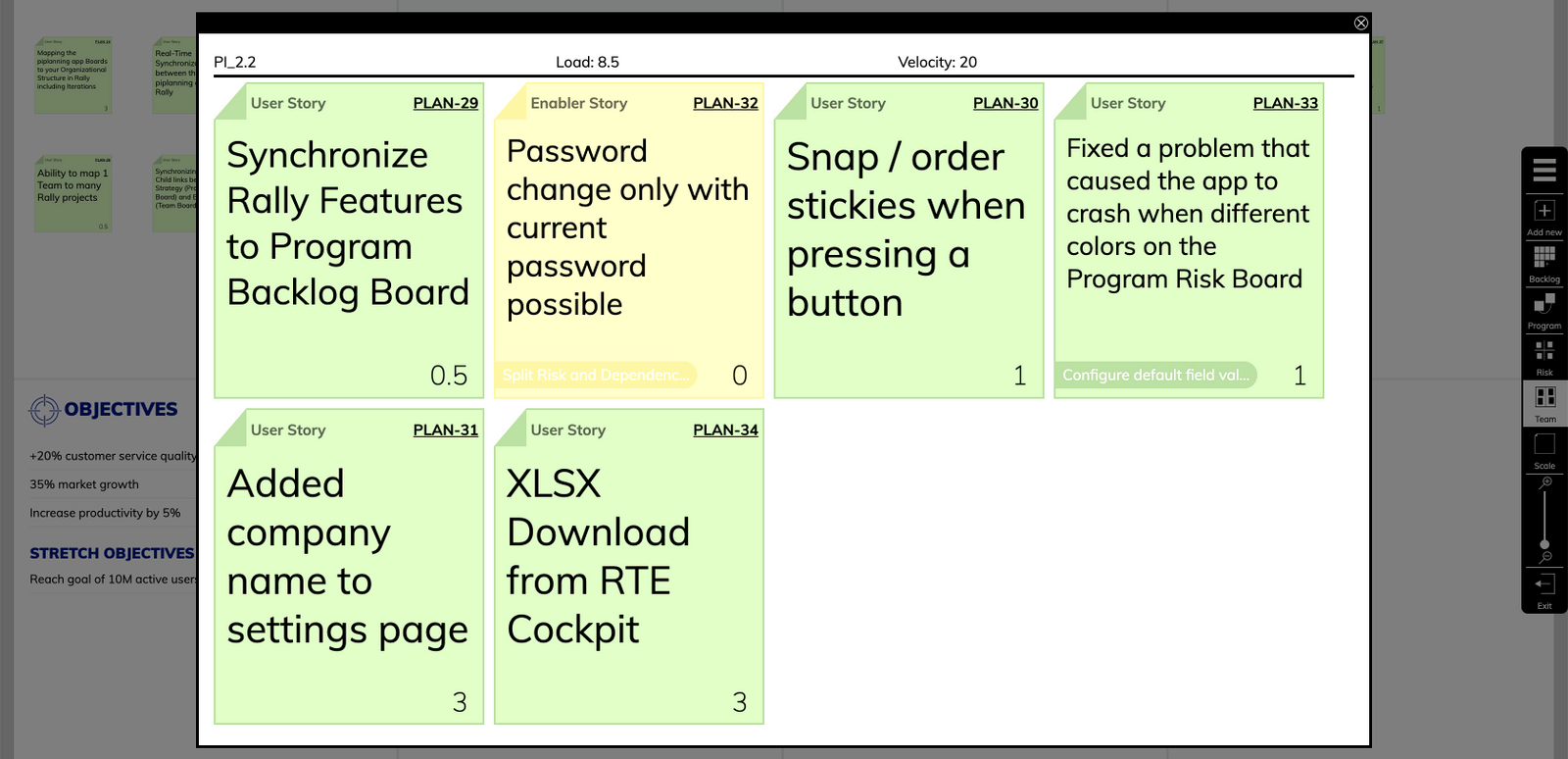
The sticky notes you have in the Iteration Overview which you can access by double clicking an iteration has now all the information on the sticky notes you wanted. Makes it easy to present them to the team or stakeholders.
Oct 30th, 2019

Added sticky type to overview

Now you can also see what the sticky type of the stickies on the Program Backlog Board are. Furthermore is it possible now to sort the Program Backlog Board items overview by which teams are assigned to the sticky notes.
Oct 28th, 2019
Prevent Jira issues from being deleted

Prevent Jira issues from being deleted

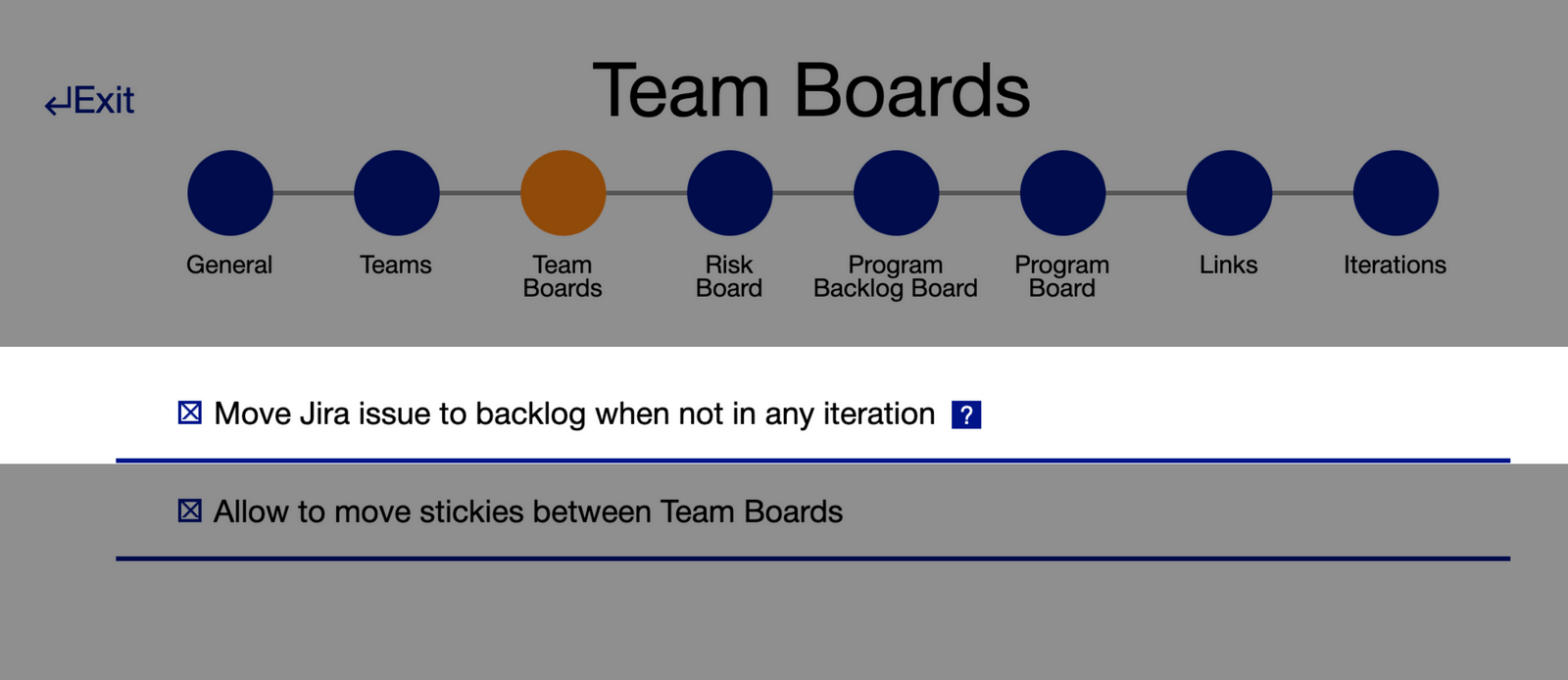
The setting "Move Jira issue to backlog when not in any iteration" when creating a new PI Planning session is now activated by default. This way you don't have to go back and activate it by hand anymore in order to prevent Jira issues from being deleted when teams drag them outside a synced iteration in the piplanning app.
Oct 24th, 2019

Set own story points value

You don't plan with the Fibonacci sequence? No problem with this release. Now just click on the Story Points field and enter your own preferred value in the text field.
Oct 22nd, 2019

New way to flag sticky notes

We removed the flag from the sticky note menu and added it to the upper left corner where you can click it to flag sticky notes.
Oct 14th, 2019

Objective scale

Press the buttons in the lower left corner of the Objectives overview to upsize or downsize the Objectives. This gives you better readability when presenting them for example on a projector.
Oct 10th, 2019

LAUNCH OF WEBAPP! (beta)

Today is a big day! After countless hours of hard work we are finally ready to release the beta version of the piplanning app. When designing the new web-based version of the piplanning app we took all the customer feedback we got and all the learnings from the previous version and turned it into a beautiful and extremely intuitive new piplanning app version. Check it out yourself.
Oct 1st, 2019

Kanban Mode

Kanban support has arrived in Execution Mode, making Agile collaboration more seamless than ever. This new feature allows teams to start managing their work in a fully Jira-synced Kanban board.
Mar 19th, 2025

Pan Mode & New Utilities

You’ll find the Utilities menu in the lower-right corner, making key board functions like adding sticky notes, scaling, zooming, and the new Pan Mode easier to access. With Pan Mode, effortlessly navigate your board using the hand icon or by holding the spacebar and dragging. Selecting multiple sticky notes is now smoother, too. Plus, the Plan vs. Execution switch is now right next to your profile for quicker toggling.
Feb 28th, 2025
Org View and Session change

Org View and Session change

Clicking on the logo in the top navgiation opens your org structure and allows you to switch easily your PI sessions
Dec 10th, 2024
Copy Canvases

Copy Canvases

Canvases can now be copied from one session to another. That allows you to create templates and re-use them in future PI sessions.
Nov 25th, 2024
Assignee on Risk Board

Assignee on Risk Board

You can now assign work items on a risk board to a person.
Nov 21st, 2024
Sticky Linking and Search Capabilities

Sticky Linking and Search Capabilities

You can now link any sticky note to another within the same PI session, allowing for better cross-team and cross-ART (Agile Release Train) collaboration. Easily link stories within or across teams, as well as to features in other ARTs, with an improved UI that includes team and type filtering plus full-text search for streamlined navigation.
Oct 2nd, 2024
Connection Status Page

Connection Status Page

The Connection Status Page is designed to provide better insights and help diagnose connection issues more effectively.
Sep 2nd, 2024
Board Activity Comparison for Sticky Notes

Board Activity Comparison for Sticky Notes

Easily track changes on sticky notes with the new Board Activity Compare feature. Compare any two points in time—such as Now vs. Last Workday, Now vs. Start of Iteration, or Now vs. Start of PI—to view updates on attributes and actions taken on each sticky note, providing clear insights into recent activity and progress.
Aug 29th, 2024
Assignee Field on Sticky Notes with Jira & Rally Sync

Assignee Field on Sticky Notes with Jira & Rally Sync

A new "Assignee" field on sticky notes now allows you to assign users directly within the app. The assignee syncs seamlessly with Jira and Rally, displaying user IDs and enabling easy edits. This update enhances collaboration by linking ALM user assignments to piplanning.io.
Aug 23rd, 2024
Accessibility Compliance Update: 508 & WCAG Level AA

Accessibility Compliance Update: 508 & WCAG Level AA

piplanning.io is now fully compliant with Section 508 and WCAG 2.1 Level AA accessibility standards! This update ensures an improved experience for all users, including those with disabilities, by enhancing keyboard navigation, screen reader support, color contrast, and more.
Jul 22nd, 2024
Enhanced Team and ART Navigation

Enhanced Team and ART Navigation

Navigating between Teams and ARTs is now simpler with the new ART selector on team boards and a Team selector on ART and Solution Boards. Additionally, when you leave an ART and return, you’ll automatically rejoin as the same team you left, making it easier to pick up where you left off.
May 21st, 2024
Jira Assignees Synced to piplanning.io Sticky Notes

Jira Assignees Synced to piplanning.io Sticky Notes

Now, when you sync sticky notes from Jira to piplanning.io, the assignee information is automatically transferred. This ensures that every team member can see at a glance who is responsible for each task, facilitating better coordination and accountability across your Agile Release Train. Enjoy a more connected planning experience.
Apr 20th, 2024

StickyNote Pro

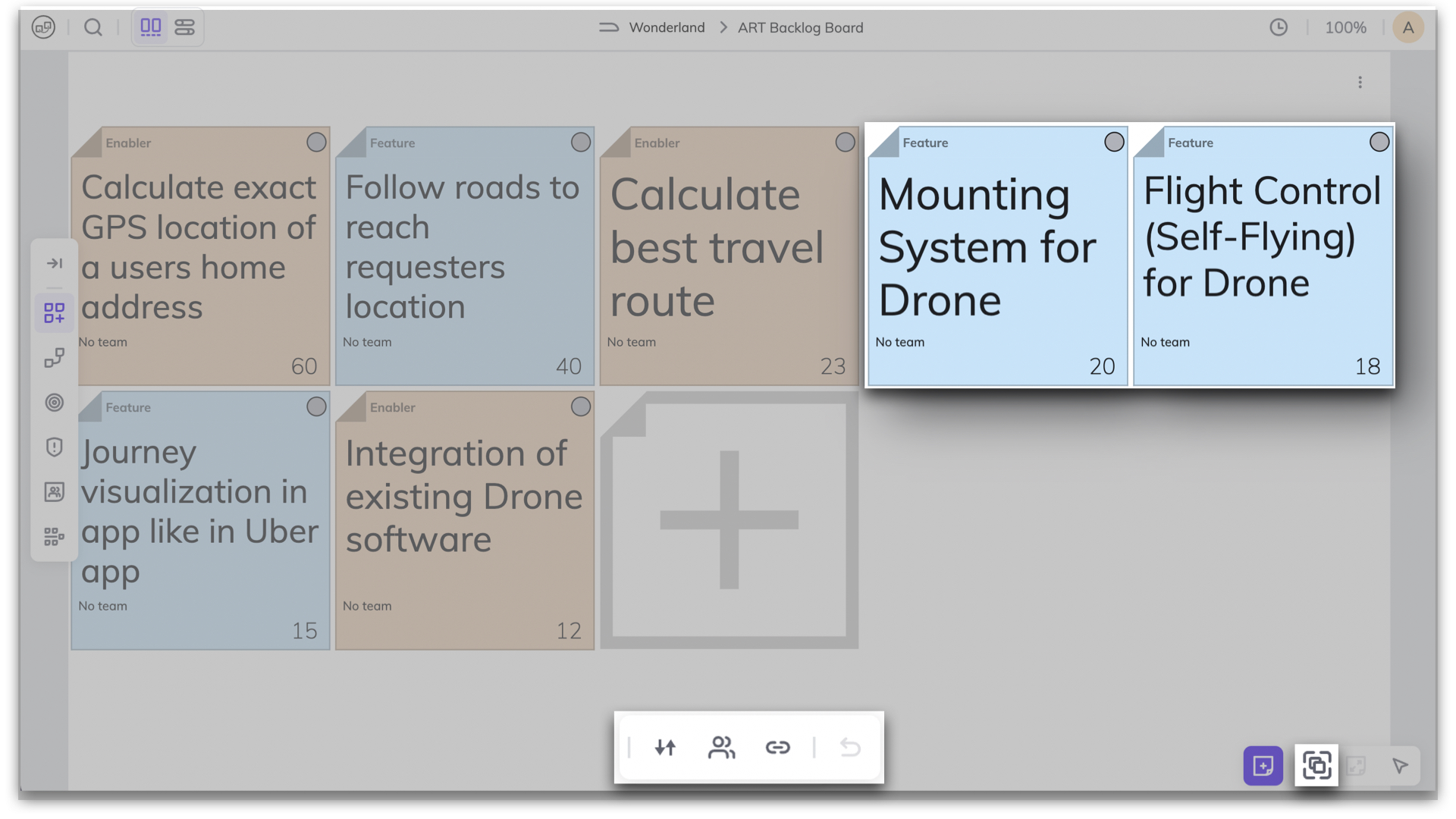
The StickyNote Pro isn't just a new tool – it changes the way we work. It comes in many types and colors, all designed to fit your unique way of working. But no matter how you use it, its simplicity remains the same. Simplicity is what we're all about.
Apr 9th, 2024
Keep Filters

Keep Filters

If you want to close the search but keep the filter active in order to work on the board, click on "Keep Filters & Close". To clear the filter, click on the X in the top navigation on the left.
Mar 1st, 2024
Planned Iteration Visible in Plan Readout

Planned Iteration Visible in Plan Readout

The Plan Readout overview now also shows the iteration in which the work items linked to the team objective were planned.
Feb 7th, 2024

History of Sticky Notes - Tracking Activities

The sticky note activity overview allows you to see what has happened to a sticky note since it was created. Who changed what and when. This helps with traceability.
Dec 13th, 2023

Mirror Dependency to Solution Planning Board

Efficiently manage cross-ART dependencies with the ability to mirror them onto the Solution Planning Board. When a team faces dependencies with another team in a different ART, reflecting these dependencies at the solution level ensures clear visibility and facilitates easy tracking across multiple ARTs.
Nov 8th, 2023
Redesigned Sticky Notes

Redesigned Sticky Notes

Discover a polished new look for sticky notes! Our revamped design places the navigation menu at the top, enhancing user experience. Effortlessly access essential functions tailored to the specific type of sticky note.
Oct 25th, 2023

Efficient Multi-Sticky Note Copy-Paste

Introducing the power of swift copy-paste with multiple sticky notes at once! Enhance your workflow by seamlessly duplicating and transferring information across several sticky notes in one go.
Oct 25th, 2023

New Plan Readout Functionality

In Draft or Final Plan Readout, you can review the key planning outputs (PI Objectives, capacity and load, risks) easily in a new dedicated space. It offers quick access and aids in the tight timebox. Moreover it allows Business Owners to assign Business Value for Objectives.
Sep 19th, 2023

Enhanced Objective Management

Experience enhanced objective management with the option to toggle full descriptions on or off, providing a cleaner view. Additionally, expand associated sticky notes for a structured, organized overview. Easily monitor Objective status by referencing linked sticky note statuses.
Aug 30th, 2023

Streamlined Navigation: Dropdown Menu for Team and ART Selection

Effortlessly switch between Teams and ARTs with the new dropdown menu on the Team Board and ART Planning Board. Simplify your navigation and streamline collaboration.
Jun 21st, 2023
Visualize Dependencies on Solution Planning Board

Visualize Dependencies on Solution Planning Board

The visualization of Dependency sticky notes is now available on the Solution Planning Board. This enables seamless tracking and transparency of dependencies between Solution Trains, facilitating effortless management.
May 18th, 2023
Solution Level Boards

Solution Level Boards

Introducing the new Solution Backlog Board & Solution Planning Board, accessible from the left menu bar. The new boards empower Solution Trains to plan and execute with ease efficiently.
May 17th, 2023
Improved Multi-Selection Actions on Backlog Board

Improved Multi-Selection Actions on Backlog Board

The Backlog Board now allows for activities on multiple sticky notes. This enables seamless mirroring to another board, assigning to a team, or linking multiple sticky notes at once.
May 10th, 2023

Automate Backlog Board item mirroring to Team Board

Automatically mirror Backlog Board items onto the Team Board when the team is assigned. This can easily be done in the RTE Cockpit by ticking the relevant box located under the ART Backlog Board.
Apr 26th, 2023

Pin to Keep The Sticky Notes Highlighting

Now you can keep highlighting the sticky notes that are linked together by pinning them. This function will keep the visual representation of the strings between the sticky notes for as long as you need it. When you're done, simply click on the pin or press escape to remove it.
Apr 19th, 2023

New View Modes: Plan and Execution

With a toggle in the top bar, you can change now for two different modes: Plan and Execution. Easily switch between views to see your progress in Execution mode or stick with the default setting of Plan mode.
Apr 19th, 2023

Permanent Display of Strings on ART Planning Board

Now, you have the option to display the strings permanently on the ART Planning Board. By default, they are only visible for active sticky notes. To activate this feature, navigate to Board Settings located under your Profile.
Apr 5th, 2023

Add Some Fun to PI Planning

You can now react to sticky notes with emojis! 😍🔥+1 Whether you want to show some love, express enthusiasm, or indicate agreement, you can now do it all by reacting with emojis to sticky notes! So go ahead, give it a try!
Apr 5th, 2023
Removal of "Learn" Button & New Location for Topics

Removal of "Learn" Button & New Location for Topics

We have made an update that changes the way you access our learning resources. The "Learn" button has been removed, and the included topics are now accessible from the user's profile menu.
Mar 29th, 2023

Character Limitations in Title and Unlimited Description for Objectives

We have made an update that limits the character count for objective titles to 130 characters, providing more concise and focused titles. There is no limit to the description length, allowing users to provide more detailed information about the objective.
Mar 29th, 2023
Improved ART PI Objectives

Improved ART PI Objectives

The ART PI Objectives are now separated into two sides, ART PI Objectives and Team Objectives. This provides better visibility and transparency to the Team Objectives that are aligned with achieving the ART Objectives. With both objectives displayed side by side, it is easy to track progress and see how Team Objectives contribute to the overall ART Objectives.
Mar 15th, 2023

Shortcuts Sorted into Categories Under Help Menu

Now, when you navigate to the Help menu, you will find shortcuts categorized by their function. This helps you to quickly find the fastest command for the necessary tool.
Mar 8th, 2023

Enlarging Sticky Notes from Search Results

You can easily access and scale up the important sticky notes directly from the search results. Simply click on a sticky note in the search results and the corresponding note on the board will instantly scale up, providing a clearer and more detailed view.
Mar 8th, 2023

Navigation Shortcuts for Quick Board Access

By simply hovering over the navigation menu, now you can see the shortcuts to the boards you need to access, saving them time and making the navigation process more efficient.
Mar 1st, 2023

Grid-align sticky notes with multi-select function

From now on, when selecting multiple sticky notes, you can also choose the grid alignment function. In the board settings, you can adjust the distance between sticky notes.
Mar 1st, 2023

Hierarchical Display of Sticky Notes Related to Team Objectives

At Team Objectives all associated sticky notes from the Team Board are displayed in a hierarchy with feature at the top, providing a better overview of the tasks that support the Team Objectives.
Mar 1st, 2023

Program Metrics are on top of the Program Board

You can now view Program Metrics accessing from the Program Board located on the top left menu. This feature enables you to monitor and track of your whole PI, including Capacity Allocation and Load Vs. Capacity status. This new capability offers more transparency and visibility into the whole Program's status making it easier to identify potential issues and take corrective action.
Feb 22nd, 2023

New Timeline for Where We Are in The PI

From now on, when you click on the Progress button, a timeline will appear showing where we are currently in the Program Increment.
Feb 22nd, 2023
Improved Iteration Header Design on Team Board

Improved Iteration Header Design on Team Board

The new design is more user-friendly and visually appealing, displaying important information such as the iteration start and end dates, capacity and load, access to team metrics along with the progress status of the iteration in a clear and concise manner.
Feb 22nd, 2023

Track Program Progress by Iterations and Teams on Program Board

You can easily track the status of your program and identify any potential issues that need to be addressed. By clicking on “Progress” on the top left menu, the progress bar will appear by Iterations and Teams. By hovering over the bar you can get more detailed information on their progress and identify areas that may need additional attention.
Feb 15th, 2023

ART PI Objectives on The Menu Bar

You can access the ART PI Objectives directly from the menu bar. This saves time and makes it easier to stay up-to-date with the whole ART program's goals.
Feb 15th, 2023

Collapsible Team Objective List

This feature allows users to easily expand or collapse the list to make the most of their screen space during planning sessions. To collapse or expand an objective, simply click on the arrow icon next to it.
Feb 8th, 2023

Team Objectives Progress Tracking

This new update makes it easy to monitor the progress of your Team Objectives and identify any potential roadblocks. Simply opening the Team Objective window, the progress bar is displayed by default. By hovering over the progress bar, you can see more details.
Feb 1st, 2023
Team Member List Added to Board Avatars

Team Member List Added to Board Avatars

Now you can easily see who is collaborating with you on the same board. The list of names who is on the board has been added alongside avatars of other people on the board.
Feb 1st, 2023
See Incoming, Outgoing, and Mutual Dependencies with New Filter

See Incoming, Outgoing, and Mutual Dependencies with New Filter

This new filter allows you to easily track the dependencies between different teams. This filter allows you to identify incoming, outgoing and mutual dependencies. The filter provides a clear and easy-to-understand visual overview of all dependencies that makes it easier for the team to plan and coordinate their work, ensuring that everyone is aware of any dependencies.
Feb 1st, 2023

Iteration Progress Tracking

This feature adds a progress bar to each iteration, allowing you and your team to track their progress. Simply opening the Team Objective window, the progress bar is displayed by default. By hovering over the progress bar, you can see more details.
Feb 1st, 2023

Dependency Progress Tracking

This feature makes it easy to stay up-to-date with the status of dependencies and ensures that everyone is aware of any potential delays or roadblocks. To access it, simply click on the "Progress" button in the top left corner of the board. A progress bar appears at the bottom of the dependency sticky note, indicating the completion status of any related tasks. By hovering over the progress bar, you can see more details.
Feb 1st, 2023

Searching for Sticky Notes by Iterations

With this feature, you can easily search for specific sticky notes associated with a particular iteration. This makes it easier to keep track of tasks and see what is in progress or has yet to start. This makes it easy to identify potential backlog areas in your team.
Jan 25th, 2023

Search within dependencies for linked or unlinked sticky notes

Want to check if all dependencies are also linked to either a Feature or another Dependency, filter for “Unlinked” dependencies.
Jan 11th, 2023

Synchronized team-field with Microsoft Azure DevOps

Thanks to the team-field sync with Microsoft Azure DevOps, when a team changes the text on a sticky note or moves it from one Iteration to another here will be automatically updated there and vice versa.
Jan 4th, 2023

Search between linkable items

When you want to link a sticky note to an item and you click on "Link" on the sticky notes, you can search now among the linkable items. In the search bar, start typing the word you are looking for to filter the list. To make the items appear even neater, the sticky notes and Objectives are placed on two separate tabs.
Jan 4th, 2023

Movable navigation bar

You can choose which side the navigation bar should be on. If it's in the way because it's covering something, you can move it to the other side. Always to where it's most comfortable for you.
Jan 4th, 2023

Zoom into a region

Want to take a closer look at an area on the Team Board? Right-click on the cell you want to inspect and select zoom to a region option. Now only that area is in focus on your screen.
Dec 14th, 2022
Title is at the top of the board

Title is at the top of the board

Don't know which board you're on? You can always see the title of the board you are standing on at the top in the middle. In the case of the team board, you can jump to the other team's board from here.
Dec 14th, 2022

Sychronized team-field with Jira

Thanks to the team-field synchronization with Jira, when you change the text on a sticky note or move it from one team to another within the same Iteration here will be automatically updated there and vice versa.
Dec 14th, 2022

Linking sticky note with Objectives by drag & drop

It's easier than ever to connect sticky notes with Objectives. Click on it to activate the sticky note and just drag & drop the string to the Objective you want to link.
Dec 14th, 2022

Highlight linked items

Highlight the items that are linked to each other! This works back and forth. Click on the sticky note to see the linked Objectives or click on the Objective to see the linked sticky notes.
Dec 14th, 2022

Available languages: English, Spanish, Japanese

In addition to English, you can now set Spanish or Japanese as your preferred language. Choose the language under your profile.
Dec 14th, 2022

Select multiple sticky notes

Select multiple sticky notes and take action on them at a time. It is a great help when you're working with tons of sticky notes, right? As soon as more than one sticky is selected you can move them to another position, align them vertically or horizontally, or link them to sticky notes or team objectives. Brilliant, isn’t it?
Dec 7th, 2022

Link multiple sticky notes to Objectives

A handy solution is to link sticky notes to Team Objectives that help to achieve the specific Objective. Instead of linking each sticky note to the Objectives one by one, you can do it all at once thanks to the multiple sticky note selection function. Then click on the Objective to see the associated notes highlighted.
Dec 7th, 2022

Work on the board while filtering is active

It is now possible to work freely with the results filtered in the search bar. Edit or move the sticky notes, and when you're done, delete the filter criteria so that you can work in the full workspace again.
Nov 2nd, 2022

Share filtered search results

If you want to talk through certain sticky notes, be specific by sending your team members which sticky notes you are talking about. You can do this simply. For instance filter out sticky notes with a pending status that belongs to your Scrum Master. Copy the link of the search result from the URL bar and send it to the Scrum Master. Now he/she can see the exact sticky note you want to point to.
Oct 12th, 2022
New session selector & nav bar

New session selector & nav bar

You will find a cleaner and more transparent renewed session selector after logging in. We have also revamped the navigation bar, which includes a new element called facilitation. From here you can access the timer and progress display.
Oct 5th, 2022

Filtering for status

Do you want to know which tasks still need time and which ones are not ready yet? When searching, filter by sticky notes with to-do and in-progress statuses. You will immediately see which tasks are still to be done.
Oct 3rd, 2022
Status on Features

Status on Features

Track the progress of your feature by hovering over the progress bar to see the status of the sticky notes in a mini report. ⚪ To Do | 🔵 In Progress | 🟢 Done.
Sep 27th, 2022

Track progress on Objectives

Based on the status of your linked work items you can now easily track progress on your Objectives. You will now have an even better overview of the processes in your Program Increment.
Aug 31st, 2022

Status sync with ALM tools

To avoid unnecessary manual work, when the status of a user story changes, it is automatically updated back and forth between piplanning.io and other ALM tools like Jira, Rally or Microsoft Azure DevOps.
Aug 24th, 2022
Link User Stories to Objectives

Link User Stories to Objectives

It is now possible to link User Stories to Team Objectives on the Team Board. Click on the link at the bottom of the sticky note you want to link, then select the desired Objective from the options listed.
Jul 27th, 2022
New login page

New login page

The login page in piplanning.io has been redesigned. After entering your email, select the account you want to use and you are in the familiar application.
May 18th, 2022
Sticky note functions

Sticky note functions

Sticky notes can have different functions in PI Planning. Therefore, in piplanning.io they have properties corresponding to the function. From now on, sticky notes with a work item function can also indicate the status of the task, which can be: to do, in progress, or done. In the case of those with note functions, we can make simple notes without unnecessary functions.
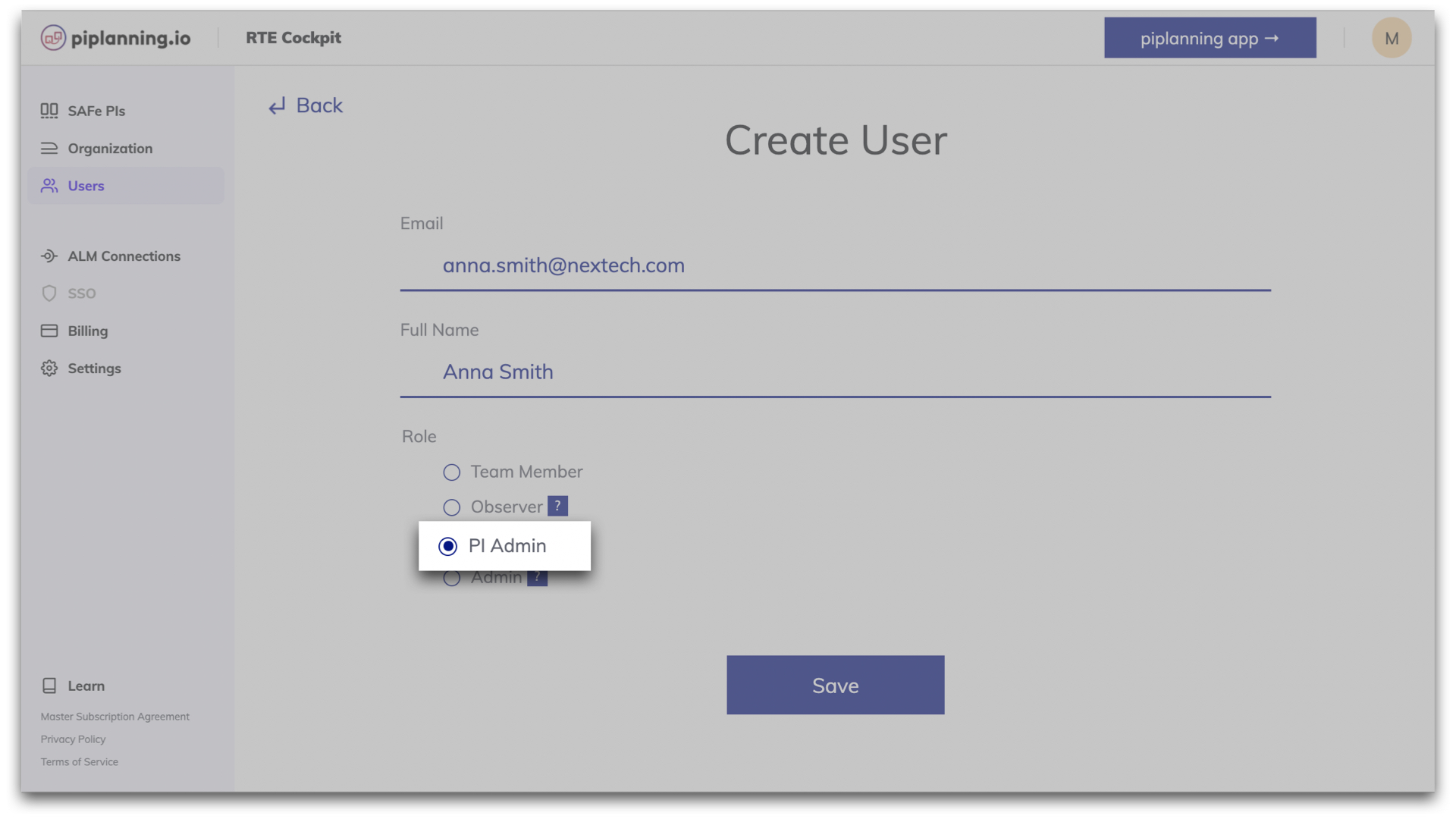
Mar 23rd, 2022

Timer on boards

The built-in timer helps you with timeboxing. You can configure it for the whole ART that will be visible on all boards. Or you can also set an individual timer for a specific Team Board. You can always see what time is still left. Pause or reset if it's needed. When the time is up, the alarm will sound for those to whom it is addressed.
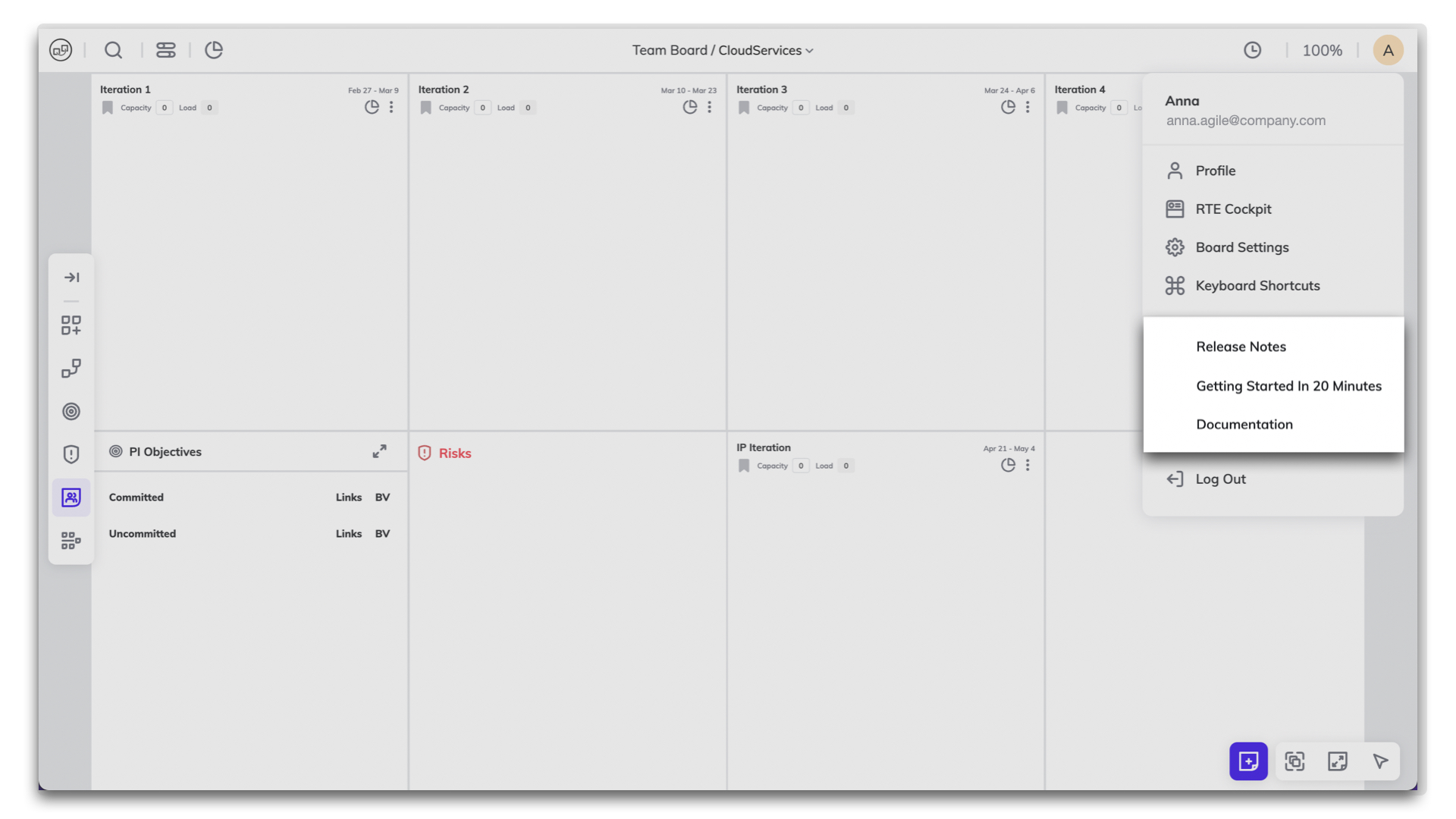
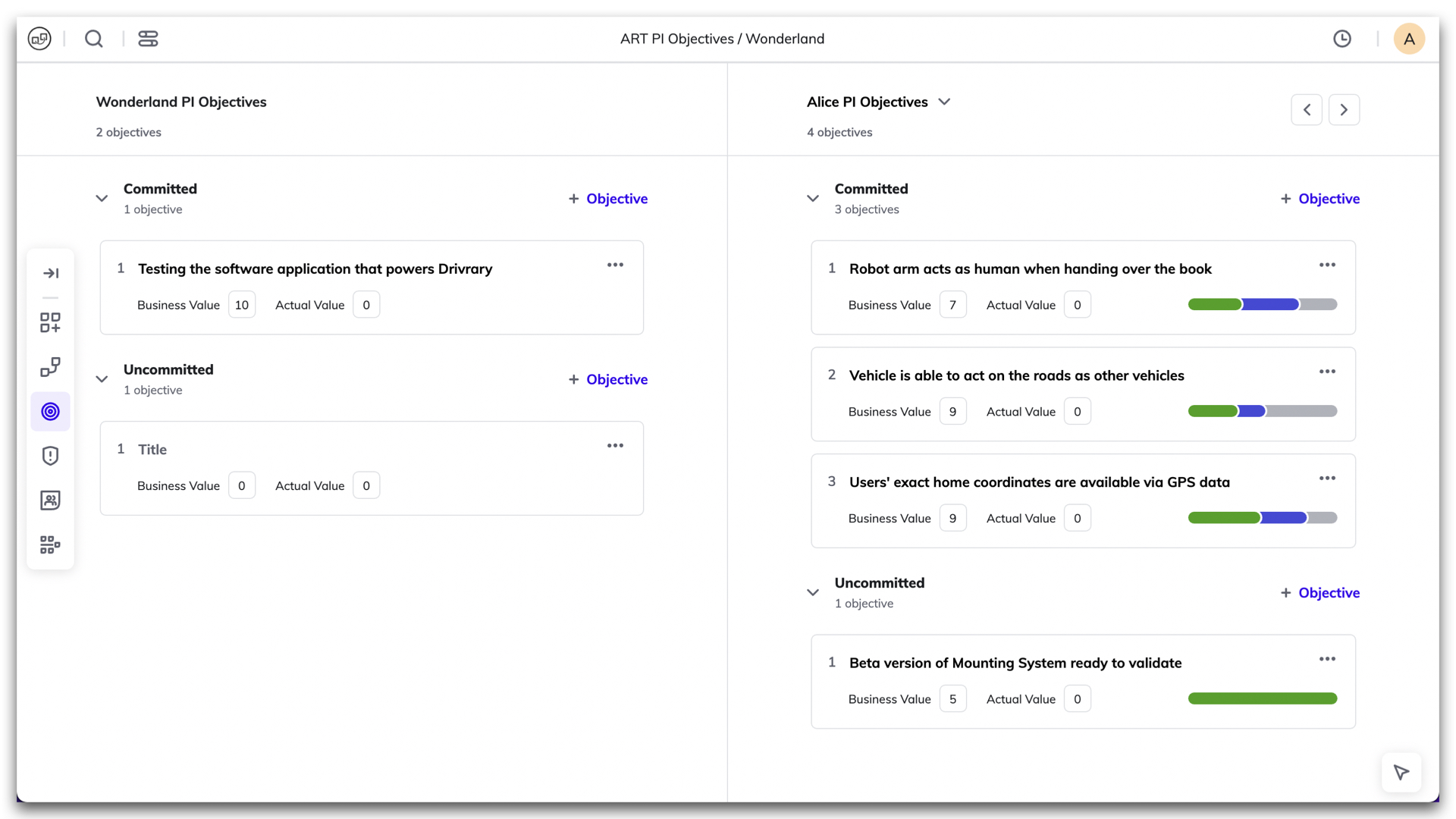
Feb 16th, 2022

ART metrics on Program Board

By clicking on the small icon in the Program Board header, you can access reports such as Capacity Allocation and Load vs. Capacity. They help you plan your resources more accurately during your PI session.
Feb 16th, 2022
Removed arrange button

Removed arrange button

The arrange button has been removed from the navigation bar. This function can be accessed by clicking on the three dots or by right-clicking on the mouse in each iteration.
Feb 7th, 2022

Global search

From now on, when you type in the search bar, the items matching your search will be automatically listed. This is also true if you search for stickers or teams. If nothing is entered, all items will be listed.
Jan 20th, 2022
Newly optimized context menu

Newly optimized context menu

We've restructured the functions to make it easier to see which ones apply to the whole board or specifically to the part you clicked on.
Jan 19th, 2022
Load vs. capacity overview

Load vs. capacity overview

In this newly available report, you can get feedback on the load of the iterations to see the status of your planning. The color of the bar helps you get a quick overview: blue indicates that the load is fine, orange is a warning and red is an overload. To do this, click on the pie chart in the upper right corner of any iteration and select the Load vs. Capacity tab.
Nov 30th, 2021

Risky links

You can now see on the Program Board and Team Board the risky links where the dependency is planned to be delivered in the same iteration or a later one than the feature. A notification will appear in the bottom right corner and disappears as soon as the risky link is resolved.
Nov 18th, 2021

New collaboration canvases

Two new canvases are available. The checklist for Scrum of Scrums of Day 2 for PI Planning can serve you as a crutch. And the Impact Effort Matrix assists you to manage time more efficiently.
Aug 24th, 2021

Update help button

By pressing the Help Button now provides direct access to release notes, courses, documentation and keyboard shortcuts.
Aug 16th, 2021

Showing users on the same board

You can now see the avatars of the users which are also looking at the same board as you. If you click on or hover over the picture the name of the user will be displayed.
Jul 21st, 2021

New color palette available

The color palette of sticky notes appears when you click the "Add new" button on the bar and hides when you click it again. Drag and drop the sticky note to the board. Pressing the color pops up the sticky note in the center of the board. The last chosen color won’t be set up as default anymore.
Jul 1st, 2021

Smoother board zoom

You can enjoy a smooth and snappy zoom in and out transition on the board. There is no lag when you have a lot (400+ items) of sticky notes on the board.
May 12th, 2021

Shortcuts for search on boards

To search on the board for stickers use control + F as a shortcut on your keyboard. For filtering the boards for teams use control + T. If you want to filter for a specific sticky type press control + Y. Be aware: Depending on your system instead of “control” the shortcuts might only work with “option” or “command”.
May 3rd, 2021

Search for multiple sticky types / teams / stickers

When you need to look for a particular sticky note on the board, you can set up multiple search criteria at once such as sticky type, teams or stickers.
Mar 11th, 2021

New canvases available

The accessible canvases have been expanded to include Customer Journey Map, ROAM Kanban, Golden Circle and User Story Map.
Feb 15th, 2021

Filter for "no team" sticky notes

Now it’s possible to highlight sticky notes that are not assigned to a team.
Feb 10th, 2021

December /January Cloud feature overview

Learn in this video what we released in December 2020 and January 2021 in piplanning.io.
Feb 8th, 2021

November Cloud feature overview

Learn in this video what we released in November 2020 for the Cloud piplanning app.
Dec 10th, 2020

Skip through Team Boards

With "control" and the key "4" you can jump through the team boards. Very helpful if you want to get a quick overview of the different team boards.
Nov 28th, 2020

"CONTROL + O" for Objectives

When you are on the team board, you can simply press "Control" and "O" or "Command" and "O" on your keyboard and it will open the Objectives overview.
Nov 28th, 2020

Jump through Team Objectives with arrows

When you are on the PI Objectives Overview, you can use the arrow keys to jump through the objectives. The arrow keys on your keyboard also work for this.
Nov 18th, 2020

"6" for PI Objectives overview

To get to the PI Objectives Overview, you can simply press key "6".
Nov 14th, 2020

Line breaks in Objectives

In the Objectives you can now only make line breaks by holding down the "SHIFT" key.
Nov 11th, 2020

October Cloud feature overview

Learn in this video what we released in October 2020 for the Cloud piplanning app.
Nov 5th, 2020

Filter for "no" stickers

In the search, you can now also highlight stickies that don't have stickers.
Oct 29th, 2020

Simplified linking of stickies

Now it always remembers to which sticky you last linked another sticky. So you can quickly link to the same sticky with your "Return" button.
Oct 27th, 2020

ROAM status update

If you have mirrored a Risk between the Team Board and the Program Risk Board and you move it to another ROAM area on the Program Risk Board, it will be updated directly on the Team Board.
Oct 24th, 2020

Team name on Risk sticky notes

Now the team name is no longer included in the text of the sticky note as before, but nicely listed separately below the summary.
Oct 20th, 2020

Canvas categories

Now you can divide your canvases into categories. You can define, name and move the categories directly in the piplanning app.
Oct 13th, 2020

September Cloud feature overview

Learn in this video what we released in September 2020 for the Cloud piplanning app.
Oct 10th, 2020

New canvases

We have new canvases ready for you. Sailboat, Confidence Vote, Portfolio, Value Stream and Value Stream Identification.
Sep 28th, 2020

June Cloud feature overview

Learn in this video what we released in June 2020 for the Cloud piplanning app.
Sep 28th, 2020

New navigation

We have revised and optimized the navigation. It is now on the left side. You can also use the "Team" button to switch directly between the teams without using the "Exit" button.
Sep 24th, 2020

"N" key for new objective

If you want to add a new objective you can now simply press "N" on your keyboard.
Sep 19th, 2020

PI Objectives Overview

There is a new PI Objective Overview. Here you can see at a glance all the objectives written by the teams. From this view you can even edit them. You can access the PI Objective Overview by clicking on the small arrow on the Team Board or on the Program Board on "Program Objectives".
Sep 12th, 2020

August Cloud feature overview

Learn in this video what we released in August 2020 for the Cloud RTE Cockpit
Sep 6th, 2020

New sticky notes come up big

When you create a new sticky note, it will appear in large size so you can see what you can edit. As soon as you click "Close" or hit "Return" on your keyboard it will be placed in the same size as all other stickies on the board.
Aug 25th, 2020

More canvases available now

There is a new Parking Lot canvas as well as the Lean Canvas and the Business Model Canvas available now. We have also made available a reduced Scrum of Scrums Sync Questions canvas for SAFe trainings.
Aug 18th, 2020

Microsoft Azure Devops

We have now officially released the synchronization between Microsoft Azure DevOps. It is a real-time synchronization with your piplanning app boards. What does this mean? For example, if you create a user story with a summary on the Team Board and enter a Story Point value, this is also reflected in Azure DevOps. Conversely, if you change the iteration in Azure DevOps, for example, it will also be updated in the piplanning app. Find out more and click on "Lean more".
Aug 8th, 2020

July Cloud feature overview

Learn in this video what we released in July 2020 for the Cloud piplanning app.
Aug 4th, 2020

Collaboration canvases

Before someone can use the Collaboration Canvases, you must first configure them for the PI Planning Session. This way you can still avoid chaos and it is really simple to do.
Jul 31st, 2020

Adjustable sticky size in iteration overview

In the sticky overview on the Team Board you can now adjust the size of the sticky just like the Objectives.
Jul 20th, 2020
Local date format

Local date format

The date format now adapts to the format based on the country setting you have in Chrome.
Jun 28th, 2020

Adjustable yellow load highlighting

Between blue, all is well and red, you have an overload you can now also set if it should highlight with a yellow background that you soon reach the capacity limit. In the settings you can put in at what percentage the highlighting should trigger.
Jun 22nd, 2020
Always show the links on Team Boards and Risk Board

Always show the links on Team Boards and Risk Board

In the settings you can now set that the invisible links are always displayed on the Team Board and Program Risk Board.
Jun 18th, 2020

Display highlighted links over stickies

If you long-press on a sticky note it will show you the link above the grayed out sticky notes.
Jun 12th, 2020

May Cloud feature overview

Learn in this video what we released in May 2020 for the Cloud RTE Cockpit
Jun 4th, 2020

Capacity allocation

Our first step into the reporting field. Now you can find out on team level how much is planned for which area based on iterations or the whole team.
Jun 1st, 2020

Search for sticky types and teams on boards

We did it again! We have again optimized the search a bit more. Now you can also search for assigned teams and sticky types.
May 20th, 2020
Highlight of active PI Planning session

Highlight of active PI Planning session

As an RTE at the first step of the session creation "General" you can set a date for your PI Planning. As soon as the day is approaching, in the piplanning app the PI Planning session will be highlighted in grey.
May 14th, 2020

April Cloud feature overview

Learn in this video what we released in April 2020 for the Cloud RTE Cockpit
May 5th, 2020

Search for stickers on boards

Finally it's here! Search for specific stickers like question marks, exclamation marks, dots, stars, check marks, etc. on the boards.
Apr 28th, 2020
Rename velocity to capacity

Rename velocity to capacity

New is the Velocity on the boards Capacity.
Apr 18th, 2020

Hide search and arrange button

Via the help window you can hide the buttons for board search and to sort the stickies on the board. With the shortcuts [control + A] you can turn "Arrange" on and off and when you press [/] on the keyboard the search will open.
Apr 15th, 2020
Search in link window

Search in link window

In the link window to link a sticky to a Program Backlog Board sticky, just start typing and find the desired entry within seconds. Because now you have a Search available!
Apr 10th, 2020
Right click menu

Right click menu

From the new right click menu you can directly create new sticky notes, save a high resolution image of the board to your computer, depending on where you clicked you can also get an overview and last but not least you can sort the stickies in the current area.
Mar 30th, 2020
Actual business value

Actual business value

Among the Team Objectives there is now the possibility to add the actual business (AV) value.
Mar 25th, 2020
Iteration dates on Team Boards

Iteration dates on Team Boards

Now you can also see directly on the Team Board in the iterations from when to when an iteration lasts. Directly under the iteration title you can find the from to date.
Mar 17th, 2020
Font scale activated by default

Font scale activated by default

The setting "Scale up sticky text font" is now always automatically activated. That means you can always read the boards comfortably.
Mar 11th, 2020

Sticky note magnifier

Hold down the space bar and hover over sticky notes to magnify them. This gives you more options to be able to read what's on your boards.
Feb 28th, 2020
Stickers on sticky notes

Stickers on sticky notes

Click in the upper left corner of the sticky note to add a sticker and give your sticky note more attention.
Feb 28th, 2020
Overload highlighting on Program Board

Overload highlighting on Program Board

By default it's now active that you can see on the Program Board which team has an overload in a certain iteration.
Feb 18th, 2020
Help button

Help button

Help button in the upper right corner of your screen shows you all the available short cuts and also a direct link to our video course.
Feb 13th, 2020
SAFe 5.0 – Uncommitted

SAFe 5.0 – Uncommitted

The piplanning app is now officially SAFe 5.0 compliant. The Stretch Objectives on the Team Boards are now changed to "Uncommitted".
Feb 6th, 2020
Dependency path on Program Board

Dependency path on Program Board

We added the information of the path a dependency took also to the sticky that is on the Program Board. No need to switch boards anymore to understand which teams initially talked to each other.
Jan 23rd, 2020

Full touchscreen support

The new web-based piplanning app supports large touchscreens. Plan with your fingers!
Jan 16th, 2020

New animations

We implemented animations for create, delete or remove sticky notes as well as mirror and moving them to other boards.
Dec 22nd, 2019

Select sticky type first

Now when you create a new sticky note the first thing you have to do is select what sticky type you want it to be. After that you can instantly start typing the summary.
Nov 22nd, 2019
Overview where linked stickies are

Overview where linked stickies are

We just released a new feature that gives you a better overview. When clicking on the link icon where you find all the stickies that are linked to this particular sticky note you now also have the information which teams the stickies are assigned, in which iteration they sit and (if they are synced with an ALM tool) what ALM key they have.
Nov 16th, 2019

Direct link to Jira or Rally

Click on the Jira issue key or Rally work item key in the upper right corner of the sticky note and you will be immediately redirected to the Jira issue or Rally work item.
Nov 10th, 2019
Detailed information on iteration overview

Detailed information on iteration overview

The sticky notes you have in the Iteration Overview which you can access by double clicking an iteration has now all the information on the sticky notes you wanted. Makes it easy to present them to the team or stakeholders.
Oct 30th, 2019

Added sticky type to overview

Now you can also see what the sticky type of the stickies on the Program Backlog Board are. Furthermore is it possible now to sort the Program Backlog Board items overview by which teams are assigned to the sticky notes.
Oct 28th, 2019

Set own story points value

You don't plan with the Fibonacci sequence? No problem with this release. Now just click on the Story Points field and enter your own preferred value in the text field.
Oct 22nd, 2019

New way to flag sticky notes

We removed the flag from the sticky note menu and added it to the upper left corner where you can click it to flag sticky notes.
Oct 14th, 2019

Objective scale

Press the buttons in the lower left corner of the Objectives overview to upsize or downsize the Objectives. This gives you better readability when presenting them for example on a projector.
Oct 10th, 2019

LAUNCH OF WEBAPP! (beta)

Today is a big day! After countless hours of hard work we are finally ready to release the beta version of the piplanning app. When designing the new web-based version of the piplanning app we took all the customer feedback we got and all the learnings from the previous version and turned it into a beautiful and extremely intuitive new piplanning app version. Check it out yourself.
Oct 1st, 2019
Load Warning and Capacity Limit Threshold

Load Warning and Capacity Limit Threshold

Load Warning and Capacity Limit Theshol are now configurable in the RTE Cockpit under the Team Board configuration
Dec 2nd, 2024
Updated Permissions for PI-Admin Role in ARTs and Solution Trains

Updated Permissions for PI-Admin Role in ARTs and Solution Trains

PI-Admins can now be assigned to specific ARTs and Solution Trains (STs), extending their permissions to manage teams, ARTs, and STs based on their assignments. This change enhances control over visibility and editing capabilities in the RTE Cockpit. Important: When a user’s role is modified, the system retains their ART/ST associations but adjusts permissions accordingly. Please be aware that this is a breaking change, and further guidance on managing these new permissions will be provided in our documentation.
Nov 6th, 2024
Automatic Logout After Inactivity

Automatic Logout After Inactivity

Helping organizsations meet compliance needs, admins can optionally adjust an inactivity timeout in the cockpit settings after which users get automatically logged out. This functionality detects mouse and keyboard activity, ensuring that only active sessions remain logged in.
Oct 24th, 2024
Enhance ART Backlog Board synch filtering by more fields

Enhance ART Backlog Board synch filtering by more fields

ART backlog issues in Jira can now be filtered by additional field types beyond labels, these are FixVersion, Component, Single-select (customfield), and Multi-select (customfield). This does simplify your configuration and providing greater flexibility in synchronizing your ART backlog.
Sep 18th, 2024
Map Microsoft Azure AD Groups to Teams with OIDC

Map Microsoft Azure AD Groups to Teams with OIDC

You can now setup your team by mapping Microsoft Azure AD groups directly to teams using OIDC. This feature allows for efficient team management and synchronization with your organization's AD structure, making user and team onboarding quicker and more consistent.
Sep 3rd, 2024
Enhanced SSO-Only Mode and Login Flexibility

Enhanced SSO-Only Mode and Login Flexibility

We’ve updated the login behavior for environments with SSO enabled. When SSO-only is active, username and password options are hidden, and user management is streamlined, allowing admins to add users via team assignments but removing password reset options. When SSO is off, login fields for username and password, password resets, and user invitations via email are available, offering greater flexibility in user management.
Aug 25th, 2024
Support for ADO XML Process Templates

Support for ADO XML Process Templates

piplanning.io now supports Azure DevOps (ADO) instances (on-prem) using XML process templates, enabling seamless bidirectional sync of work item statuses. By refining the integration to exclude unused properties like custom rules, this update improves compatibility with XML process templates while maintaining clear logging of any API errors due to custom rules for admin visibility in ALM Events.
Aug 14th, 2024
User Data Export for Compliance

User Data Export for Compliance

Admins can now export a comprehensive list of all users within their company as an XLSX or CSV file. The export includes user details such as ID, email, name, role, teams, last login, and SSO linkage, supporting compliance needs with easy access to user data.
Aug 12th, 2024
Involved teams on dependencies in xlsx export

Involved teams on dependencies in xlsx export

The precond-team and depend-team you add on dependencies are now part of the xlsx session export.
Aug 7th, 2024
ART-Level Team Sync with Rally

ART-Level Team Sync with Rally

You can now synchronize the team-field (project) between Rally and piplanning.io ART-level sticky notes.
Jun 26th, 2024
Support for New Parent-Child Link Type in Jira

Support for New Parent-Child Link Type in Jira

piplanning.io now fully supports Jira's new "parent/child" link type, allowing admins to configure this standardized way of linking Features, User Stories, and other work items. This update streamlines project setup, enhances linking in the RTE Cockpit, and ensures a smooth experience for customers using the Jira Integration.
May 17th, 2024
Enhanced PI Admin Capabilities

Enhanced PI Admin Capabilities

As a PI Admin, you now have the ability to add and edit team members, as well as manage teams within your Agile Release Train.
Mar 20th, 2024
Enhanced Session Duplication Options

Enhanced Session Duplication Options

Prepare New PI: Retain the original PI configuration while updating teams, iteration names, and mappings. Duplicate This PI: Create a copy of the PI with the option to update team compositions, typically used when teams change before PI Planning begins.
Mar 18th, 2024
Default Jira Team Field – now supported for mapping

Default Jira Team Field – now supported for mapping

Jira users can now use the out of the box Jira team field for mapping team and ART level items.
Feb 21st, 2024

Automate Backlog Board item mirroring to Team Board

Automatically mirror Backlog Board items onto the Team Board when the team is assigned. This can easily be done in the RTE Cockpit by ticking the relevant box located under the ART Backlog Board.
Apr 26th, 2023
New PI Admin Role

New PI Admin Role

Within this new role, known as the PI Admin, individuals are granted access to the RTE Cockpit. They assume the responsibility of managing teams within their ART and Solution Trains, including the ability to add new team members. Moreover, they are entrusted with overseeing PI sessions in which they are actively involved as part of their Teams.
Apr 19th, 2023

Available languages: English, Spanish, Japanese

In addition to English, you can now set Spanish or Japanese as your preferred language. Choose the language under your profile.
Dec 14th, 2022

Improved ALM troubleshooting

Lately, we added additional tools to help you to troubleshoot ALM connectivity issues. This allows you to narrow down the problem with your stuck Jira or ADO sync faster than ever before. We highlight connection issues for each PI Planning session and provide a detailed log for each ALM connection.
May 25th, 2022
Redesigned RTE Cockpit navigation

Redesigned RTE Cockpit navigation

You can enjoy new navigation in the RTE Cockpit. The menu got a cool design and the footer has been removed. We love it!
Feb 15th, 2022

PI session name in title

When you edit a session, you know which one you're editing because the session name in the title is always visible whichever settings menu you are editing.
Feb 9th, 2022
Profile menu

Profile menu

We added a Profile menu in the RTE Cockpit, where you can see some of your personal information. Here, you can change your name to the one you want your colleagues to call you. And here you can also change your password.
Feb 8th, 2022
Archive session

Archive session

It is possible to archive a PI Planning session. This allows you to cleanup the list of available sessions to choose for users in the app.
Jan 12th, 2022
Forced login via SSO only is available

Forced login via SSO only is available

piplanning.io now allows you to force login via SSO only and prevent the usage of username and password for your users. This allows for secure, centralized and easy user access management. To do so you can check the box 'Prevent credential login / SSO only' on the IDP setup page.
Dec 16th, 2021

Allow spaces in team names

You can now enter the team names separated by a space in the Cockpit.
Sep 8th, 2021
Import CSV with link

Import CSV with link

Now you can also use the CSV import to bring links between sticky notes with an ALM key to the Program Backlog Board and the Team Boards.
Aug 30th, 2021

Assign ARTs to solution train

Under organization in the menu on the left you can now add your ARTs to a Solution under "Solution Trains".
Jul 23rd, 2021
List of solution trains

List of solution trains

If you click on “Organization” in the menu on the left side and then navigate to the tab "Solution Train" you will find a list of all your Solutions.
Jul 15th, 2021
List of ARTs

List of ARTs

If you click on “Organization” in the menu on the left side and then navigate to the tab "ARTs" you will find a list of all your ARTs.
Jul 8th, 2021
Shared sprints in Jira

Shared sprints in Jira

Now it’s possible that you can use shared sprints. What does that mean? If you have one sprint configured in Jira but multiple teams use this one sprint you can now configure it with the new team-mapping field.
Jun 27th, 2021
Redesigned ALM team mapping page

Redesigned ALM team mapping page

We optimized the way you can manage your teams under ALM team mapping. Now can edit team by team and this way you have a much better overview.
May 18th, 2021

Infinite loading on users page

If you scroll down it will automatically load and display more users.
Apr 30th, 2021
Rally releases for Backlog Board

Rally releases for Backlog Board

For the Program Backlog Board you can now filter your features by releases. So only the features that are in a specific release will be reflected in the piplanning app on the Program Backlog Board.
Apr 20th, 2021

Set order for team on Program Board

You can now set your own preferred order for the teams on the Program Board. Just arrange them the way you want. This can help you to optimize the dependency visualization as you can place teams that have many dependencies to other teams in the center of the board.
Mar 22nd, 2021

Press save for all the changes

We have made it consistent that you always have to press save when you change something in the configuration.
Mar 11th, 2021

Duplicate session

Want to be really fast when preparing your next PI Planning? Simply duplicate a previous session with all the configuration including sticky types and ALM configuration. This way you are ready for PI Planning within a few minutes.
Feb 11th, 2021

December / January Cloud feature overview

Learn in this video what we released in December 2020 and January 2021 for the RTE Cockpit in piplanning.io.
Feb 8th, 2021

RTE Cockpit ↔️ piplanning app

If you are logged in as an admin you can switch with two clicks to the RTE Cockpit and with one click back. In piplanning.io go to Settings and click “RTE Cockpit”. In the RTE Cockpit click in the upper left on “Switch to piplanning app”.
Jan 21st, 2021

Configure canvases

Need another canvas or a different sticky type. Click on the small button “Manage” and get directly to the Canvases configuration page.
Dec 16th, 2020

November Cloud feature overview

Learn in this video what we released in November 2020 for the Cloud piplanning app.
Dec 10th, 2020

October Cloud feature overview

Learn in this video what we released in October 2020 for the Cloud piplanning app.
Nov 5th, 2020

September Cloud feature overview

Learn in this video what we released in September 2020 for the Cloud piplanning app.
Oct 10th, 2020

August Cloud feature overview

Learn in this video what we released in August 2020 for the Cloud RTE Cockpit
Sep 6th, 2020
Teams with no Objectives still appear in XLSX extract

Teams with no Objectives still appear in XLSX extract

Previously, the XLSX excerpt only listed teams that had defined objectives. This meant that there was no overview of which teams had not defined any objectives during PI Planning. This is different now. Now you also see the teams without defined objectives.
Aug 16th, 2020
Clearer distinction of mirrored and default sticky types

Clearer distinction of mirrored and default sticky types

We have clearly separated the sticky types that can be created on a board and those that can be mirrored to this board. This also makes it easier to understand how the board is set up.
Aug 12th, 2020

Collaboration canvases

Before someone can use the Collaboration Canvases, you must first configure them for the PI Planning Session. This way you can still avoid chaos and it is really simple to do.
Jul 31st, 2020
Webhook performance improvement

Webhook performance improvement

We have improved the Webhook performance of the piplanning app by factor five.
Jul 22nd, 2020
Create test work items in Rally

Create test work items in Rally

With one button press you can now create a test work item in Rally to test if your configured required fields work fine.
Jul 13th, 2020

June Clooud feature overview

Learn in this video what we released in June 2020 for the Cloud RTE Cockpit
Jul 8th, 2020
Special settings available during session creation

Special settings available during session creation

Until now, certain settings when creating the session were only available when editing the session. We have now changed this. Everything can be set the first time you create a session.
Jun 24th, 2020
Download audit logs

Download audit logs

From the settings you can now download the audit logs. All you have to do is enter the time period and click on the "Export Logs" button.
Jun 15th, 2020

May Cloud feature overview

Learn in this video what we released in May 2020 for the Cloud RTE Cockpit
Jun 4th, 2020
Admin email required

Admin email required

When you create an admin user, you must now also specify an email address so that if he forgets his password, he can reset it himself.
May 23rd, 2020
Highlight of active PI Planning session

Highlight of active PI Planning session

As an RTE at the first step of the session creation "General" you can set a date for your PI Planning. As soon as the day is approaching, in the piplanning app the PI Planning session will be highlighted in grey.
May 14th, 2020

April Cloud feature overview

Learn in this video what we released in April 2020 for the Cloud RTE Cockpit
May 5th, 2020

Sync Rally iteration by iteration

With Rally sync you can now manually synchronize single iterations. So you don't have to stop and restart the whole sync from the RTE Cockpit. The teams can manage this themselves on team level.
Apr 24th, 2020
Allow teams to access session they are not part of

Allow teams to access session they are not part of

Under Teams you can now assign teams to a session without giving them a Team Board. This way you can also create e.g. a Solution session that allows you to visualize dependencies between ARTs.
Apr 18th, 2020
XLSX extract including dependencies

XLSX extract including dependencies

The XLSX export now also contains the dependencies. This way, you can also feed it back into an ALM tool that has no direct sync.
Mar 15th, 2020
Helpful error messages with CSV import

Helpful error messages with CSV import

When uploading a CSV file and something with the iteration numbering is not correct, we let you know with an error message you can understand.
Feb 28th, 2020
Rally default field values

Rally default field values

Use default field values if you want that a specific filed in Rally gets filled out automatically when a sticky note is created in the piplanning app. That's also helpful if you have some required fields.
Jan 20th, 2020
Exclude Rally "accepted" iterations

Exclude Rally "accepted" iterations

In the Iteration mapping dropdown we only show Rally iterations that don't have the status "Accepted" in Rally. This way you don't have to scroll through hundreds of iterations which aren't relevant for you.
Dec 16th, 2019
List all Rally projects

List all Rally projects

We extended the limit of 200 to list all Rally Projects of a Rally Workspace.
Nov 22nd, 2019
Sort Jira projects, boards, and issue types in alphabetical order

Sort Jira projects, boards, and issue types in alphabetical order

When ever you map something from the piplanning app to Jira the entries are now sorted in alphabetical order which makes it (for obvious reasons) way easier to find the right one.
Nov 18th, 2019
Prevent Jira issues from being deleted

Prevent Jira issues from being deleted

The setting "Move Jira issue to backlog when not in any iteration" when creating a new PI Planning session is now activated by default. This way you don't have to go back and activate it by hand anymore in order to prevent Jira issues from being deleted when teams drag them outside a synced iteration in the piplanning app.
Oct 24th, 2019

Release version 2.18.0

This release includes all the features from previous Cloud releases.
Nov 20th, 2024

Release version 2.17.0

This release includes all the features from previous Cloud releases.
Jun 25th, 2024

Release version 2.16.0

This release includes all the features from previous Cloud releases.
May 16th, 2024

Release version 2.15.0

This release includes all the features from previous Cloud releases.
Feb 6th, 2024

Release version 2.14.0

This release includes all the features from previous Cloud releases.
May 24th, 2023

Release version 2.12

This release includes all the features from previous Cloud releases.
Feb 16th, 2022

Release version 2.11

This release includes all the features from previous Cloud releases.
Dec 28th, 2021

Release version 2.10

This release includes all the features from previous Cloud releases.
Nov 17th, 2021

Release version 2.9

This release includes all the features from previous Cloud releases.
Jul 7th, 2021

Release version 2.3

This release includes all the features from previous Cloud releases.
May 19th, 2021

Release version 2.8

This release includes all the features from previous Cloud releases.
Mar 5th, 2021

Release version 2.7

This release includes all the features from previous Cloud releases.
Jan 28th, 2021

Release version 1.9

This release includes all the features from previous Cloud releases.
Jan 8th, 2021

Release version 2.6

This release includes all the features from previous Cloud releases.
Oct 2nd, 2020

Release version 2.5

This release includes all the features from previous Cloud releases.
Aug 31st, 2020

Release version 2.4

This release includes all the features from previous Cloud releases.
Jul 12th, 2020

Release version 2.2

This release includes all the features from previous Cloud releases.
Apr 5th, 2020

Release version 2.1

This release includes all the features from previous Cloud releases.
Mar 2nd, 2020

Release version 2.1

This release includes all the features from previous Cloud releases.
Feb 5th, 2020

Release version 2.0

This release includes all the features from previous Cloud releases.
Feb 5th, 2020

Release version 1.9

This release includes all the features from previous Cloud releases.
Jan 8th, 2020

Release version 1.8

This release includes all the features from previous Cloud releases.
Nov 29th, 2019

Release version 1.7

This release includes all the features from previous Cloud releases.
Oct 31st, 2019